Vercel AI SDK
Learn how to integrate Vercel AI SDK with Strapi.

Why Use Vercel's AI SDK?
Integrate Vercel's AI SDK with Strapi to add native AI capabilities to your backend through a clean, provider-agnostic interface. The AI SDK gives you a unified way to work with large language models while keeping API keys secure and prompts centralized inside Strapi.
Key features that stand out:
- Provider-agnostic — swap between Anthropic, OpenAI, Google, and others with a single config change.
- Streaming built-in — first-class support for SSE and UI Message Stream protocols.
useChathook — drop-in React hook for multi-turn chat interfaces.- Type-safe — full TypeScript support with
UIMessageandModelMessagetypes. - Lightweight — minimal footprint, works seamlessly inside a Strapi plugin.
Explore the AI SDK documentation to learn more.
Why Use Strapi?
Strapi is the leading open-source headless CMS offering features like customizable APIs, role-based permissions, multilingual support, etc. It simplifies content management and integrates effortlessly with modern frontend frameworks.
Explore the Strapi documentation for more details.
Strapi 5 Highlights
The out-of-the-box Strapi features allow you to get up and running in no time:
- Single types: Create one-off pages that have a unique content structure.
- Draft and Publish: Reduce the risk of publishing errors and streamline collaboration.
- 100% TypeScript Support: Enjoy type safety & easy maintainability.
- Customizable API: Hop into your code editor and edit the code to fit your API to your needs.
- Integrations: Strapi supports integrations with Cloudinary, SendGrid, Algolia, and others.
- Editor interface: The editor allows you to pull in dynamic blocks of content.
- Authentication: Secure and authorize access to your API with JWT or providers.
- RBAC: Safeguard against unauthorized access or configuration modifications.
- i18n: Manage content in multiple languages. Easily query the different locales through the API.
- Plugins: Customize and extend Strapi using plugins.
Learn more about Strapi 5 features.
How to Integrate Vercel's AI SDK with Strapi 5
We'll build a custom Strapi plugin that exposes AI endpoints to any frontend. The plugin supports three patterns: simple ask, streaming responses, and multi-turn chat.
Step 1: Set Up Your Strapi Project
1. Install Strapi First, set up your Strapi project by running the command below:
# npm
npx create-strapi@latest

# yarn
yarn create strapi

# pnpm
pnpm create strapi
2. Start Strapi Development Server After installation, start your Strapi development server using the command below:
# npm
npm run develop

# yarn
yarn develop
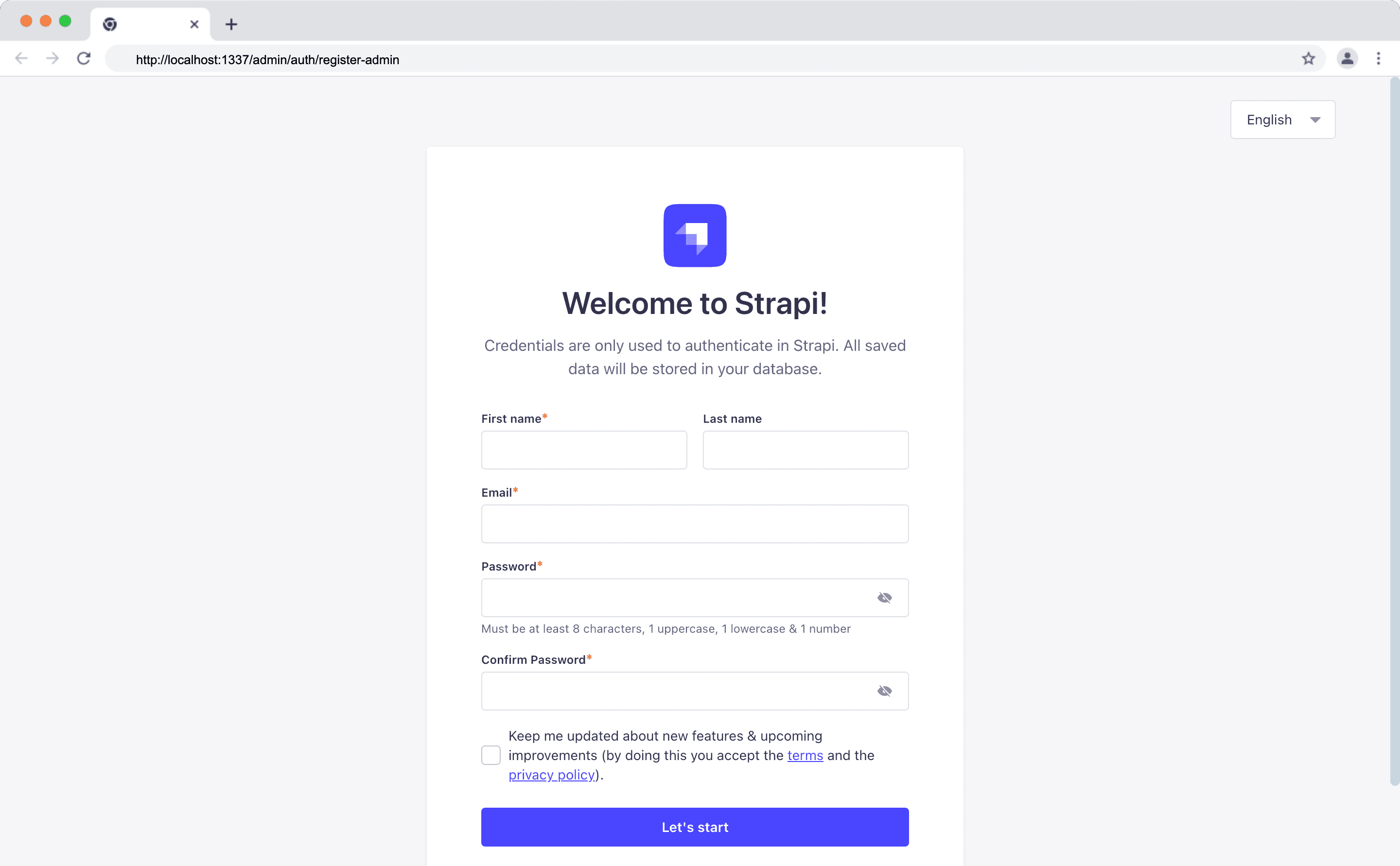
3. Register an Admin User After starting your Strapi development server, proceed to create a new admin user.
Step 2: Scaffold the AI SDK Plugin
Use the Strapi Plugin SDK to generate the plugin structure:
npx @strapi/sdk-plugin@latest init ai-sdkAnswer Yes to both "register with the admin panel" and "register with the server."
Then install the AI SDK dependencies inside the plugin:
cd src/plugins/ai-sdk
npm install @ai-sdk/anthropic ai
npm run build
Step 3: Update .env and Plugin Config
Add your AI credentials to the .env file in the Strapi root:
ANTHROPIC_API_KEY=sk-ant-your-api-key-here
ANTHROPIC_MODEL=claude-sonnet-4-20250514
Update config/plugins.ts to pass the config to the plugin:
export default ({ env }) => ({
  "ai-sdk": {
    enabled: true,
    resolve: "./src/plugins/ai-sdk",
    config: {
      anthropicApiKey: env("ANTHROPIC_API_KEY"),
      chatModel: env("ANTHROPIC_MODEL", "claude-sonnet-4-20250514"),
    },
  },
});
Step 4: Initialize the AI Provider
Create server/src/lib/init-ai-sdk.ts inside your plugin to set up the Anthropic provider:
import { createAnthropic } from "@ai-sdk/anthropic";
import { generateText, streamText } from "ai";

class AISDKManager {
  private provider = null;
  private model = "claude-sonnet-4-20250514";

  initialize(config) {
    if (!config?.anthropicApiKey) return false;
    this.provider = createAnthropic({ apiKey: config.anthropicApiKey });
    if (config.chatModel) this.model = config.chatModel;
    return true;
  }

  async generateText(prompt, options) {
    const result = await generateText({
      model: this.provider(this.model),
      prompt,
      system: options?.system,
    });
    return { text: result.text };
  }

  async streamText(prompt, options) {
    const result = streamText({
      model: this.provider(this.model),
      prompt,
      system: options?.system,
    });
    return { textStream: result.textStream };
  }
}

export const aiSDKManager = new AISDKManager();
Then register it in server/src/register.ts:
import { aiSDKManager } from "./lib/init-ai-sdk";

const register = ({ strapi }) => {
  const config = strapi.config.get("plugin::ai-sdk");
  const initialized = aiSDKManager.initialize(config);

  if (!initialized) {
    strapi.log.warn("AI SDK plugin: API key not configured");
    return;
  }

  strapi.log.info(`AI SDK plugin initialized with model: ${aiSDKManager.getChatModel()}`);
};

export default register;
Step 5: Create the Service, Controller, and Route
Service (server/src/services/service.ts):
import { aiSDKManager } from "../lib/init-ai-sdk";

const service = ({ strapi }) => ({
  async ask(prompt, options) {
    const result = await aiSDKManager.generateText(prompt, options);
    return result.text;
  },
  async askStream(prompt, options) {
    const result = await aiSDKManager.streamText(prompt, options);
    return result.textStream;
  },
});

export default service;
Controller (server/src/controllers/controller.ts):
const controller = ({ strapi }) => ({
  async ask(ctx) {
    const { prompt, system } = ctx.request.body;
    if (!prompt) return ctx.badRequest("prompt is required");

    const service = strapi.plugin("ai-sdk").service("service");
    const result = await service.ask(prompt, { system });
    ctx.body = { data: { text: result } };
  },

  async askStream(ctx) {
    const { prompt, system } = ctx.request.body;
    if (!prompt) return ctx.badRequest("prompt is required");

    const service = strapi.plugin("ai-sdk").service("service");
    const textStream = await service.askStream(prompt, { system });

    // Set up SSE headers
    ctx.set({
      "Content-Type": "text/event-stream",
      "Cache-Control": "no-cache",
      Connection: "keep-alive",
    });

    const { PassThrough } = require("node:stream");
    const stream = new PassThrough();
    ctx.body = stream;

    (async () => {
      for await (const chunk of textStream) {
        stream.write(`data: ${JSON.stringify({ text: chunk })}\n\n`);
      }
      stream.write("data: [DONE]\n\n");
      stream.end();
    })();
  },
});

export default controller;
Route (server/src/routes/content-api/index.ts):
export default {
  type: "content-api",
  routes: [
    { method: "POST", path: "/ask", handler: "controller.ask", config: { policies: [] } },
    { method: "POST", path: "/ask-stream", handler: "controller.askStream", config: { policies: [] } },
  ],
};
Step 6: Enable the Endpoints
After rebuilding and restarting Strapi, enable the endpoints under Settings → Users & Permissions → Roles → Public → Ai-sdk.
Step 7: Test the Integration
Non-streaming:
curl -X POST http://localhost:1337/api/ai-sdk/ask \
  -H "Content-Type: application/json" \
  -d '{"prompt": "What is 2 + 2? Reply with just the number."}'
Expected response:
{ "data": { "text": "4" } }Streaming:
curl -X POST http://localhost:1337/api/ai-sdk/ask-stream \
  -H "Content-Type: application/json" \
  -d '{"prompt": "Count from 1 to 5"}'
You should see SSE events streaming in real time.
Step 8: Connect from Next.js (Optional)
Install the AI SDK React package in your Next.js project:
npm install @ai-sdk/reactThen consume the endpoints with a simple hook:
import { useState, useCallback } from "react";

export function useAsk() {
  const [response, setResponse] = useState("");
  const [loading, setLoading] = useState(false);

  const ask = useCallback(async (prompt: string) => {
    setLoading(true);
    const res = await fetch("http://localhost:1337/api/ai-sdk/ask", {
      method: "POST",
      headers: { "Content-Type": "application/json" },
      body: JSON.stringify({ prompt }),
    });
    const data = await res.json();
    setResponse(data.data.text);
    setLoading(false);
  }, []);

  return { ask, response, loading };
}
For full multi-turn chat support using useChat, see the complete tutorial linked below.
Full Tutorial
For the full implementation including multi-turn chat, useChat hook integration, and the complete Next.js frontend, visit the full tutorial on the Strapi blog.
Strapi Open Office Hours
If you have any questions about Strapi 5 or just would like to stop by and say hi, you can join us at Strapi's Discord Open Office Hours, Monday through Friday at 12:30 pm – 1:30 pm CST: Strapi Discord Open Office Hours.
For more details, visit the Strapi documentation and AI SDK documentation.
Frequently Asked Questions
Vercel's AI SDK is a lightweight, provider-agnostic toolkit for integrating large language models into JavaScript applications. It provides a unified interface for features like text generation, streaming responses, and multi-turn chat — regardless of which LLM provider (Anthropic, OpenAI, Google, etc.) you choose.
Security is handled at multiple levels. First, your LLM API key is stored in Strapi's .env file and passed to the plugin through config/plugins.ts, so it never reaches the frontend. Second, Strapi's built-in role-based access control (RBAC) lets you decide exactly who can call the AI endpoints — go to Settings → Users & Permissions → Roles and enable or disable the ask and askStream actions per role.
By default, all plugin endpoints are blocked until you explicitly grant access. For additional protection, you can require authenticated requests by only enabling the endpoints for the Authenticated role, meaning users must pass a valid JWT token with every request. You can also add custom policies to your route configuration to implement rate limiting or input validation before any prompt reaches the AI provider.
No, Next.js is completely optional. The Strapi plugin exposes standard REST endpoints (/api/ai-sdk/ask and /api/ai-sdk/ask-stream), which means any frontend framework or client can consume them.
Whether you're using React, Vue, Svelte, Angular, a mobile app, or even a simple curl command, you can send a POST request with a prompt and get a response back.
The Next.js example in the tutorial is just one way to connect, chosen because the AI SDK offers a convenient useChat React hook. But the backend doesn't care what's calling it — if your client can make HTTP requests and handle JSON or Server-Sent Events, it will work.
Yes, Vercel's AI SDK has built-in support for tool calling (also known as function calling). This allows the AI model to invoke predefined functions during a conversation — for example, looking up a product in your Strapi content library, checking inventory, or fetching live data from an external API.
You define your tools with a name, description, and parameter schema, and the SDK handles the back-and-forth between the model and your functions automatically. Inside a Strapi plugin, this is powerful because your tools can directly access Strapi's content API, query collections, or trigger custom business logic all on the server side. Check the AI SDK tool calling documentation for implementation details.
Yes, Vercel's AI SDK supports agentic workflows where the model can reason, plan, and execute multiple steps autonomously. An agent can chain together several tool calls, evaluate intermediate results, and decide what to do next — all without additional prompts from the user.
When combined with Strapi, this opens up use cases like a support agent that searches your knowledge base, retrieves relevant content entries, and drafts a personalized response in a single request. The SDK provides utilities like maxSteps to control how many reasoning loops the agent can take, giving you fine-grained control over complexity and cost. Visit the AI SDK documentation to explore agentic patterns in detail.