Cincopa
Cincopa is a platform for all your multimedia hosting needs. Store and share product demos, marketing videos, online courses, and investor briefings anywhere on the web easily and securely.

Integrating Cincopa with Strapi allows you to manage videos, images, audio, and other rich media directly from your Strapi CMS. This setup streamlines media workflows, reduces server load, and ensures fast, reliable playback across websites and applications.
Why use Strapi?
Strapi is the leading open-source headless CMS offering features, like customizable APIs, role-based permissions, multilingual support, etc. It simplifies content management and integrates effortlessly with modern frontend frameworks.
Explore the Strapi documentation for more details.
Why Use Cincopa?
Cincopa is a video and media hosting platform that enables developers to manage video, audio, images, and galleries in one place. It streamlines embedding, streaming, and media management across applications without the need for multiple external services.
For teams building training systems, learning platforms, or content-rich applications, Cincopa provides APIs, plugins, and infrastructure that simplify media delivery while addressing the operational needs of content management.
Bringing Developers and Content Managers Together
Cincopa unites technical and content teams on one platform.
- Developers get powerful APIs and integrations.
- Content managers and creators get an intuitive UI.
Together, they deliver seamless, mission-critical video experiences for teaching, training, eCommerce, and engagement.
✨ Features included :
- 📤 Upload videos to Cincopa from within Strapi
- 🎥 Use customizable, video players (mobile and desktop) - available in multiple styles such as playlists, Netflix-like galleries, academy and course layouts with multiple playlists, and more
- 🤖 AI features like VideoGPT for Q&A, summaries, and engagement
- ⚡ Deliver content through a top-tier global CDN for maximum speed and reliability
- 🔒 Enterprise-grade security with tokenized access, encrypted delivery, and fine-grained permission controls
- 📊 Analytics: Dive into layered insights with three-level analytics
- 📝 Create, upload, or generate subtitles/CC with AI
- 🎬 Create or auto-generate chapters to divide a long video
- 🎯 Add on-video features like annotations, calls to action, lead capture forms
- 🔍 Search your video library by title, description, ID, or even within the transcript
- 🧠 Set or auto-generate title and description with AI
- 🖼️ Pick or upload a thumbnail, or define a video clip as your preview
- 🌐 Automatic Video SEO with structured JSON-LD markup
- ✂️ Cut, trim, and refine your video content
Why Use Cincopa with Strapi?
Integrating Cincopa with Strapi allows editors to upload and manage media files such as videos, images, and galleries directly from the Strapi interface. This is done using the Cincopa Uploader plugin, which connects Strapi with your Cincopa account and syncs media assets with your collections.
After installing this plugin successfully, you can access UI Studio to manage media within content systems, along with customizable HTML5 players, analytics for tracking usage, and playback options like video chaptering, annotations, and responsive layouts.
Key Benefits of the Integration
Direct Integration with Your Cincopa Account
The integration allows you to connect your Cincopa account seamlessly within the Strapi interface. This eliminates the need for external tools or complex workflows, enabling direct access to your media assets from within Strapi’s environment, streamlining content management.
Full Media Browsing, Uploading, and Embedding
With this integration, users can browse, upload, and embed media directly from the Strapi interface. This feature simplifies the process of managing videos, images, and other media types, allowing content creators to work efficiently without switching between platforms.
Simplified Video-Rich Headless CMS Implementations
The integration is designed to enhance headless CMS setups by making it easier to incorporate video content. It provides a smooth workflow for managing and delivering video-rich experiences, reducing the complexity of integrating multimedia into headless architectures.
Advanced Media-Driven Experiences for eLearning, eCommerce, or content-rich sites
This integration empowers eLearning and eCommerce platforms to create engaging, media-driven user experiences. By leveraging Cincopa’s robust media capabilities within Strapi, platforms can deliver interactive video content, product showcases, or tutorials that enhance user engagement and drive conversions.
Ideal for SaaS Platforms and Enterprise Portals
The integration is well-suited for SaaS platforms, enterprise portals, and any headless architecture. It provides a scalable, flexible solution for managing media assets, making it ideal for businesses looking to build sophisticated, media-centric applications within a headless CMS framework.
Getting Started with Cincopa
Prerequisites
- ✅ A Cincopa API Token with "Full Access" permissions. Refer to the heading Create an API Token for the steps.
- ✅ Node.js: Ensure you have Node.js installed on your system.
- ✅ npm: This comes with Node.js, so no need to install it separately.
- ✅ Yarn (optional but recommended): Yarn is an alternative package manager, and Strapi recommends it for faster performance. You can install it via npm by running:
npm install -g yarnStep 1: Install the Cincopa Uploader Plugin
To enable uploading media from Strapi to Cincopa, install the plugin:
npm install strapi-plugin-cincopa-uploader@latestStep 2: Configure Cincopa Uploader Plugin
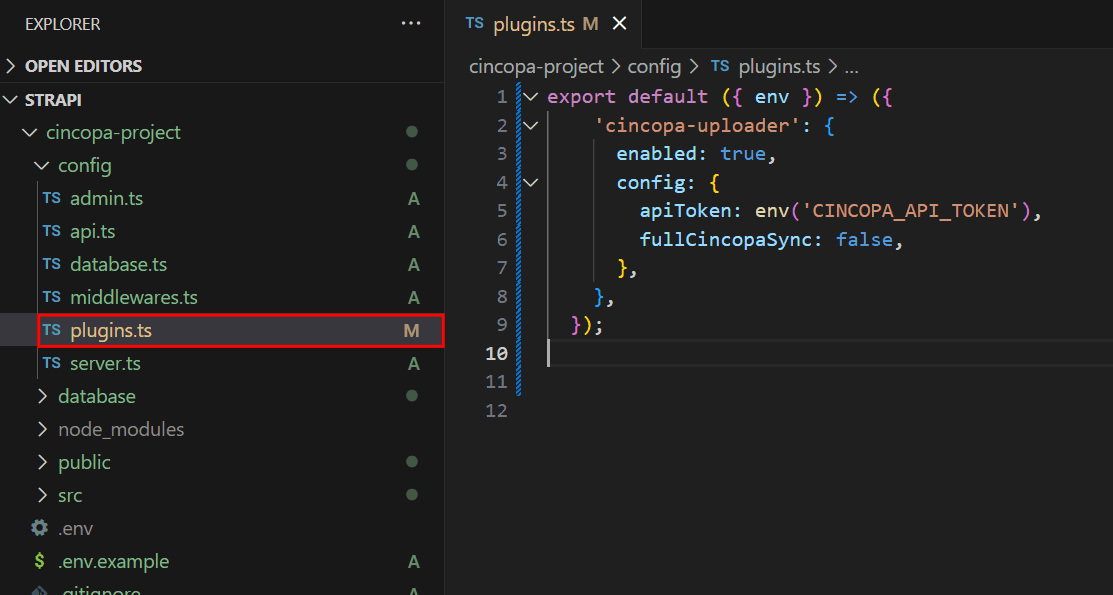
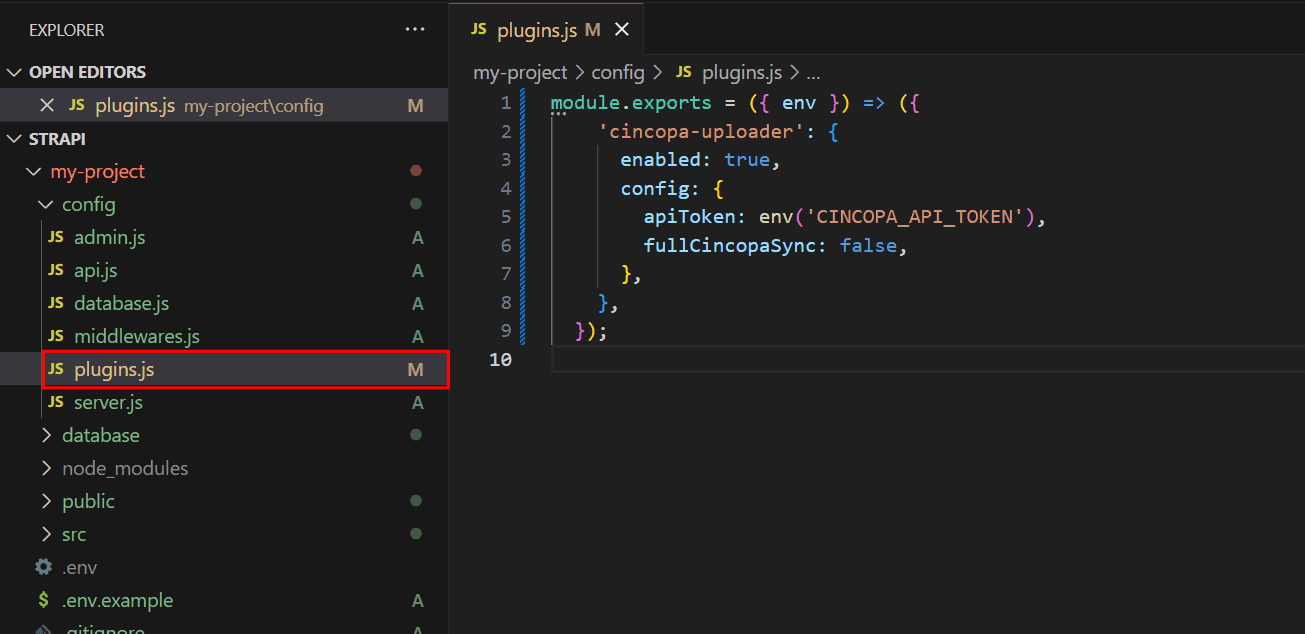
After installing the Cincopa Uploader Plugin in your Strapi project, configure it based on whether you selected TypeScript or JavaScript during Strapi installation. Edit the plugins.js (for JavaScript) or plugins.ts (for TypeScript) files, along with the .env file, to add your Cincopa API token and configure the plugin settings.
For TypeScript:
export default ({ env }) => ({
  'cincopa-uploader': {
    enabled: true,
    config: {
      apiToken: env('CINCOPA_API_TOKEN'),
      fullCincopaSync: false,
    },
  },
});
For JavaScript:
module.exports = ({ env }) => ({
  'cincopa-uploader': {
    enabled: true,
    config: {
      apiToken: env('CINCOPA_API_TOKEN'),
      fullCincopaSync: false,
    },
  },
});
Step 3: Add API Token:
Add your Cincopa API token to the .env file located in the root directory of your project and save it.
CINCOPA_API_TOKEN=your_actual_api_token_hereReplace your_actual_api_token_here with the real token you get from your Cincopa account.
Step 4: Restart Strapi Dev Server
Save all your files, then restart the Strapi development server to apply the changes.
npm run developOnce the server starts, access the admin panel by the provided link in your terminal to create your first administrator account and begin using Strapi. For example: “http://localhost:1337/admin”
You can also refer to the video below that demonstrates the Cincopa Strapi Plugin installation process step by step.
Github Project Repo
You can find a complete working example of the Cincopa and Strapi integration in the GitHub repository. This project demonstrates how to set up and use Cincopa within Strapi.
Cincopa Support
Contact Cincopa for a demo or support at support@cincopa.com For more details, visit the Cincopa.
Strapi Open Office Hours
If you have any questions about Strapi 5 or just would like to stop by and say hi, you can join us at Strapi's Discord Open Office Hours Monday through Friday at 12:30 pm - 1:30 pm CST: Strapi Discord Open Office Hours
For more details about this integration, visit the Strapi documentation and Cincopa documentation.
Frequently Asked Questions
The general approach involves creating a custom field in your Strapi content type to store the media platform's asset identifiers. You would add a text or string field to hold Cincopa gallery IDs, video IDs, or other asset references.
Once your Strapi content includes these media identifiers, your frontend application can fetch the content through Strapi's API and use the retrieved IDs to embed Cincopa media using the platform's standard embedding methods. This approach keeps your content structure clean while leveraging specialized media delivery capabilities.
Consult Cincopa's official documentation for their embedding options and Strapi's content type builder documentation for creating and configuring custom fields in your content types.
These platforms serve different but complementary purposes. Specialized media hosting platforms typically offer advanced features specifically designed for video delivery, streaming optimization, gallery management, and media analytics that go beyond basic file storage and serving.
Strapi's built-in Media Library functions as a general-purpose asset manager suitable for standard website assets like images, documents, and smaller media files. For basic content images such as thumbnails, hero images, or profile pictures, Strapi's Media Library remains straightforward and well-integrated.
For large-scale video hosting, advanced playback features, or specialized gallery presentations, a dedicated media platform may offer advantages. Many implementations use both systems together—leveraging Strapi's Media Library for standard content assets while referencing external media platform content through stored identifiers for specialized media needs.
The typical pattern involves fetching your Strapi content via REST or GraphQL API, extracting the media platform's asset identifier from the content data, and rendering it using the media platform's embedding method. The specific implementation depends on your frontend framework and the media platform's available embedding options.
Most media platforms provide JavaScript-based embedding solutions, iframe embed codes, or API-driven approaches for rendering content. You'll need to integrate these embedding methods into your frontend components or templates, passing the asset identifiers retrieved from your Strapi content as parameters.
The implementation details will vary based on whether you're using React, Vue, Angular, vanilla JavaScript, or server-side rendering frameworks. Refer to both Cincopa's embedding documentation and your frontend framework's best practices for dynamically loading external scripts and managing component lifecycles.
Store API credentials as environment variables following security best practices. Never commit credentials directly to your codebase or store them in your Strapi database in plain text. Environment variables should be configured in your hosting environment and accessed through your application's environment configuration.
If you're building custom functionality that interacts with a media platform's API directly from your Strapi backend, structure your code to read credentials from environment variables and use them in service or controller layers.
For multi-user scenarios where different users or projects need to connect their own accounts, consider implementing a secure settings interface within Strapi's admin panel. Such implementations should use encryption for stored credentials and follow security best practices for credential management. While Strapi does not provide built-in utilities for encrypting sensitive configuration data, you can leverage community plugins or custom code alongside recommended security best practices.
Implement validation to ensure proper formatting of asset identifiers before they're saved in your content. This can be accomplished through schema-level validation rules in your Strapi content type definitions or through lifecycle hooks that execute before content is created or updated.
Schema-level validation allows you to define format requirements such as required fields, string patterns, or character restrictions. For more sophisticated validation—such as verifying that an asset actually exists on the media platform—lifecycle hooks provide a place to execute custom validation logic, including making API calls to verify asset availability.
When implementing validation, provide clear error messages to content editors so they understand what format is expected. Refer to both Cincopa's documentation to determine the correct identifier format for their assets and Strapi's documentation on content type schemas and lifecycle hooks to implement appropriate validation for your use case.