Croct
Croct is the fastest and easiest way to add content management, personalization, AB testing, and analytics to your web applications without compromising performance.

Why Use Croct?
Croct is a headless experimentation and personalization platform designed to help teams deliver tailored digital experiences without engineering overhead. It enables growth and product teams to run A/B tests, personalize content, and experiment, all while keeping Strapi as your primary CMS, targeting specific audiences, and tracking results in real-time.
Croct stands out for its headless approach to experimentation and personalization, allowing non-technical users to create and manage experiences without relying too heavily on developers.
Explore the Croct documentation for more details.
Why Use Strapi?
Strapi is the leading open-source headless CMS offering features, like customizable APIs, role-based permissions, multilingual support, etc. It simplifies content management and integrates effortlessly with modern frontend frameworks.
Explore the Strapi documentation for more details.
Strapi 5 Highlights
The out-of-the-box Strapi features allow you to get up and running in no time:
- Single types: Create one-off pages that have a unique content structure.
- Draft and Publish: Reduce the risk of publishing errors and streamline collaboration.
- 100% TypeScript Support: Enjoy type safety & easy maintainability
- Customizable API: With Strapi, you can simply open your code editor and edit the code to tailor your API to your specific needs.
- Integrations: Strapi supports integrations with Cloudinary, SendGrid, Algolia, and others.
- Editor interface: The editor allows you to pull in dynamic blocks of content.
- Authentication: Secure and authorize access to your API with JWT or providers.
- RBAC: Help maximize operational efficiency, reduce dev team support work, and safeguard against unauthorized access or configuration modifications.
- i18n: Manage content in multiple languages. Easily query the different locales through the API.
- Plugins: Customize and extend Strapi using plugins.
Learn more about Strapi 5 feature.
Key Features of Croct
Croct offers a comprehensive suite for personalization and experimentation:
- Dynamic content blocks: Replace static components with dynamic, user-targeted content managed directly through Croct’s UI. Strapi content remains as a fallback, ensuring you never lose the flexibility of your existing setup.
- AB testing: Instantly run experiments and analyze results using Croct’s built-in Bayesian AB testing mechanism, without manual traffic splitting or variant management.
- Personalization: Serve content variations based on user location, behavior, or custom rules, all in real-time, and without the need for a separate CDP.
- Built-in analytics: Get actionable insights for every variant and user segment, eliminating the need for external analytics integrations.
- Seamless compatibility: Works seamlessly with your existing Strapi schemas and dynamic zones, allowing you to map components and slots without disrupting your content model.
- Zero migration required: Gradually adopt dynamic content and experimentation, moving only the components you want to optimize, while keeping the rest of your site managed in Strapi.
Setting Up Your Strapi Project
Croct provides ready-to-use templates to accelerate your Strapi integration. All templates are based on the Launchpad official demo application and leverage Strapi’s dynamic zones, a feature that allows you to create flexible, reusable content structures by combining different types of components.
These are the dynamic zones from the LaunchPad demo:
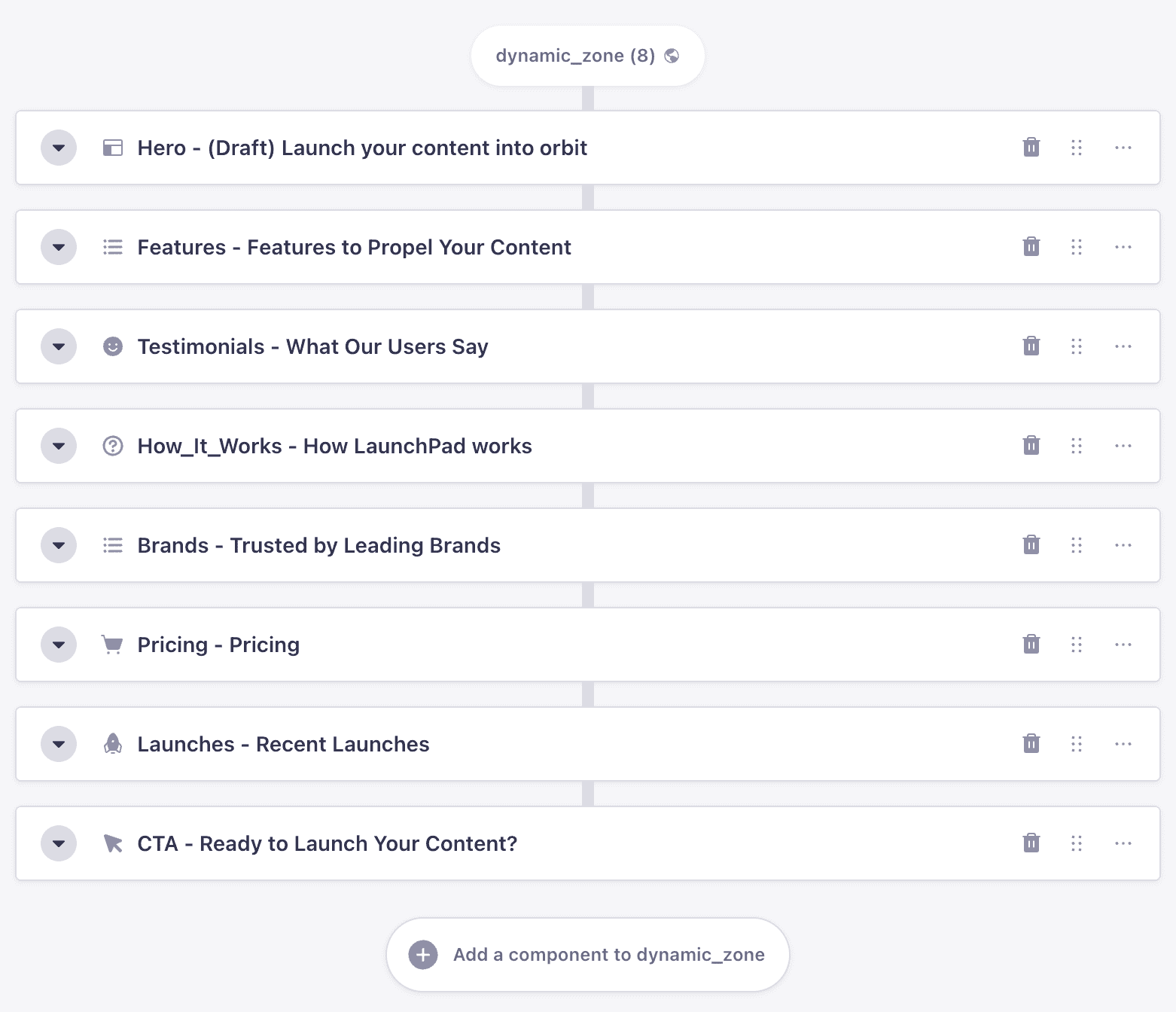
Creating a Project With Strapi and Croct
Croct provides three templates to help you get started.
🖐️ Note: all integrations are compatible with features available on Croct's forever-free plan.
1. Basic integration
Sets up a Strapi project with the LaunchPad demo example and connects dynamic zones with Croct slots.
npx croct@latest use croct://integration/strapi2. Personalization integration
Runs the basic integration and creates a personalized experience.
npx croct@latest use croct://integration/strapi-personalization3. AB testing integration
Runs the basic integration and creates a simple AB test for all users.
npx croct@latest use croct://integration/strapi-ab-testingConnecting Dynamic Zones With Croct Slots
Croct slots are placeholders for content that define where content goes and what type of content you can use, like a hero section, an announcement bar, or a banner that shows related products on a product page.
To unlock dynamic content on dynamic zone components, all you need to do is map the Strapi component ID and Croct slot ID, like this:
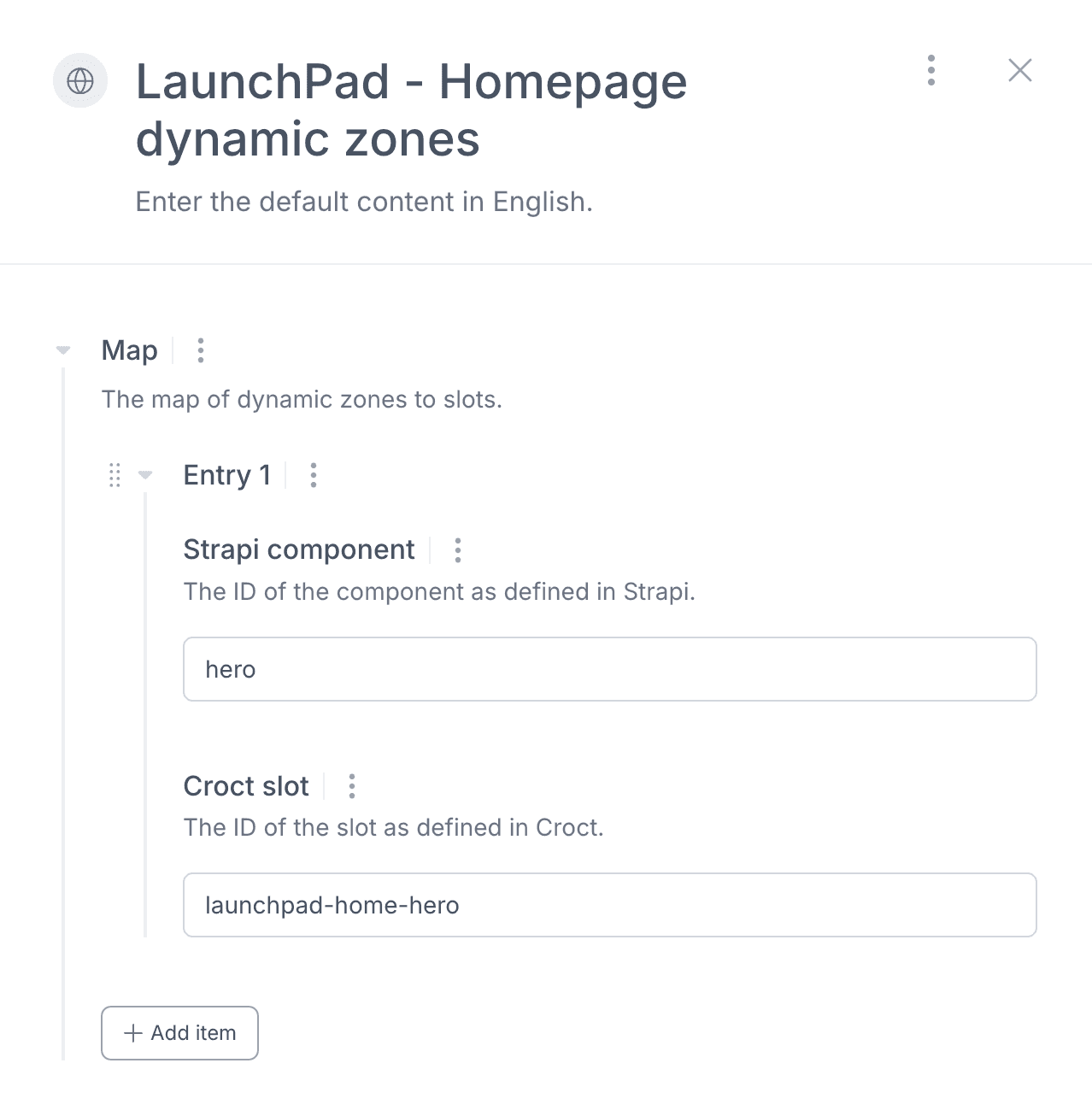
The integration takes care of connecting them behind the scenes. With that, Croct starts delivering dynamic content to your application while using Strapi content as fallback.
Configuring Your Experiences
Once your integration is live, you can configure experiences in Croct. If you choose to get started with personalization or A/B testing, you'll find a draft experience ready for use here.
An experience is what connects audiences (who), slots (where), and dynamic content (what).
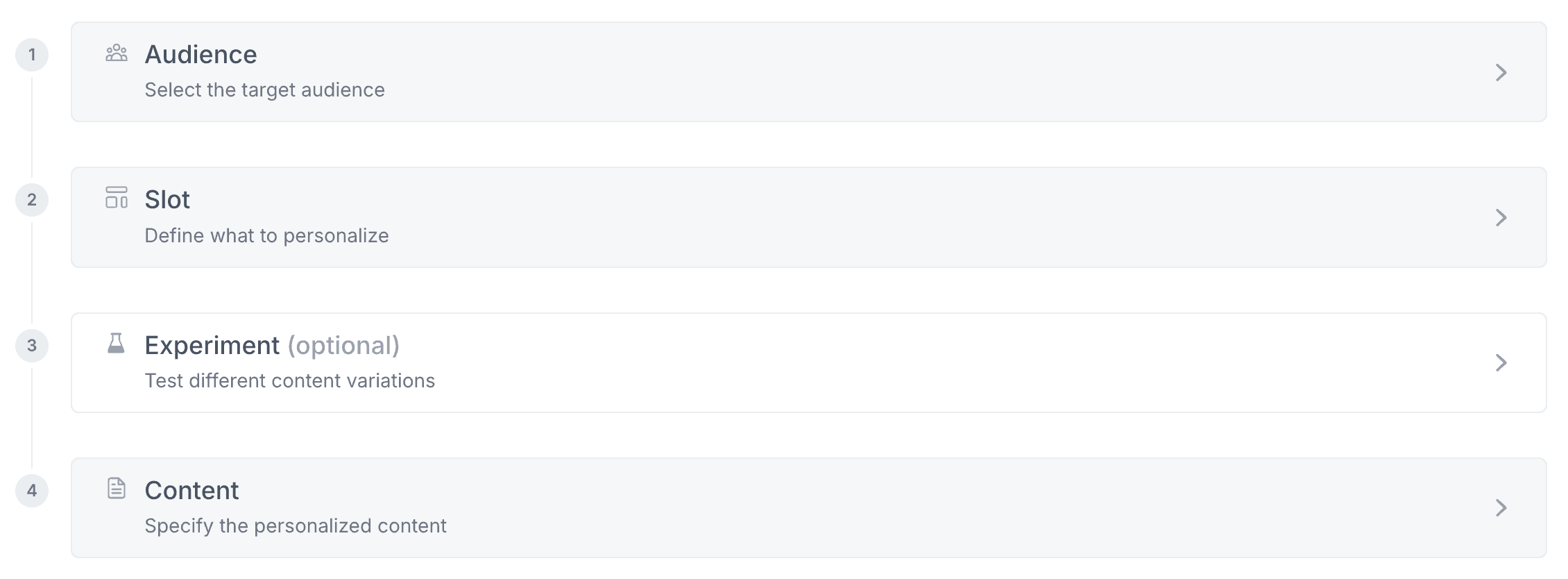
To create an experience, you need to define:
- Audience: the user segment that should see the dynamic content. It can be as broad as all users or as specific as users who have visited a particular page on your site.
- Slots: the connected dynamic zones where personalized content or experiments will appear in your frontend.
- Experiment: If you're setting up an AB test, this is where you define the name of the experiment, the goal, the traffic allocation, variants, and the split between them.
- Content: The content each audience or group should see in the selected slots.
📚 Check our experience playbook library for inspiration.
Once your content is configured, you can preview it and publish it.
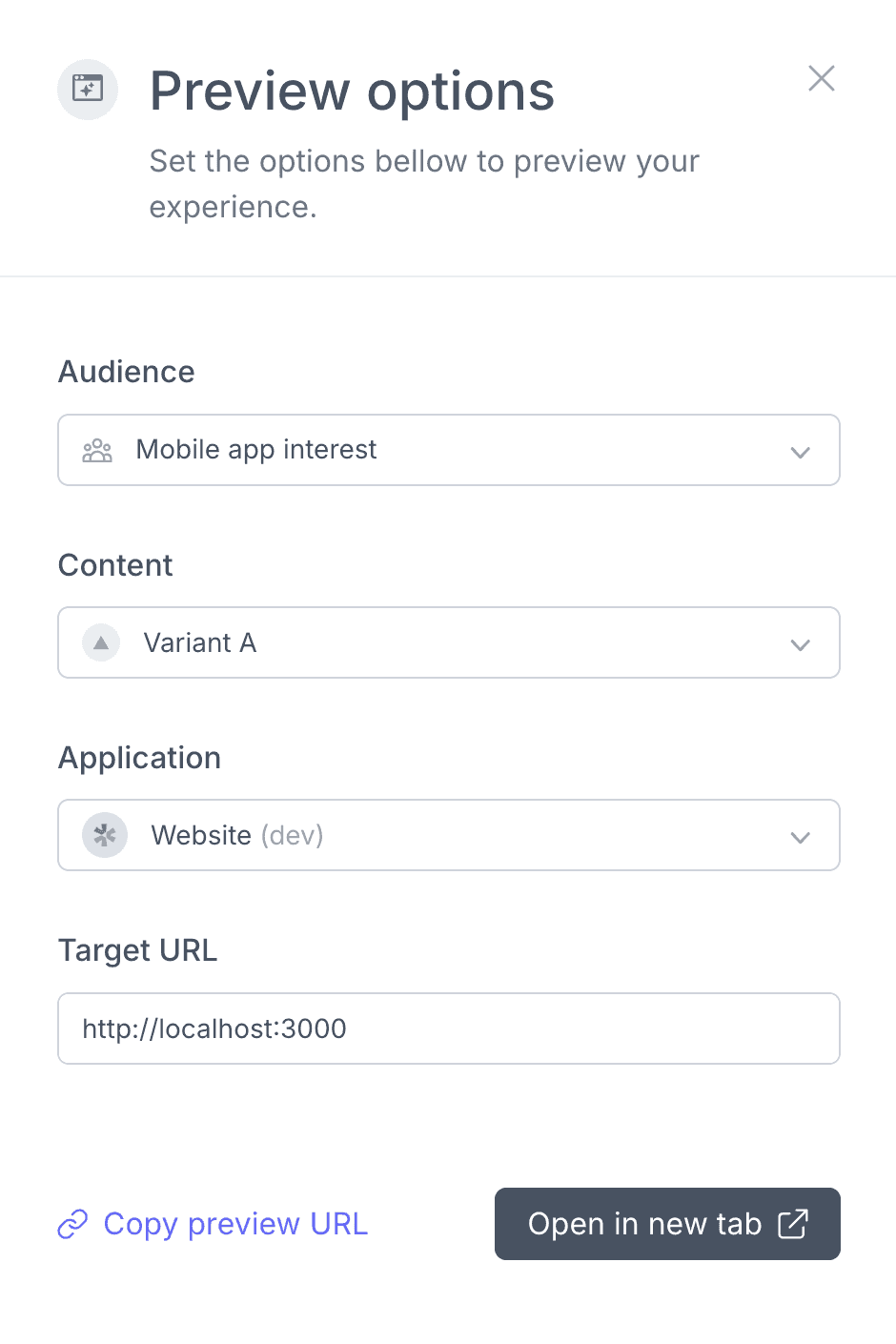
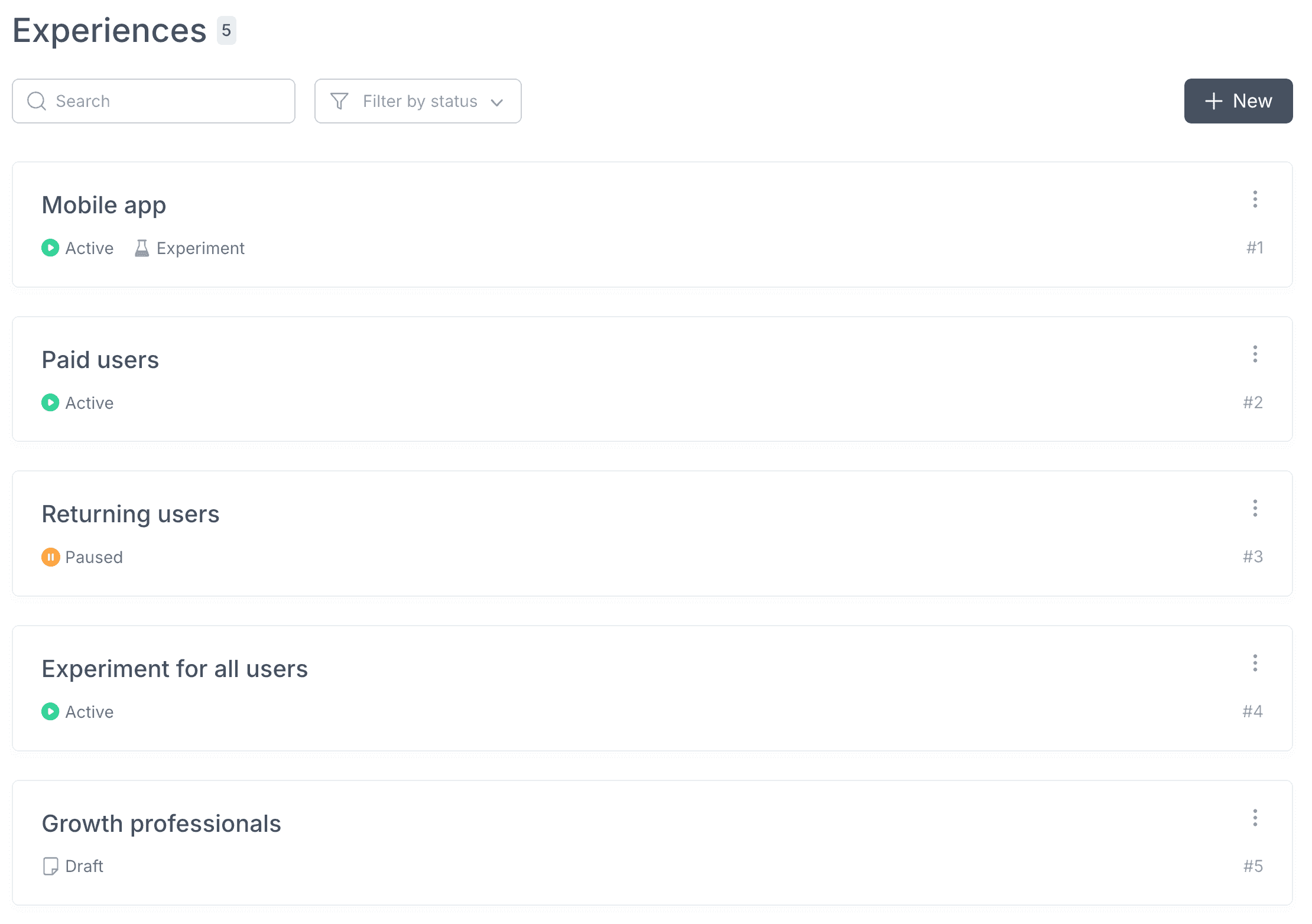
When browsing Croct's admin, you'll find your experiences here.
Analysing the Results
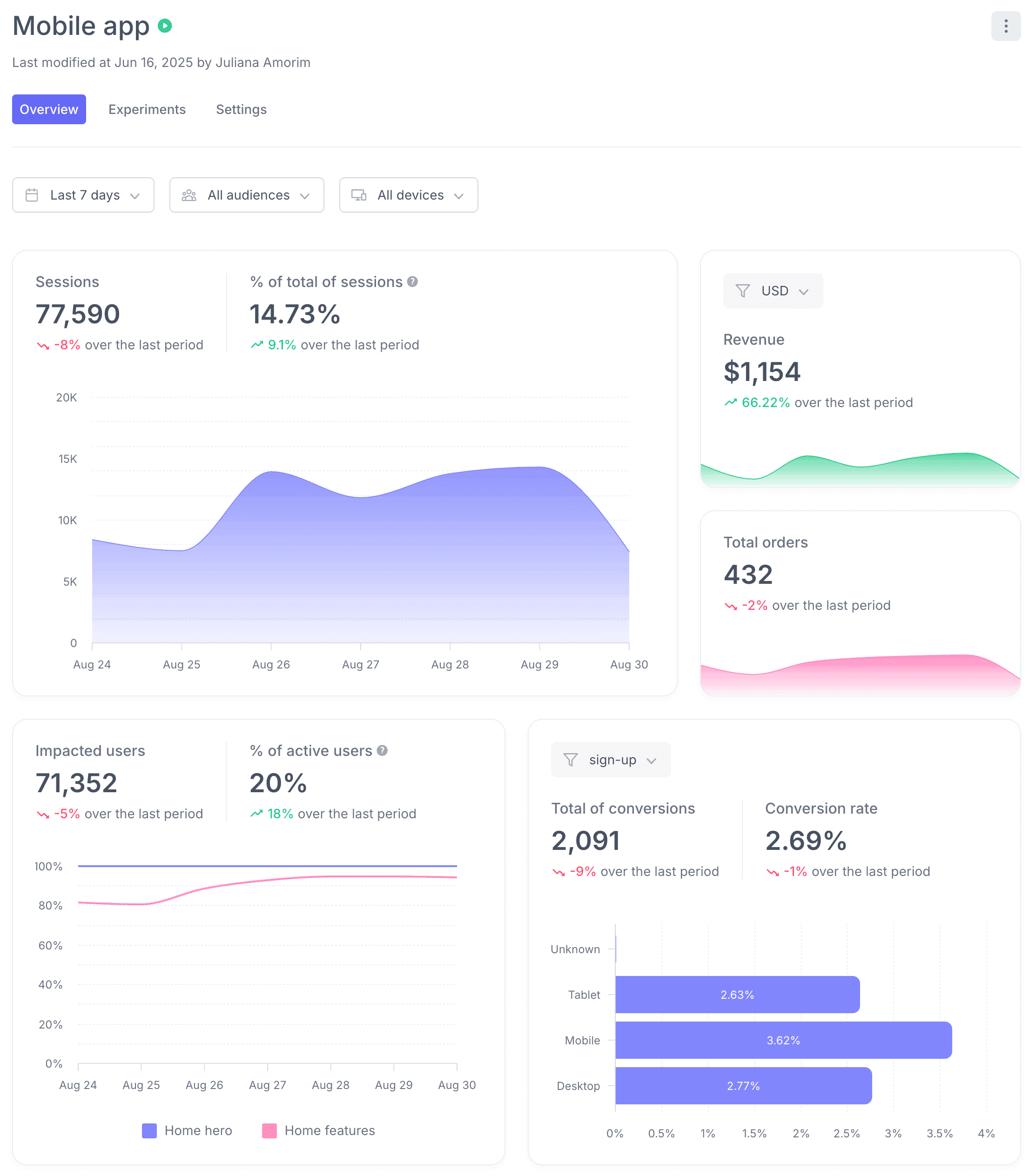
Croct's analytics provides real-time reporting on your experiments and personalized experiences. With no third-party integrations, you can track conversions, engagement, and other KPIs for each audience and variant.
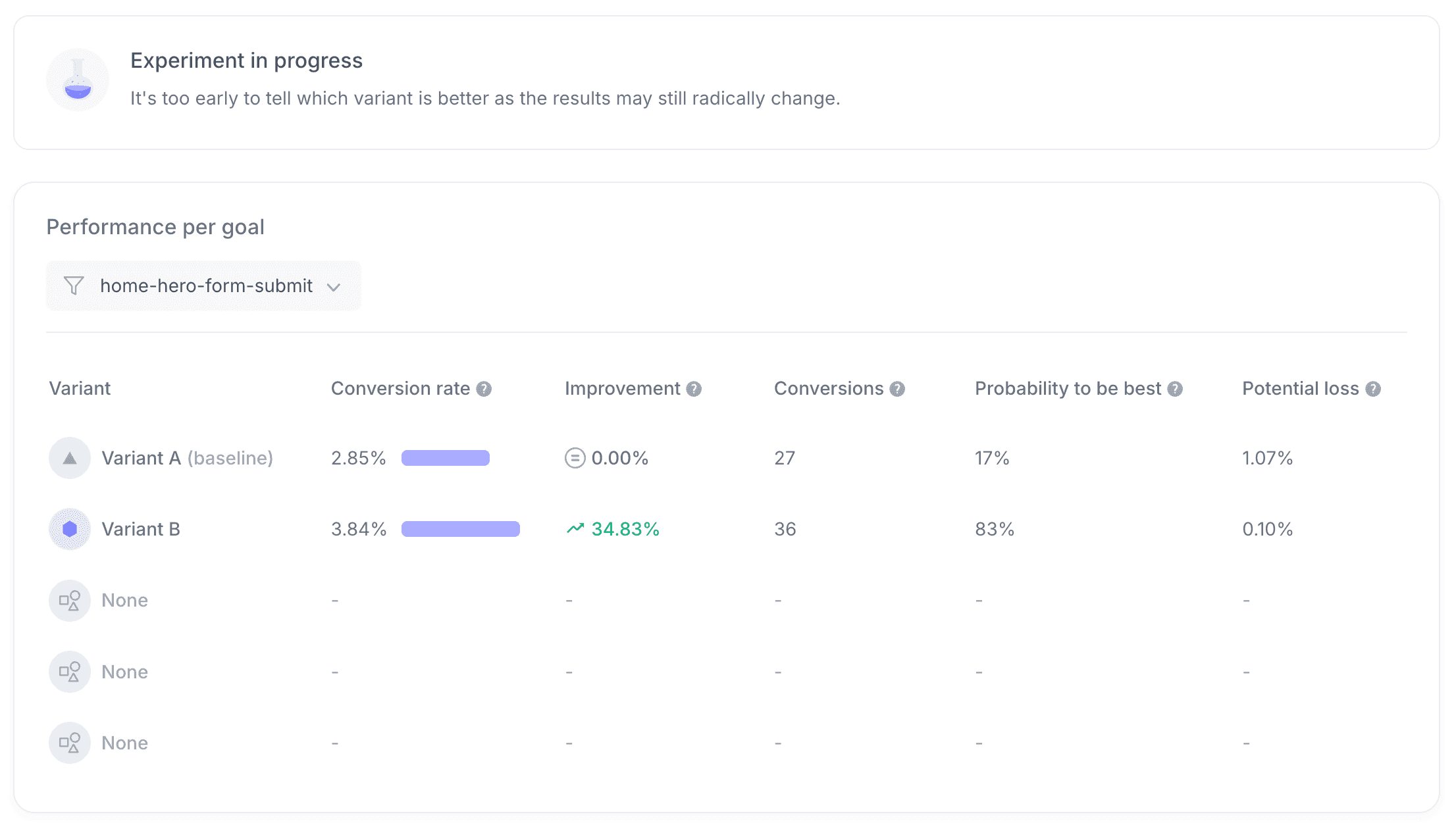
For AB tests, Croct's engine provides the Bayesian analysis with no sampling or data processing delays.
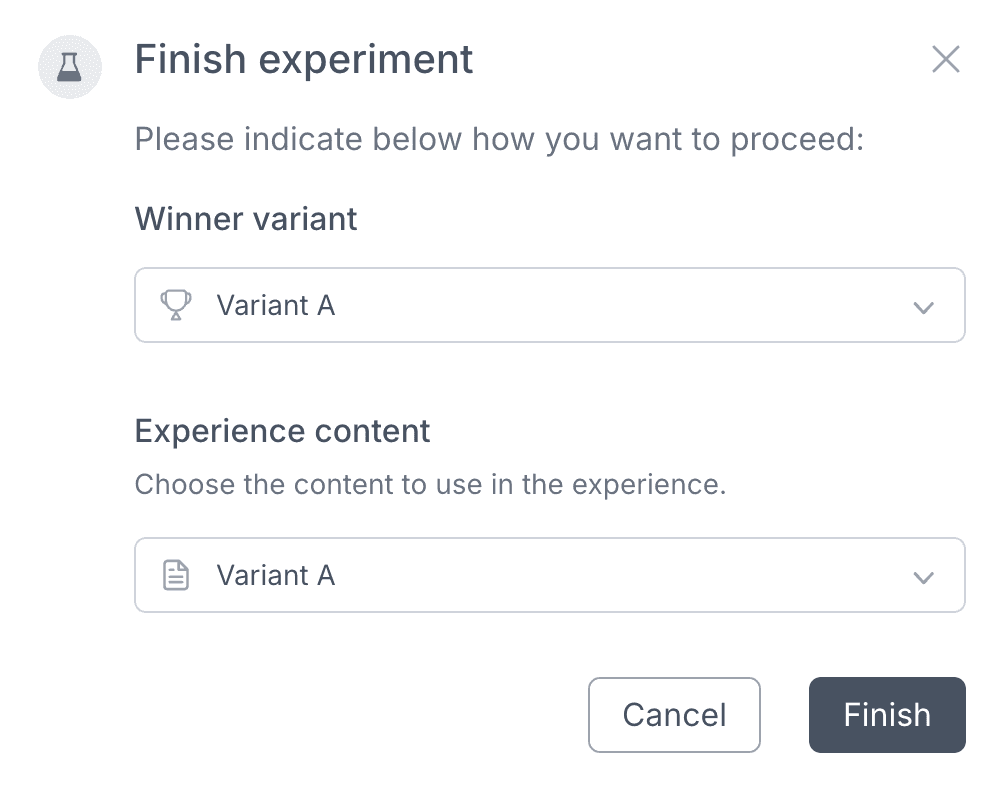
Then, once your experiment has a defined winner variant, all you have to do is finish the experiment and select which content should be defined as the official one. Since Croct's API serves the content directly to the website, there is no need to implement or deploy any additional code manually.
Happy experimenting!
Open Office Hours
Strapi
If you have any questions about Strapi or just would like to stop by and say hi, you can join us at Strapi's Discord Open Office Hours Monday through Friday at 12:30 pm - 1:30 pm CST: Strapi Discord Open Office Hours
For more details, visit the Strapi documentation.
Croct
Similarly, you can connect with Croct's team at their Slack community or contact them on the website.
For more details, visit the Croct documentation.