MeiliSearch
Integrate MeiliSearch With Strapi

Why Use MeiliSearch?
Integrating MeiliSearch with Strapi gives you a combination that stands out from the crowd. This integration exemplifies modern search solutions for Jamstack, delivering lightning-fast results with minimal tweaking—a rare find in the search engine world.
What truly sets MeiliSearch apart is its support for features users expect: placeholder search when they're not sure what they're looking for, multi-index search across different content types, exact phrase matching when precision matters, and geographic search for location-based results.
For developers sick of wrestling with complex search implementations, integrating MeiliSearch with Strapi strikes the perfect balance between power and simplicity. By combining these tools, you not only benefit from MeiliSearch's advanced search features but also enjoy the headless CMS benefits that Strapi brings to the table.
For more, check out MeiliSearch documentation.
Why Use Strapi?
Strapi is the leading open-source headless CMS offering features, like customizable APIs, role-based permissions, multilingual support, etc. It simplifies content management and integrates effortlessly with modern frontend frameworks.
Explore the Strapi documentation for more details.
Strapi 5 Highlights
The out-of-the-box Strapi features allow you to get up and running in no time:
- Single types: Create one-off pages that have a unique content structure.
- Draft and Publish: Reduce the risk of publishing errors and streamline collaboration.
- 100% TypeScript Support: Enjoy type safety & easy maintainability
- Customizable API: With Strapi, you can just hop in your code editor and edit the code to fit your API to your needs.
- Integrations: Strapi supports integrations with Cloudinary, SendGrid, Algolia, and others.
- Editor interface: The editor allows you to pull in dynamic blocks of content.
- Authentication: Secure and authorize access to your API with JWT or providers.
- RBAC: Help maximize operational efficiency, reduce dev team support work, and safeguard against unauthorized access or configuration modifications.
- i18n: Manage content in multiple languages. Easily query the different locales through the API.
- Plugins: Customize and extend Strapi using plugins.
Learn more about Strapi 5 feature.
Setup Strapi 5 Headless CMS
We are going to start by setting up our Strapi 5 project with the following command:
🖐️ Note: make sure that you have created a new directory for your project.
You can find the full documentation for Strapi 5 here.
Install Strapi
npx create-strapi-app@latest serverYou will be asked to choose if you would like to use Strapi Cloud we will choose to skip for now.
 Strapi   v5.6.0 🚀 Let's create your new project

To deploy your project, create a new project on the Strapi Cloud dashboard.

? Please log in or sign up.
  Login/Sign up
❯ Skip
After that, you will be asked how you would like to set up your project. We will choose the following options:
? Do you want to use the default database (sqlite) ? Yes
? Start with an example structure & data? Yes <-- make sure you say yes
? Start with Typescript? Yes
? Install dependencies with npm? Yes
? Initialize a git repository? Yes
Once everything is set up and all the dependencies are installed, you can start your Strapi server with the following command:
cd server
npm run develop
You will be greeted with the Admin Create Account screen.
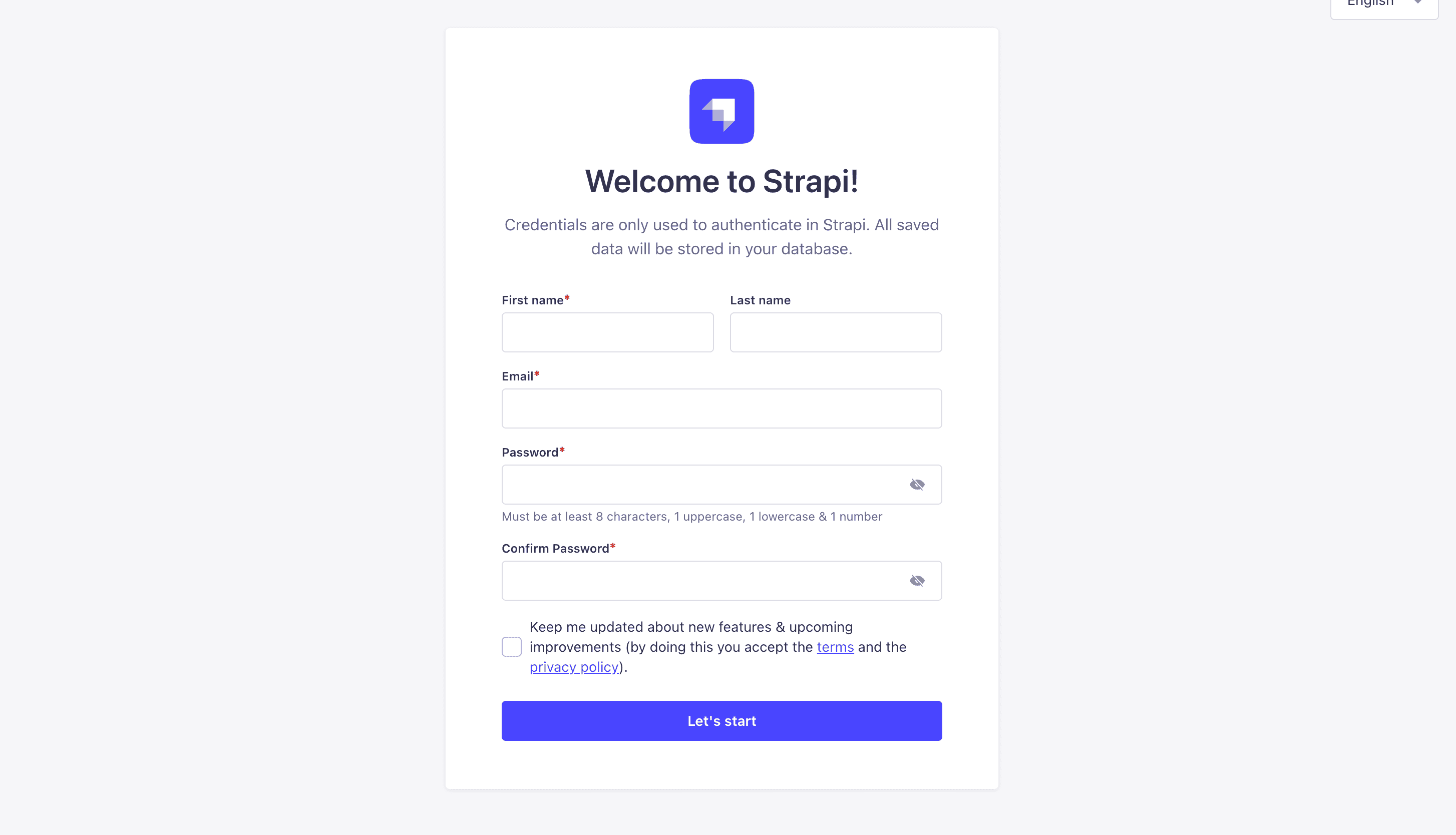
Go ahead and create your first Strapi user. All of this is local so you can use whatever you want.
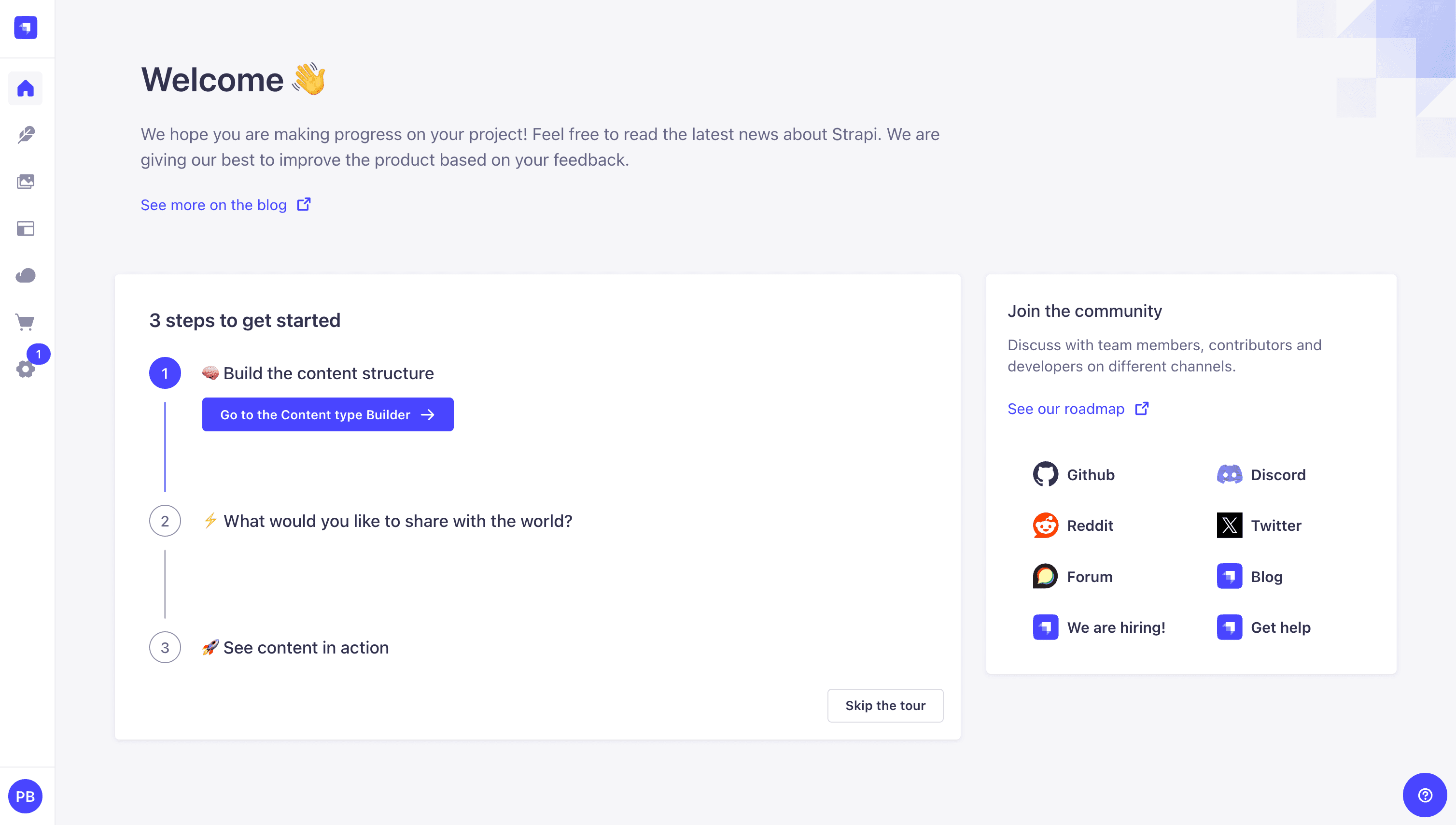
Once you have created your user, you will be redirected to the Strapi Dashboard screen.
Publish Article Entries
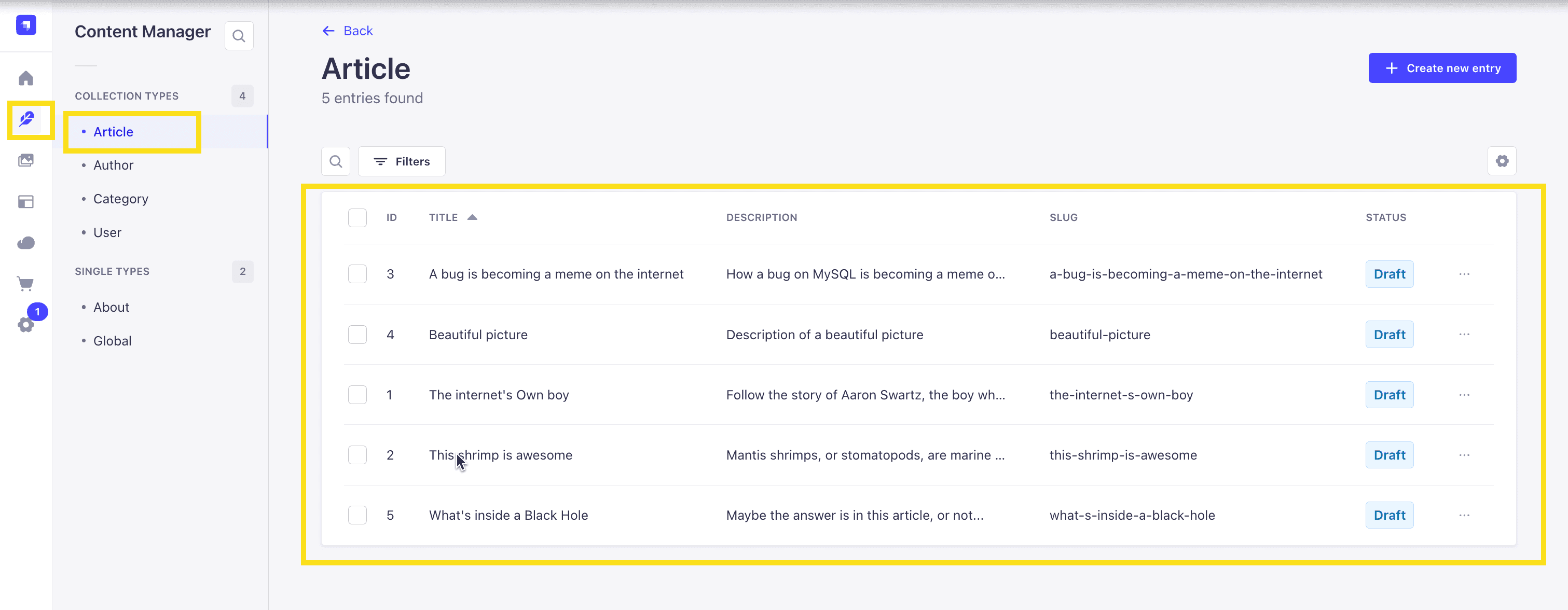
Since we created our app with the example data, you should be able to navigate to your Article collection and see the data that was created for us.
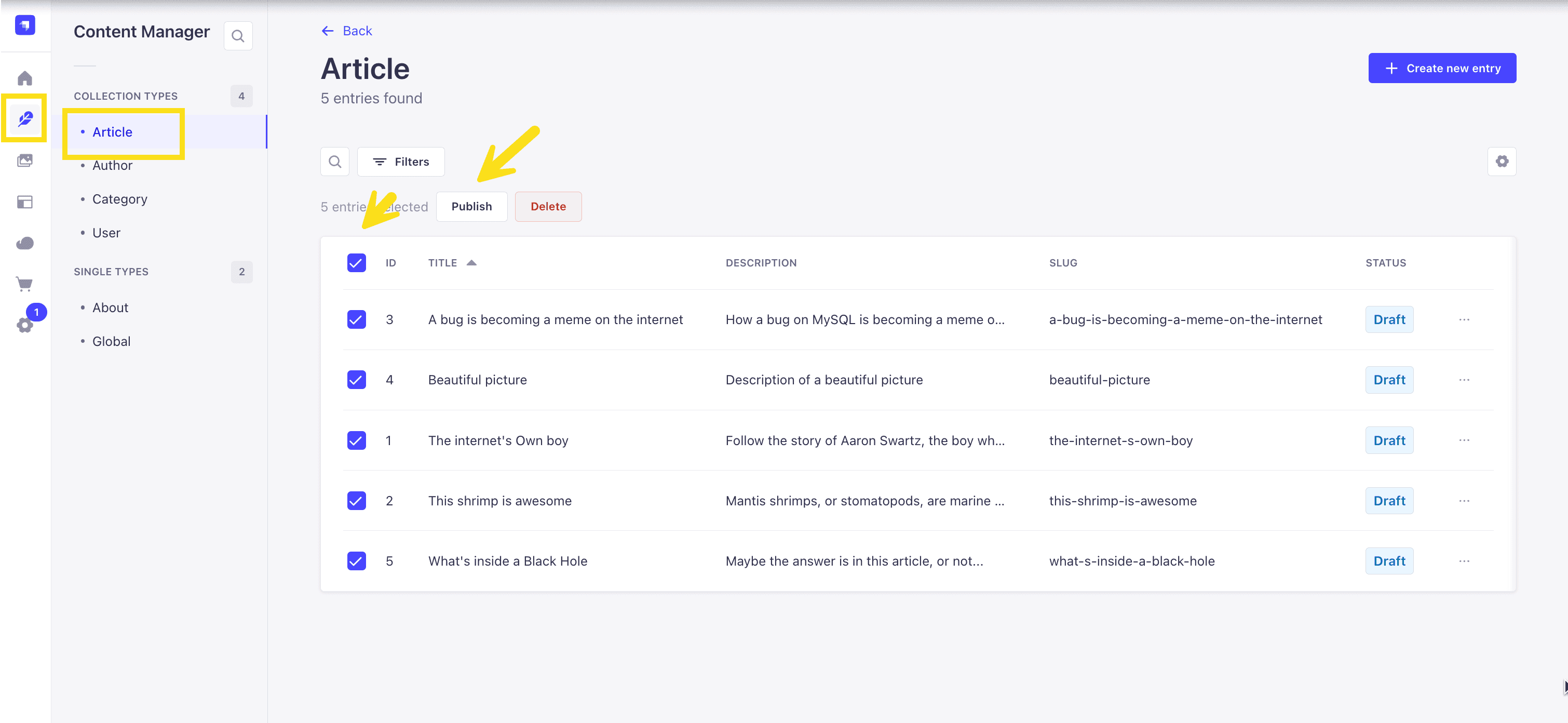
Now, let's make sure that all of the data is published. If not, you can select all items via the checkbox and then click the Publish button.
Enable API Access
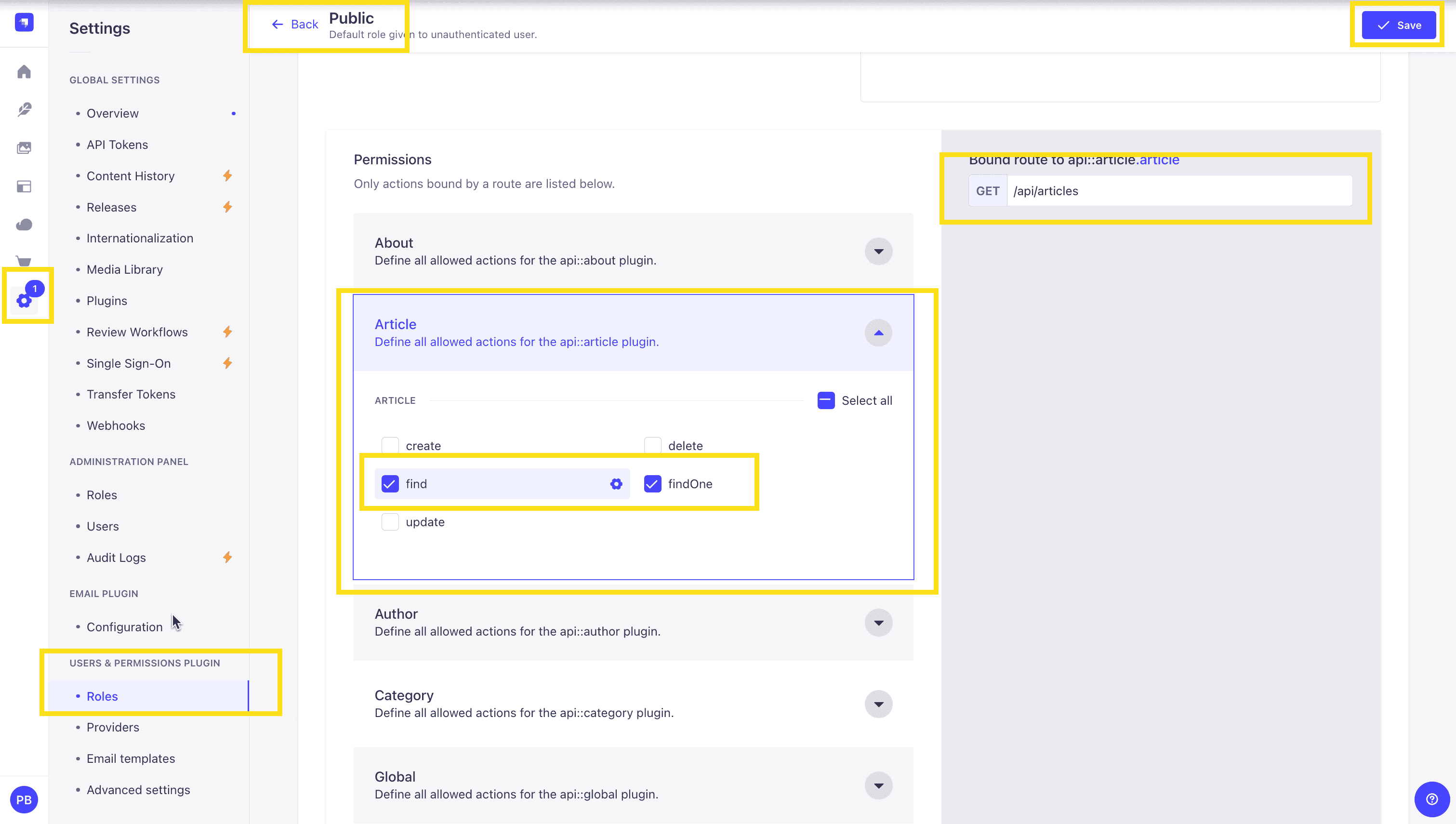
Once all your articles are published, we will expose our Strapi API for the Articles Collection. This can be done in Settings -> Users & Permissions plugin -> Roles -> Public -> Article.
You should have find and findOne selected. If not, go ahead and select them.
Test API
Now, if we make a GET request to http://localhost:1337/api/articles, we should see the following data for our articles.
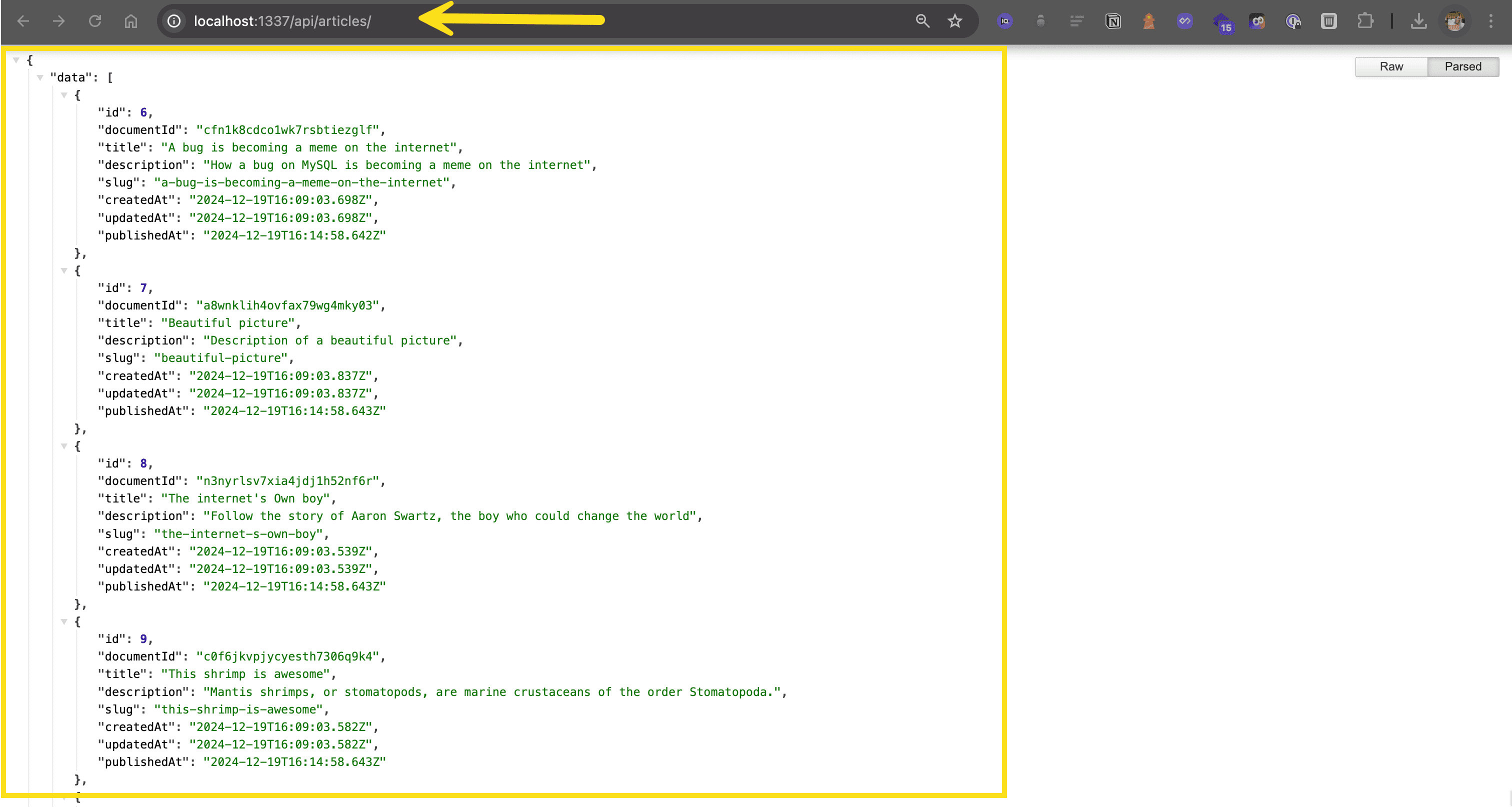
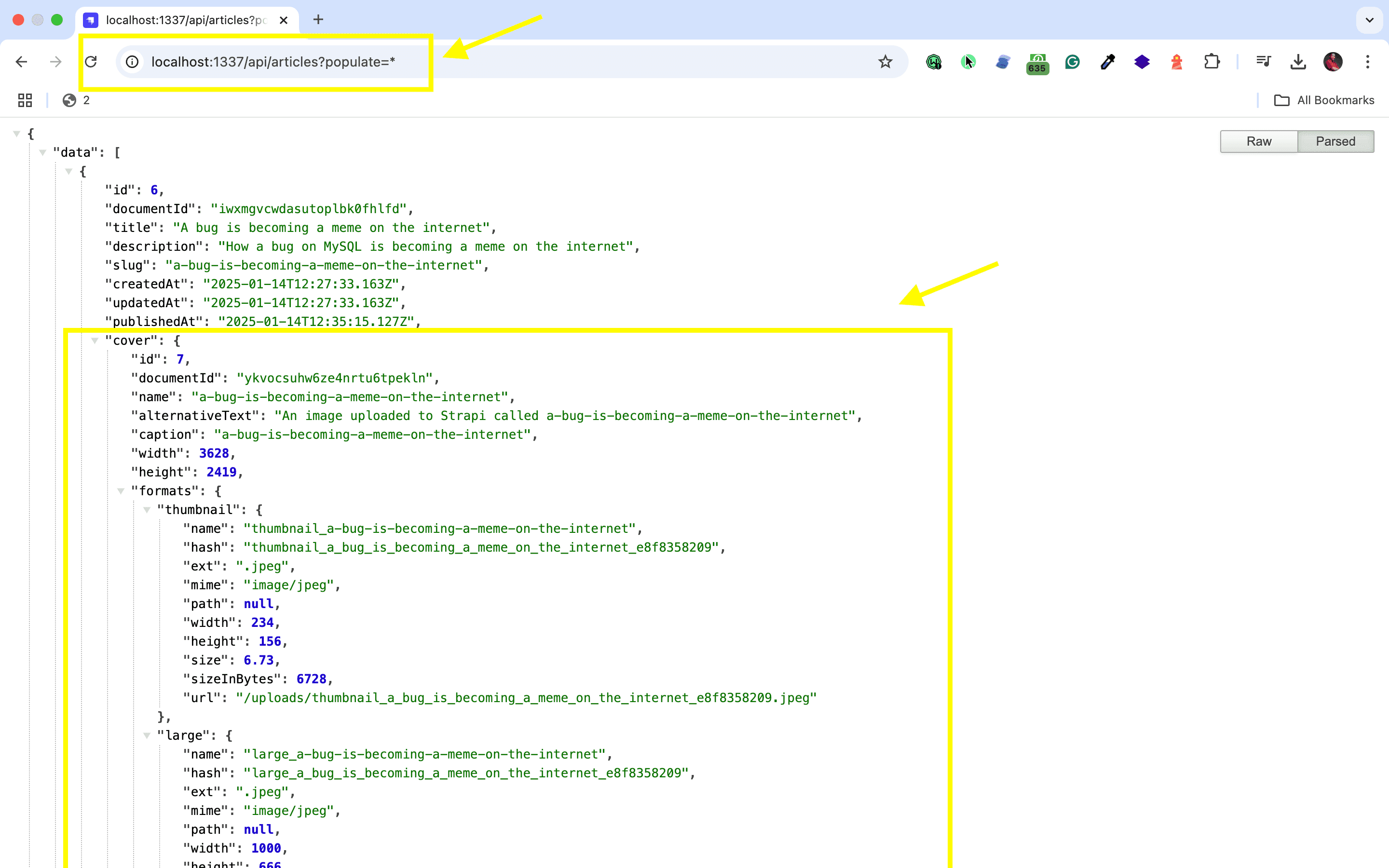
🖐️ Note: The article covers (images) are not returned. This is because the REST API by default does not populate any relations, media fields, components, or dynamic zones.. Learn more about REST API: Population & Field Selection.
So, let's get the article covers by using the populate=* parameter: http://localhost:1337/api/articles?populate=*
Getting Started with MeiliSearch
Adding powerful search to your Strapi project is straightforward, and it can significantly enhance your site's usability by optimizing Strapi search. Here's how to get MeiliSearch running quickly.
Installing MeiliSearch and Adjusting Settings
Before we begin, it's worth noting that Strapi's plugin ecosystem offers numerous tools to extend functionality. The MeiliSearch plugin is among these essential Strapi plugins that can significantly enhance your project's capabilities.
Let's set up the MeiliSearch integration:
- Install MeiliSearch on your machine. The MeiliSearch installation guide covers options for your operating system.
- With MeiliSearch running, add the plugin to your Strapi project:
npm install strapi-plugin-meilisearch- When Strapi loads, after installing the Meilisearch plugin, check the admin panel for the new MeiliSearch section where you can access settings and manage your collections.
- Click the settings tab, enter your MeiliSearch host URL (usually
http://localhost:7700for local installations) and API key if you set one. Remember to keep your API key secure. Utilizing Strapi security plugins can help you manage permissions and protect your application. - Save your settings—you're connected!
Additionally, exploring other productivity plugins for Strapi can further streamline your development process.
Code Implementation
This plugin handles most of the heavy lifting automatically. Once you integrate MeiliSearch with Strapi, it indexes your content in MeiliSearch without extra code. For a hands-on example, you might follow this Meilisearch plugin tutorial.
Through the plugin interface, you can configure which content types get indexed, determine searchable fields, select attributes for filtering, and manage how results should be ranked and sorted. These settings can be adjusted via the Content Manager and the Document Service API, allowing for customized sorting and filtering based on specific fields and conditions.
To display search results in your frontend application, you'll need a search interface that connects to MeiliSearch. The frontend integration guide provides examples for various frameworks.
Well done!
Strapi Open Office Hours
If you have any questions about Strapi 5 or just would like to stop by and say hi, you can join us at Strapi's Discord Open Office Hours Monday through Friday at 12:30 pm - 1:30 pm CST: Strapi Discord Open Office Hours
For more details, visit the Strapi documentation and MeiliSearch documentation.
Frequently Asked Questions
Install Strapi's official Meilisearch plugin, configure your Meilisearch server URL and API key, then select which content types to index. The plugin automatically syncs content and provides search endpoints.
Meilisearch offers typo tolerance, faceted search, filtering, sorting, and geo-search. It's optimized for Jamstack architectures and provides sub-50ms search responses out of the box.
The plugin hooks into Strapi's content lifecycle to automatically index new, updated, and deleted entries. Configure indexed attributes, searchable fields, and ranking rules through plugin settings.
Yes, configure multiple indexes corresponding to different content types. Each index can have its own searchable attributes, filters, and ranking configuration optimized for that content.
Yes, Meilisearch handles millions of documents efficiently. For very large datasets, consider Meilisearch Cloud for managed scaling and high availability.