Orama
Integrate Orama with Strapi

Why Use Orama?
Orama is a powerful search engine that, when combined with Strapi, offers hybrid search functionality, combining full-text and vector search results to deliver more accurate and contextually relevant search experiences. Orama's cloud-based architecture distributes search indexes across over 300 global points of presence, ensuring consistently low latency no matter where your users are or how much you scale.
If you're working with platforms like Strapi, you'll love Orama's native integrations that cut down development time and complexity. Whether you're building a content-heavy website, e-commerce platform, or documentation portal, integrating Orama with Strapi creates fast, accurate, and intelligent search experiences. Ready to dive deeper? Check out the official Orama documentation.
Why Use Strapi?
Strapi is the leading open-source headless CMS offering features, like customizable APIs, role-based permissions, multilingual support, etc. It simplifies content management and integrates effortlessly with modern frontend frameworks.
Explore the Strapi documentation for more details.
Strapi 5 Highlights
The out-of-the-box Strapi features allow you to get up and running in no time:
- Single types: Create one-off pages that have a unique content structure.
- Draft and Publish: Reduce the risk of publishing errors and streamline collaboration.
- 100% TypeScript Support: Enjoy type safety & easy maintainability
- Customizable API: With Strapi, you can just hop in your code editor and edit the code to fit your API to your needs.
- Integrations: Strapi supports integrations with Cloudinary, SendGrid, Algolia, and others.
- Editor interface: The editor allows you to pull in dynamic blocks of content.
- Authentication: Secure and authorize access to your API with JWT or providers.
- RBAC: Help maximize operational efficiency, reduce dev team support work, and safeguard against unauthorized access or configuration modifications.
- i18n: Manage content in multiple languages. Easily query the different locales through the API.
- Plugins: Customize and extend Strapi using plugins.
Learn more about Strapi 5 feature.
Setup Strapi 5 Headless CMS
We are going to start by setting up our Strapi 5 project with the following command:
🖐️ Note: make sure that you have created a new directory for your project.
You can find the full documentation for Strapi 5 here.
Install Strapi
npx create-strapi-app@latest serverYou will be asked to choose if you would like to use Strapi Cloud we will choose to skip for now.
 Strapi   v5.6.0 🚀 Let's create your new project

To deploy your project, create a new project on the Strapi Cloud dashboard.

? Please log in or sign up.
  Login/Sign up
❯ Skip
After that, you will be asked how you would like to set up your project. We will choose the following options:
? Do you want to use the default database (sqlite) ? Yes
? Start with an example structure & data? Yes <-- make sure you say yes
? Start with Typescript? Yes
? Install dependencies with npm? Yes
? Initialize a git repository? Yes
Once everything is set up and all the dependencies are installed, you can start your Strapi server with the following command:
cd server
npm run develop
You will be greeted with the Admin Create Account screen.
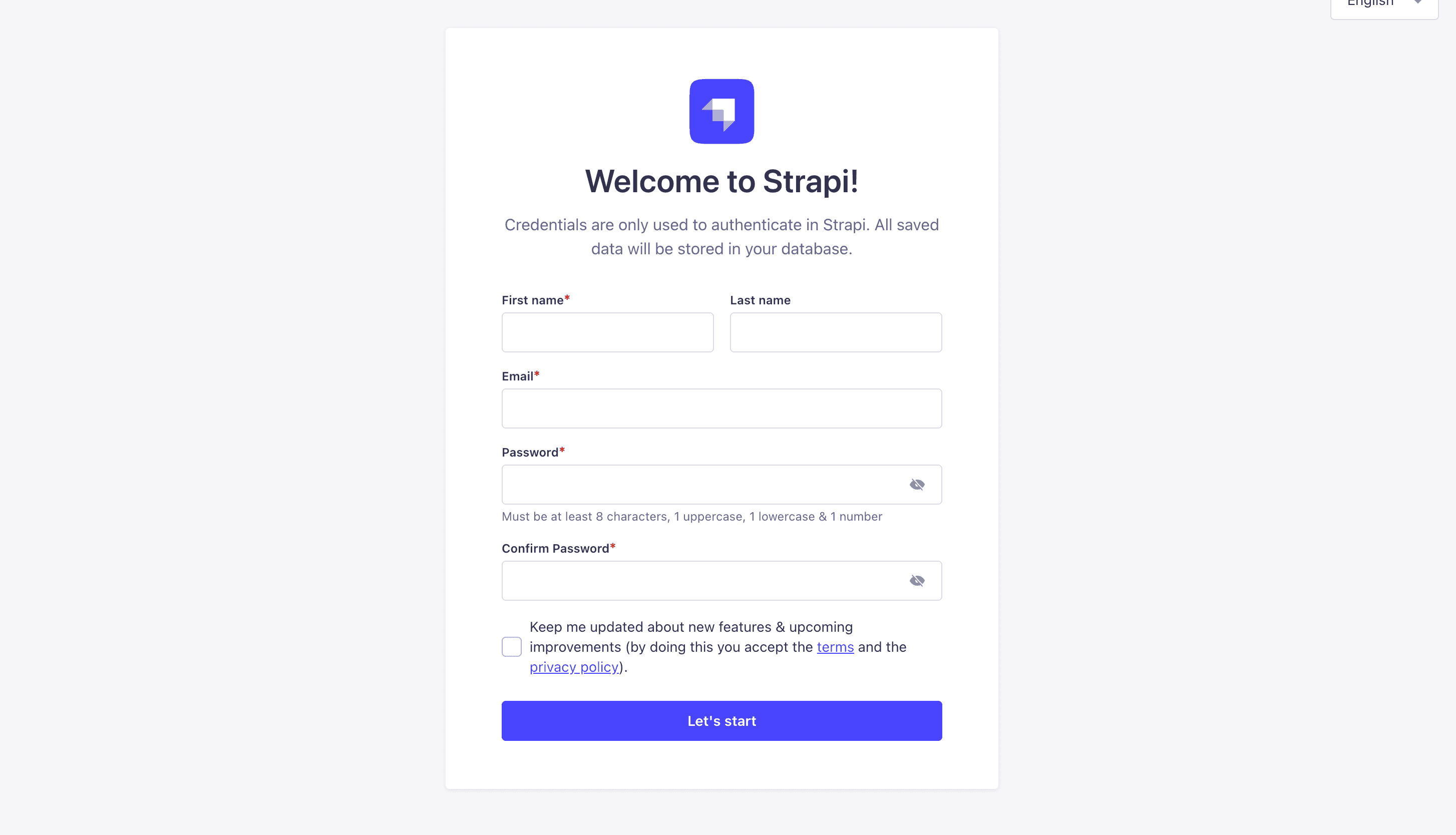
Go ahead and create your first Strapi user. All of this is local so you can use whatever you want.
Once you have created your user, you will be redirected to the Strapi Dashboard screen.
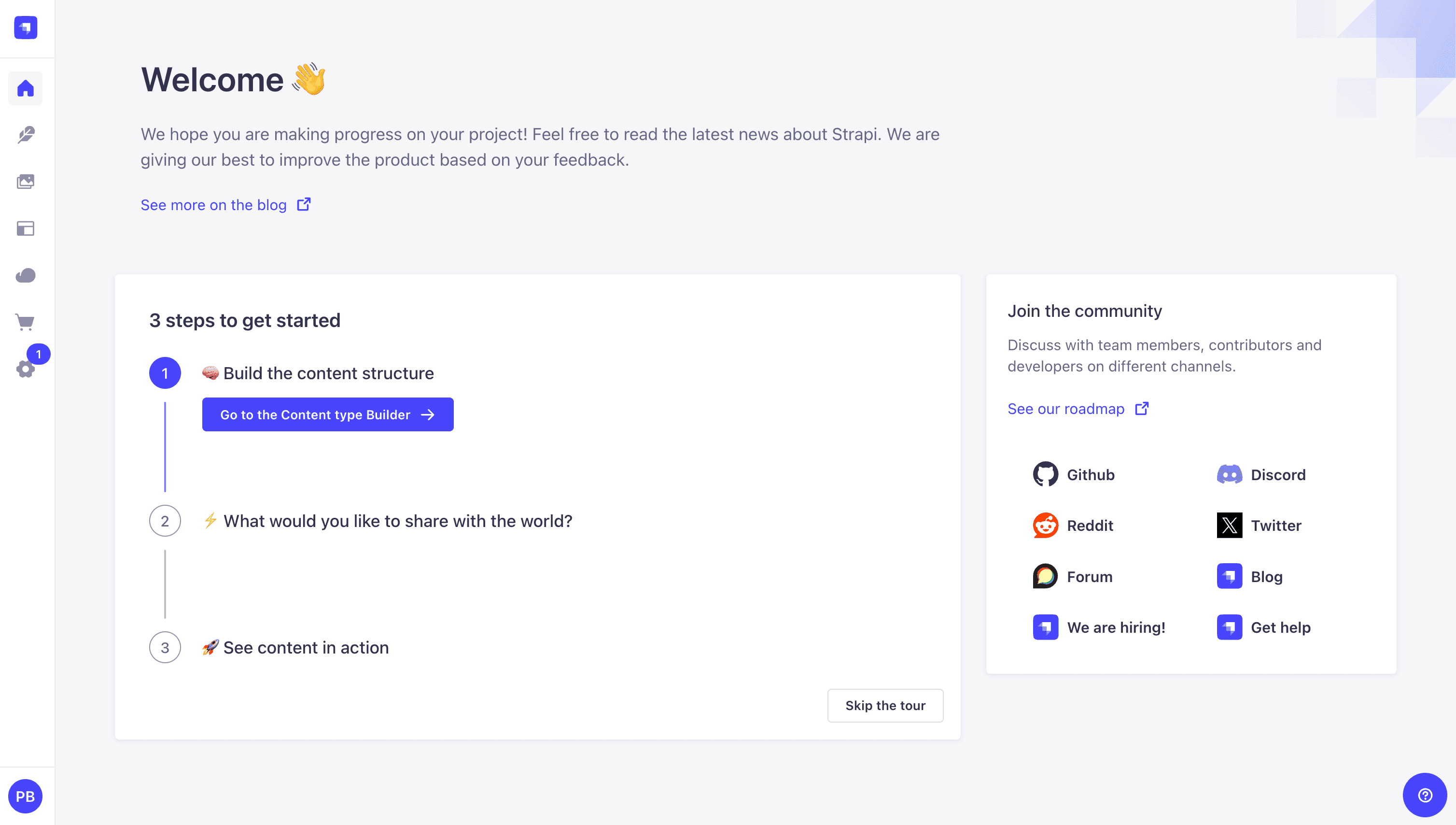
Publish Article Entries
Since we created our app with the example data, you should be able to navigate to your Article collection and see the data that was created for us.
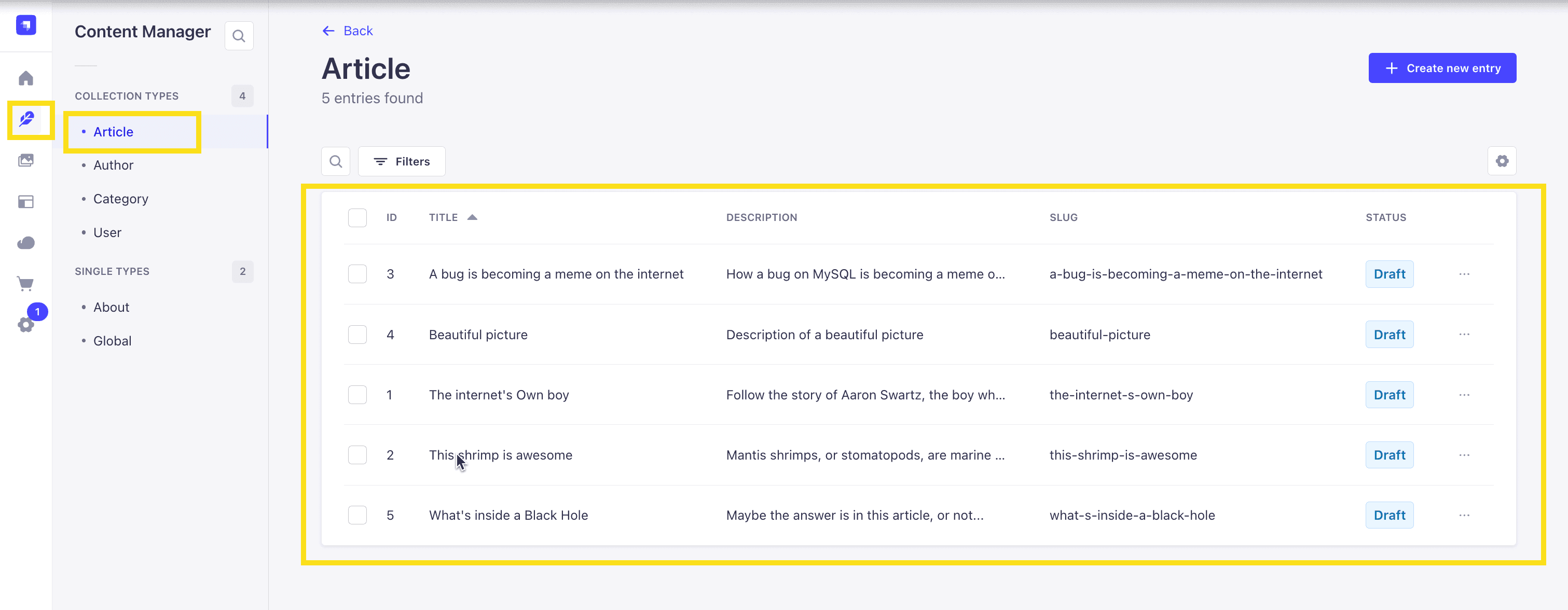
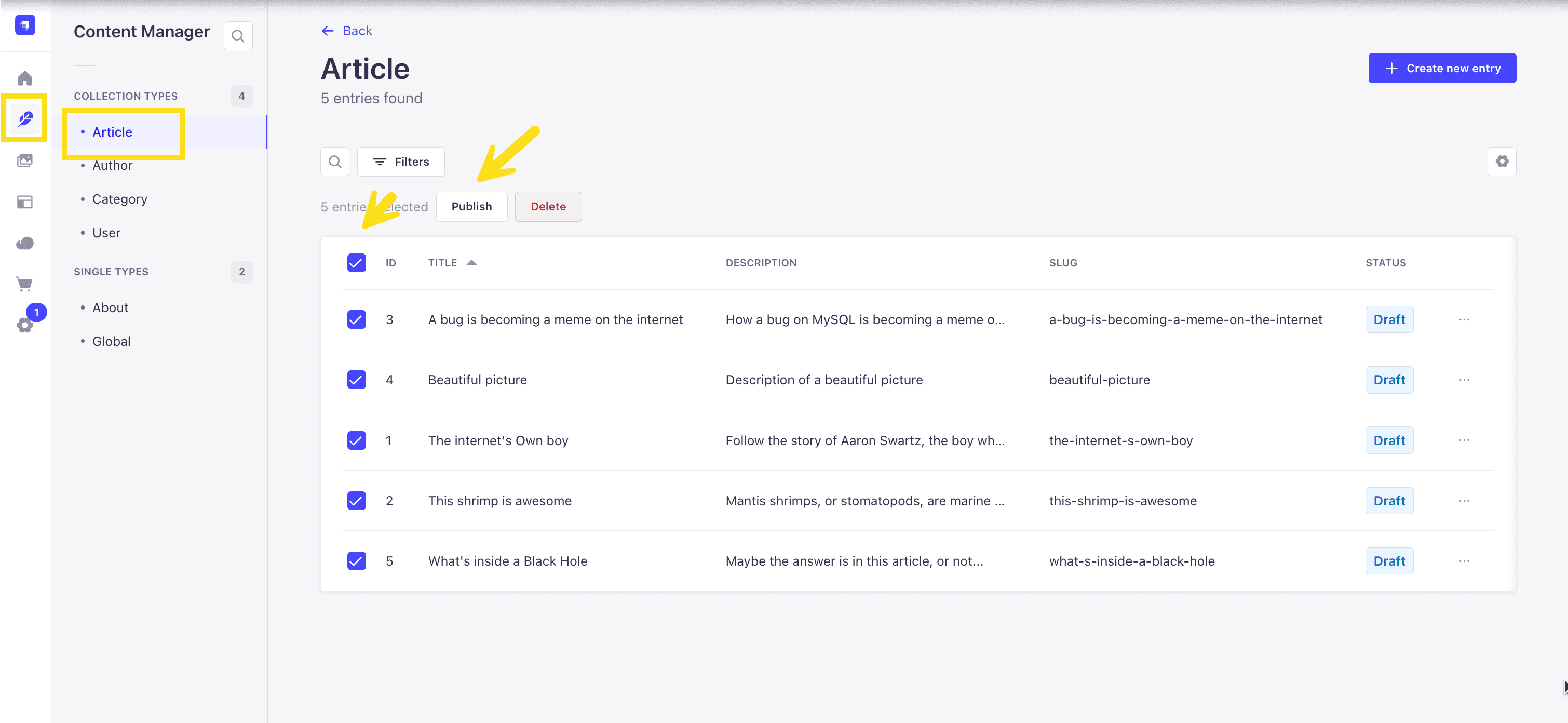
Now, let's make sure that all of the data is published. If not, you can select all items via the checkbox and then click the Publish button.
Enable API Access
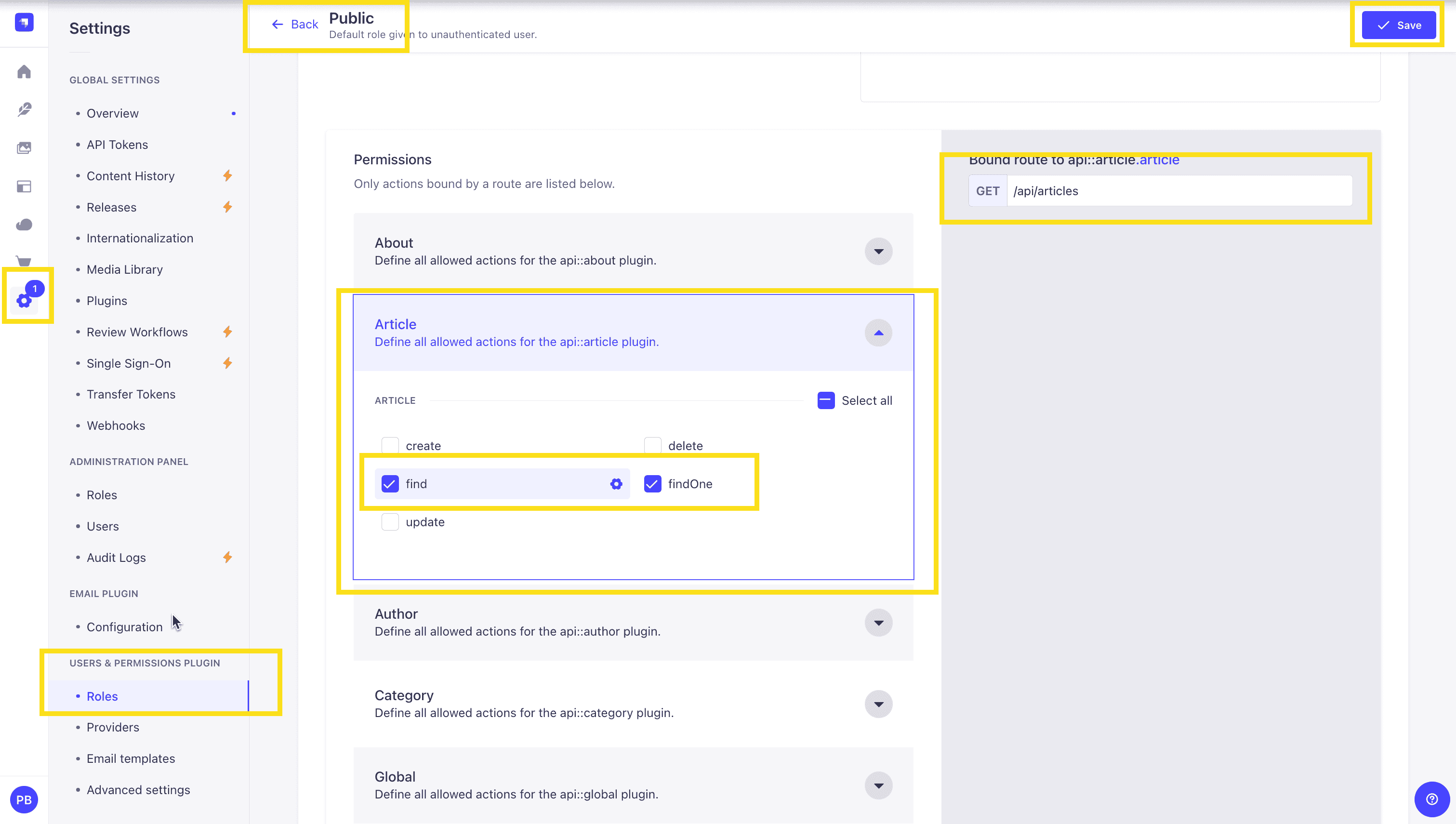
Once all your articles are published, we will expose our Strapi API for the Articles Collection. This can be done in Settings -> Users & Permissions plugin -> Roles -> Public -> Article.
You should have find and findOne selected. If not, go ahead and select them.
Test API
Now, if we make a GET request to http://localhost:1337/api/articles, we should see the following data for our articles.
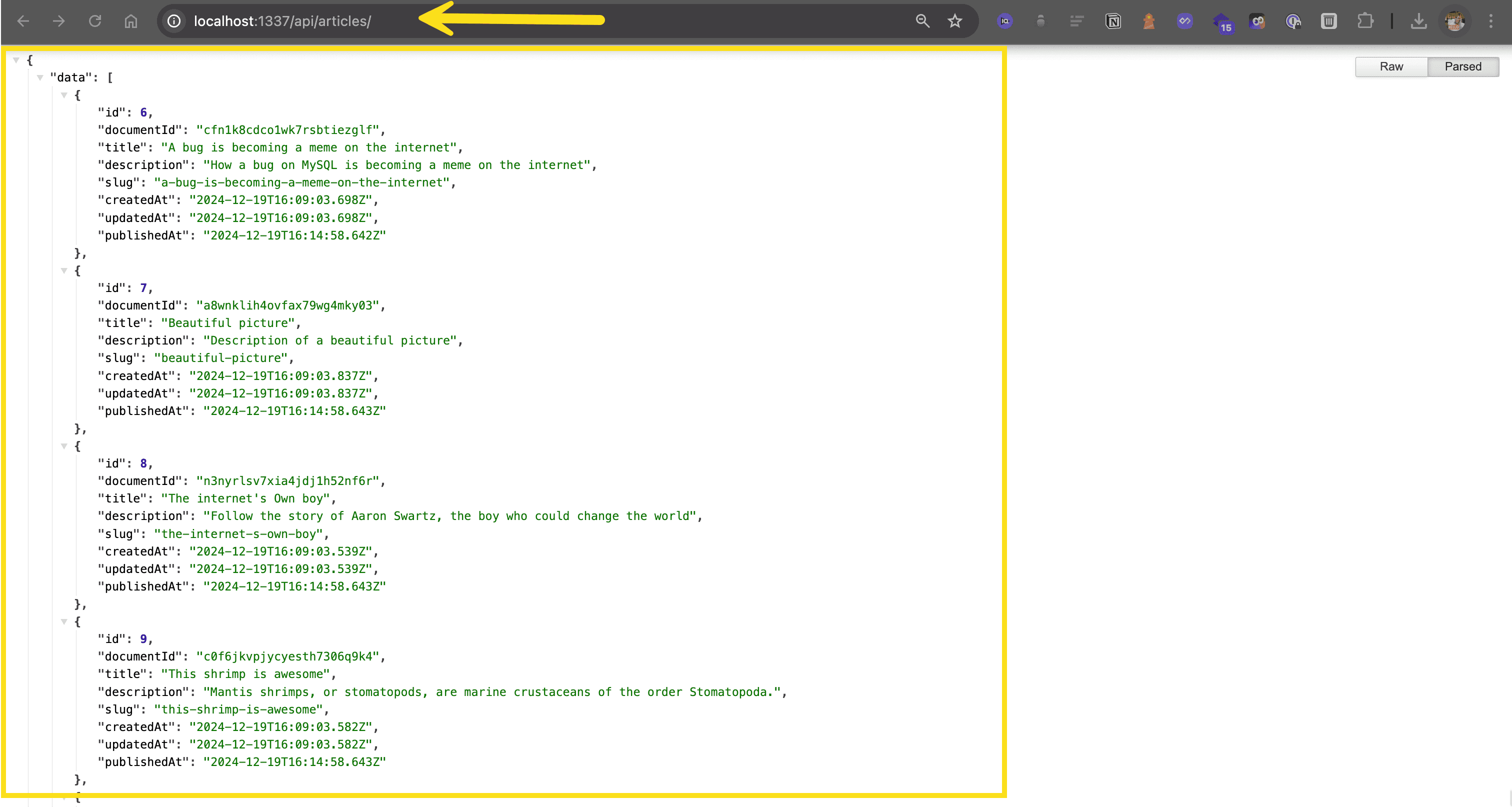
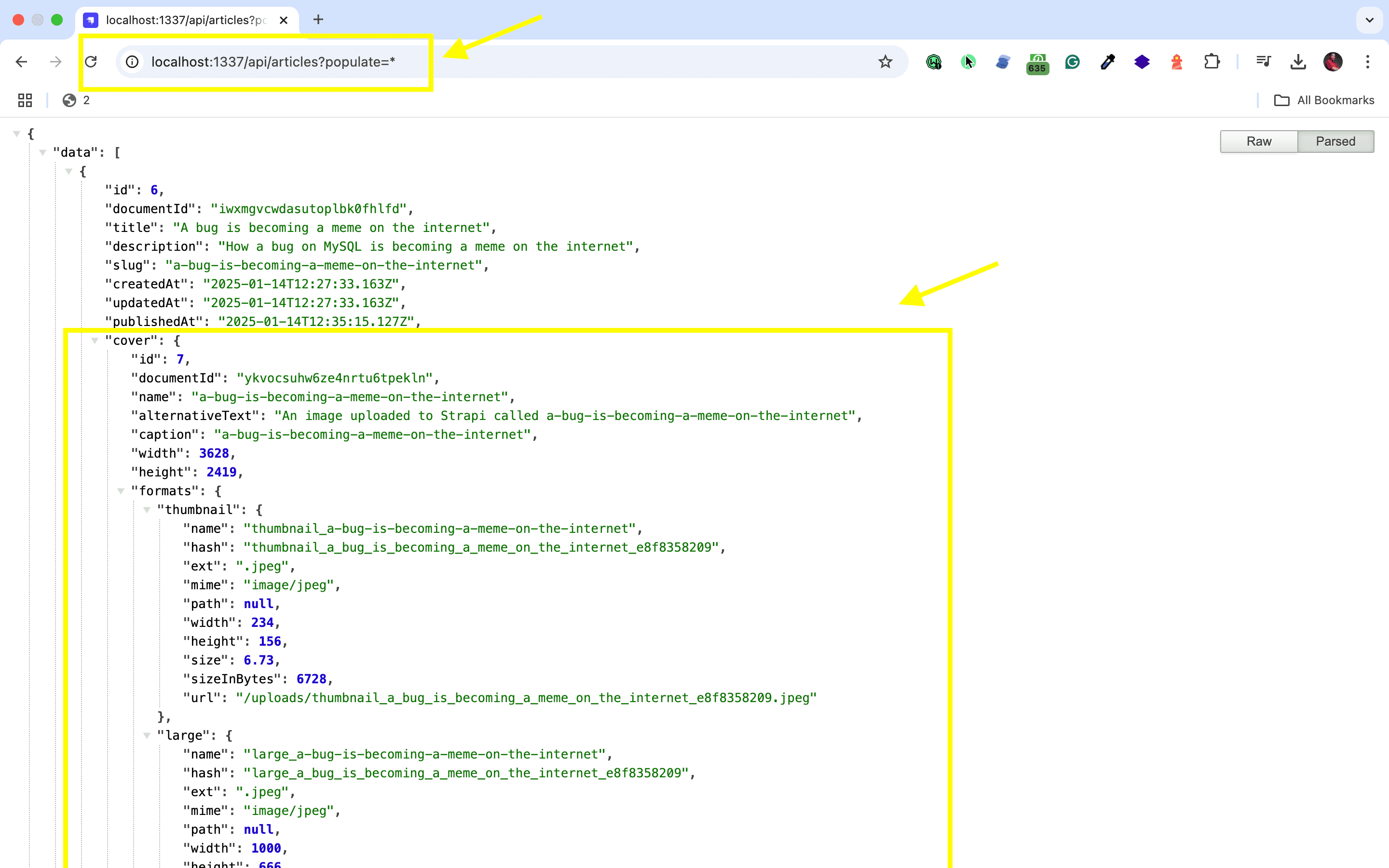
🖐️ Note: The article covers (images) are not returned. This is because the REST API by default does not populate any relations, media fields, components, or dynamic zones.. Learn more about REST API: Population & Field Selection.
So, let's get the article covers by using the populate=* parameter: http://localhost:1337/api/articles?populate=*
Getting Started with Orama
Integrating Orama's search capabilities with your Strapi application is straightforward and can significantly enhance your content discovery experience. If you're transitioning from a traditional CMS, you might find this traditional vs headless CMS comparison useful to understand the benefits of using a headless CMS like Strapi.
Configuring Your Strapi Environment
Before you integrate Orama with Strapi, you need to create an Orama Cloud account and set up your environment. Strapi's customizable REST and GraphQL API allows for seamless integration with Orama:
- Visit cloud.oramasearch.com to create a free Orama Cloud account.
- Create a new index with "Strapi" as the data source.
- Copy the private API key and index ID from your Orama Cloud dashboard.
Next, configure your Strapi environment by creating or editing your .env file in your Strapi project root directory:
ORAMA_PRIVATE_API_KEY=your_private_api_key_hereThis keeps your API key secure and separate from your codebase.
Installing and Adjusting Settings
You have two options for installing the Orama plugin:
Option 1: Via Package Manager
To install the @oramacloud/plugin-strapi@latest package, you can use the following commands:
Using npm:
npm install @oramacloud/plugin-strapi@latestUsing Yarn:
yarn add @oramacloud/plugin-strapi@latestOption 2: Via Strapi Marketplace
- Log in to your Strapi admin panel.
- Navigate to the Marketplace section.
- Search for "Orama Cloud."
- Click "Install."
After installation, configure the plugin in your Strapi project. Create or edit the config/plugins.js file:
module.exports = ({ env }) => ({
  "orama-cloud": {
    config: {
      privateApiKey: env('ORAMA_PRIVATE_API_KEY'),
    },
  },
});
Now rebuild your admin panel and restart your Strapi server:
npm run build
npm run develop
Implementing the Integration
To set up your collections in the Strapi admin panel, follow these steps:
- Navigate to the Content-type Builder in the Strapi admin sidebar.
- Create a new collection type.
- Add fields to your collection.
- Configure the document schema to determine which properties should be searchable.
To further optimize Strapi with on-site search, you can customize how your content is indexed by creating a custom component in the ./extensions directory. This component can be injected into the Strapi admin panel using the plugin API, allowing you to modify content indexing and enhance search capabilities.
After completing these steps, Orama will automatically index your Strapi content based on your configuration. You can now implement the frontend search functionality using Orama's client libraries to query your indexed data.
With this setup, you've successfully integrated Orama with Strapi, enabling powerful search capabilities for your application. As your content grows, Orama will automatically handle indexing new and updated content based on your chosen update settings.
Strapi Open Office Hours
If you have any questions about Strapi 5 or just would like to stop by and say hi, you can join us at Strapi's Discord Open Office Hours Monday through Friday at 12:30 pm - 1:30 pm CST: Strapi Discord Open Office Hours
For more details, visit the Strapi documentation and Orama documentation.
Frequently Asked Questions
Orama is a full-text and vector search engine that runs in browsers, Node.js, and edge environments. It combines traditional search with AI-powered vector search for semantic queries.
Index Strapi content using Orama's JavaScript API during build time or through lifecycle hooks. Create search indexes that update when content changes in Strapi.
Yes, Orama's small footprint allows client-side search. Export your Strapi content as a search index at build time, then load it in the browser for instant, serverless search.
Vector search enables semantic queries that understand meaning, not just keywords. Users can find related content even when search terms don't exactly match, improving content discovery.
Implement webhooks or lifecycle hooks that rebuild or update search indexes when content changes. For static sites, trigger rebuilds; for dynamic sites, update indexes in real-time.