Refine
Learn how to integrate Refine with Strapi

Why Use Refine?
Ever felt bogged down by complex setups when building data-heavy applications? Refine cuts through that mess. It's a practical framework that plays well with the tools you're already using, letting you add features without disrupting your workflow. Development gets smoother with Refine's intuitive API and solid data handling. When you integrate Refine with Strapi, a headless CMS solution, you'll focus on the features that count, not on tedious tasks.
Curious about what Refine can do? Check out the official documentation.
Why Use Strapi?
Strapi is the leading open-source headless CMS offering features, like customizable APIs, role-based permissions, multilingual support, etc. It simplifies content management and integrates effortlessly with modern frontend frameworks.
Explore the Strapi documentation for more details.
Strapi 5 Highlights
The out-of-the-box Strapi features allow you to get up and running in no time:
- Single types: Create one-off pages that have a unique content structure.
- Draft and Publish: Reduce the risk of publishing errors and streamline collaboration.
- 100% TypeScript Support: Enjoy type safety & easy maintainability
- Customizable API: With Strapi, you can just hop in your code editor and edit the code to fit your API to your needs.
- Integrations: Strapi supports integrations with Cloudinary, SendGrid, Algolia, and others.
- Editor interface: The editor allows you to pull in dynamic blocks of content.
- Authentication: Secure and authorize access to your API with JWT or providers.
- RBAC: Help maximize operational efficiency, reduce dev team support work, and safeguard against unauthorized access or configuration modifications.
- i18n: Manage content in multiple languages. Easily query the different locales through the API.
- Plugins: Customize and extend Strapi using plugins.
Learn more about Strapi 5 feature.
Setup Strapi 5 Headless CMS
We are going to start by setting up our Strapi 5 project with the following command:
🖐️ Note: make sure that you have created a new directory for your project.
You can find the full documentation for Strapi 5 here.
Install Strapi
npx create-strapi-app@latest serverYou will be asked to choose if you would like to use Strapi Cloud we will choose to skip for now.
 Strapi   v5.6.0 🚀 Let's create your new project

To deploy your project, create a new project on the Strapi Cloud dashboard.

? Please log in or sign up.
  Login/Sign up
❯ Skip
After that, you will be asked how you would like to set up your project. We will choose the following options:
? Do you want to use the default database (sqlite) ? Yes
? Start with an example structure & data? Yes <-- make sure you say yes
? Start with Typescript? Yes
? Install dependencies with npm? Yes
? Initialize a git repository? Yes
Once everything is set up and all the dependencies are installed, you can start your Strapi server with the following command:
cd server
npm run develop
You will be greeted with the Admin Create Account screen.
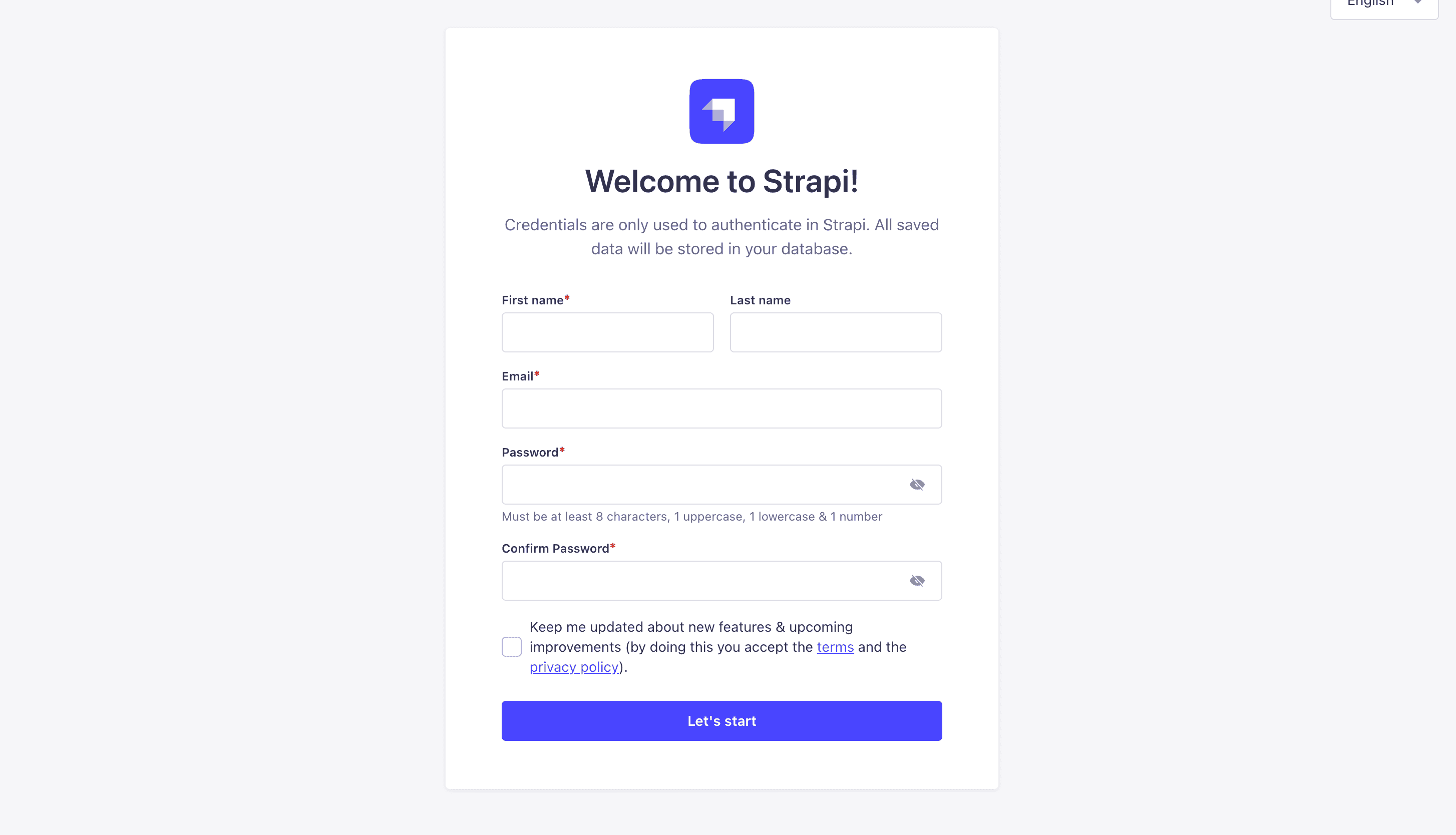
Go ahead and create your first Strapi user. All of this is local so you can use whatever you want.
Once you have created your user, you will be redirected to the Strapi Dashboard screen.
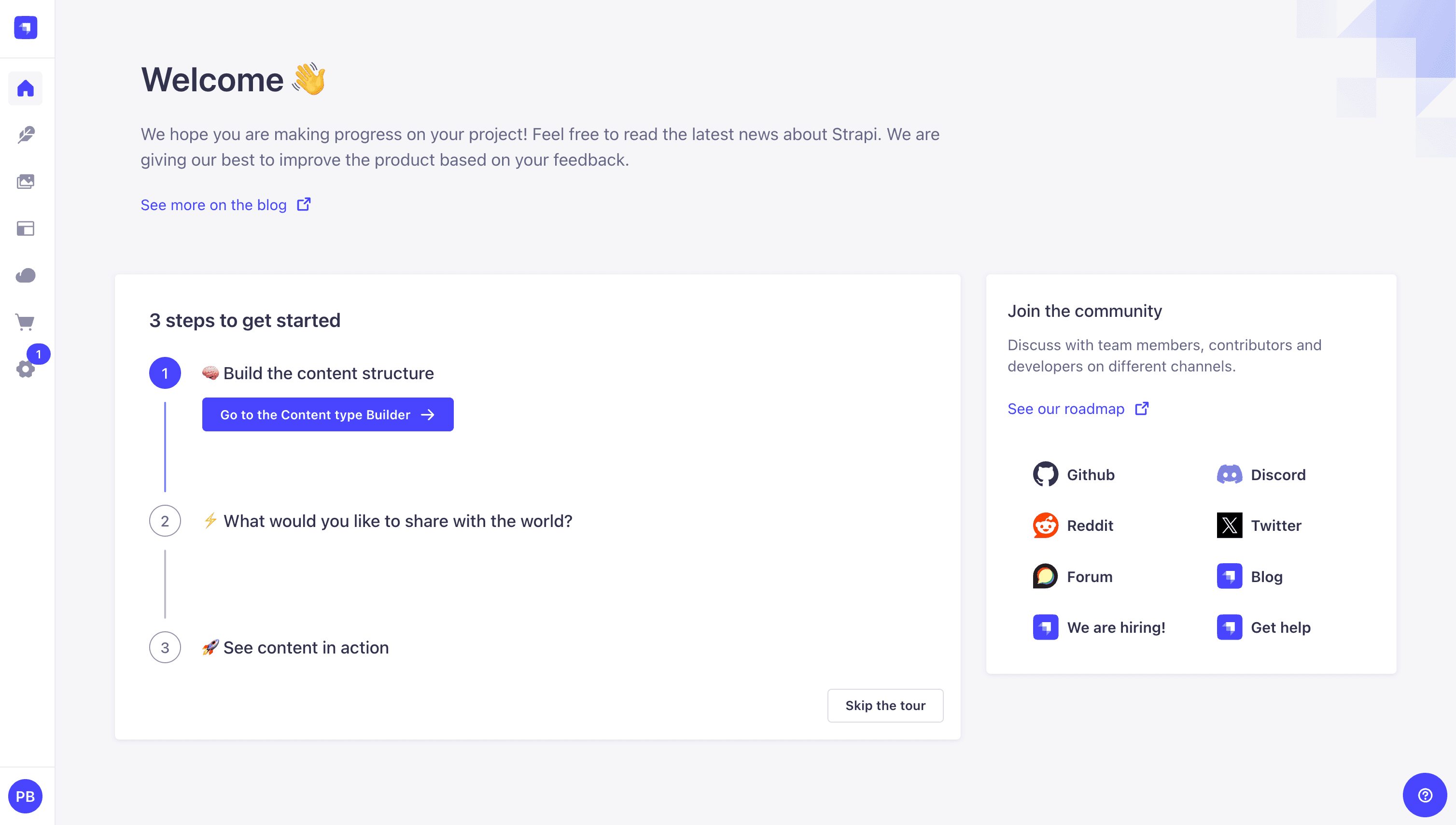
Publish Article Entries
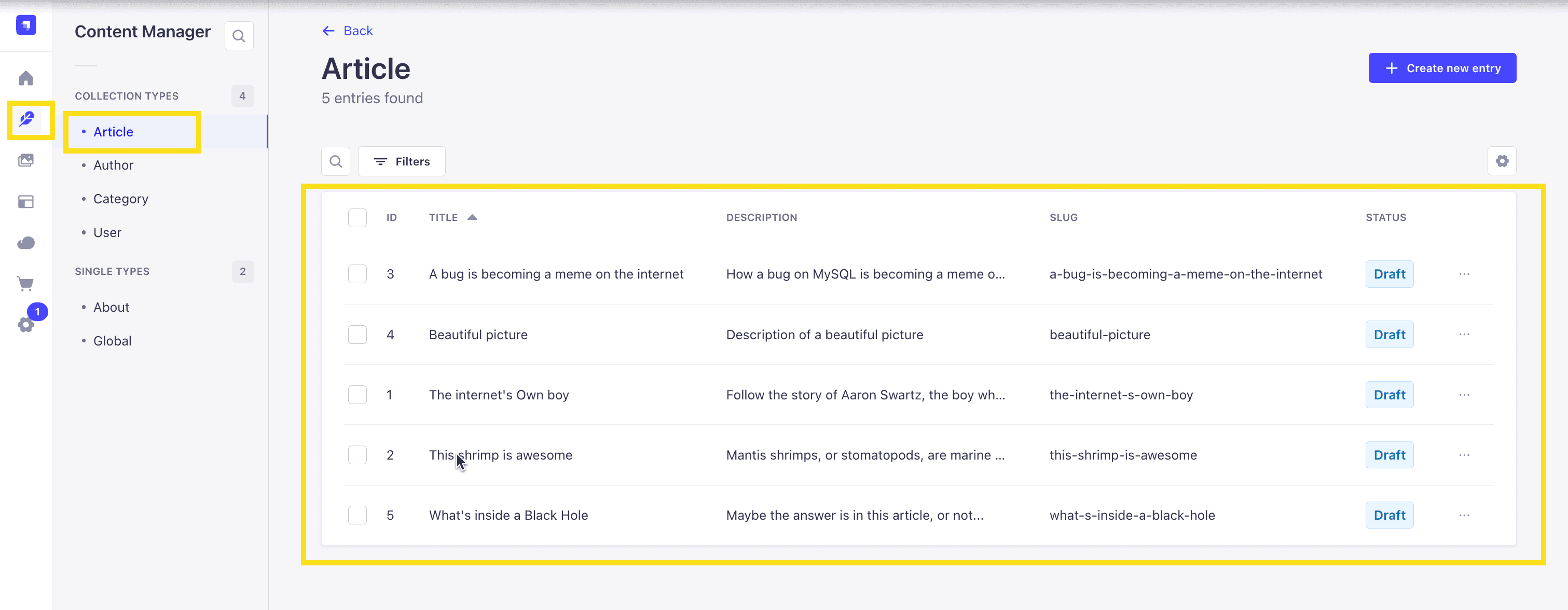
Since we created our app with the example data, you should be able to navigate to your Article collection and see the data that was created for us.
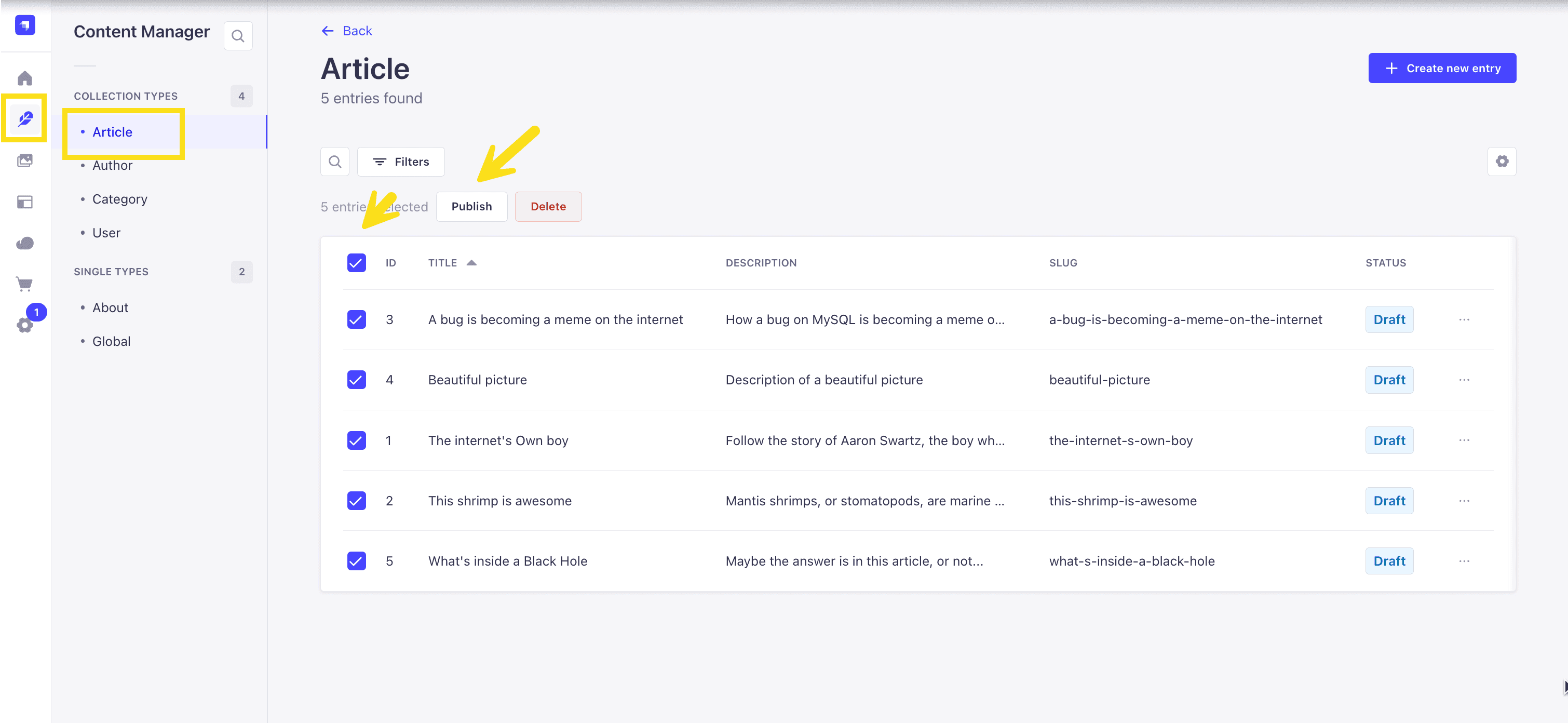
Now, let's make sure that all of the data is published. If not, you can select all items via the checkbox and then click the Publish button.
Enable API Access
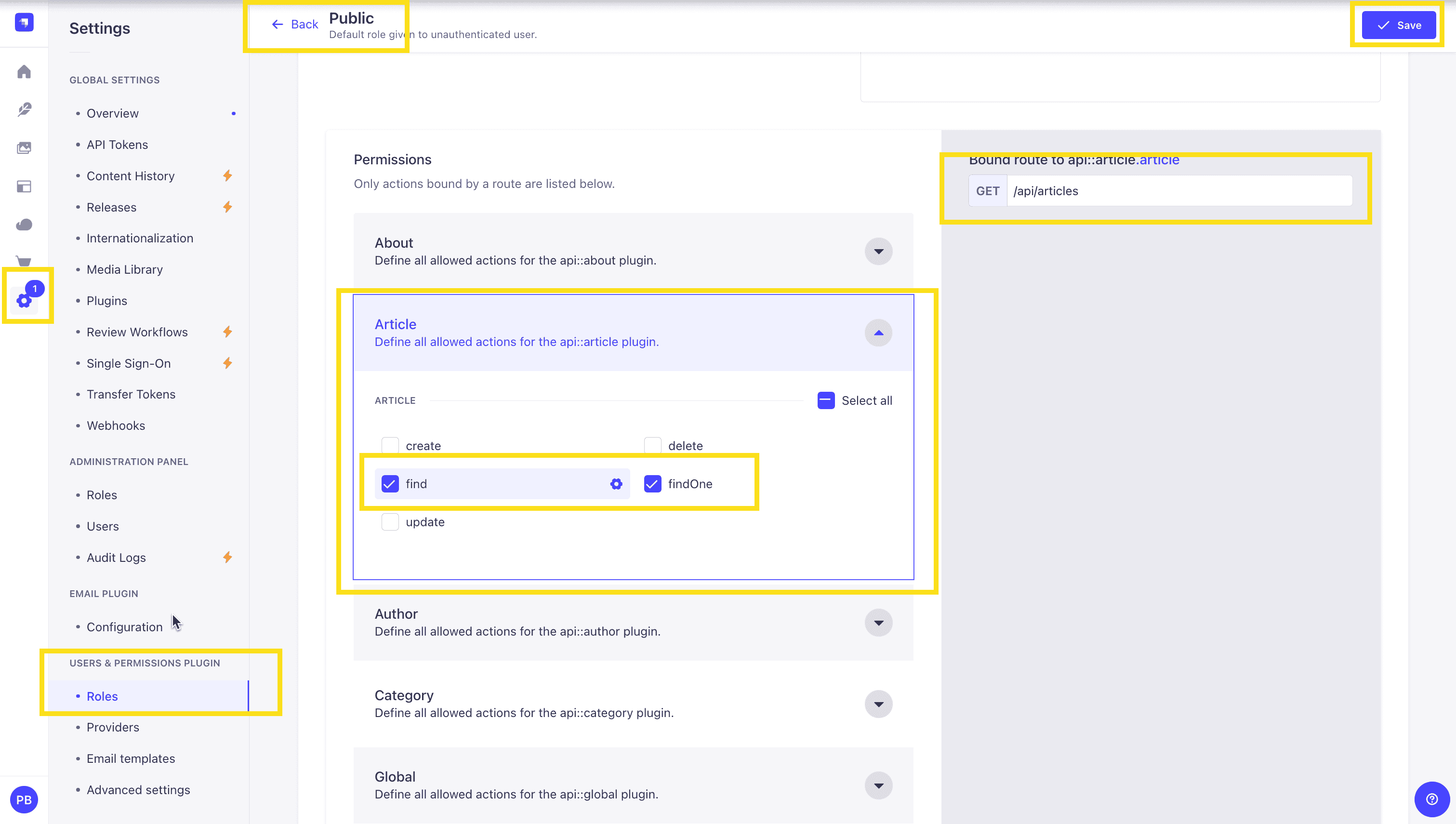
Once all your articles are published, we will expose our Strapi API for the Articles Collection. This can be done in Settings -> Users & Permissions plugin -> Roles -> Public -> Article.
You should have find and findOne selected. If not, go ahead and select them.
Test API
Now, if we make a GET request to http://localhost:1337/api/articles, we should see the following data for our articles.
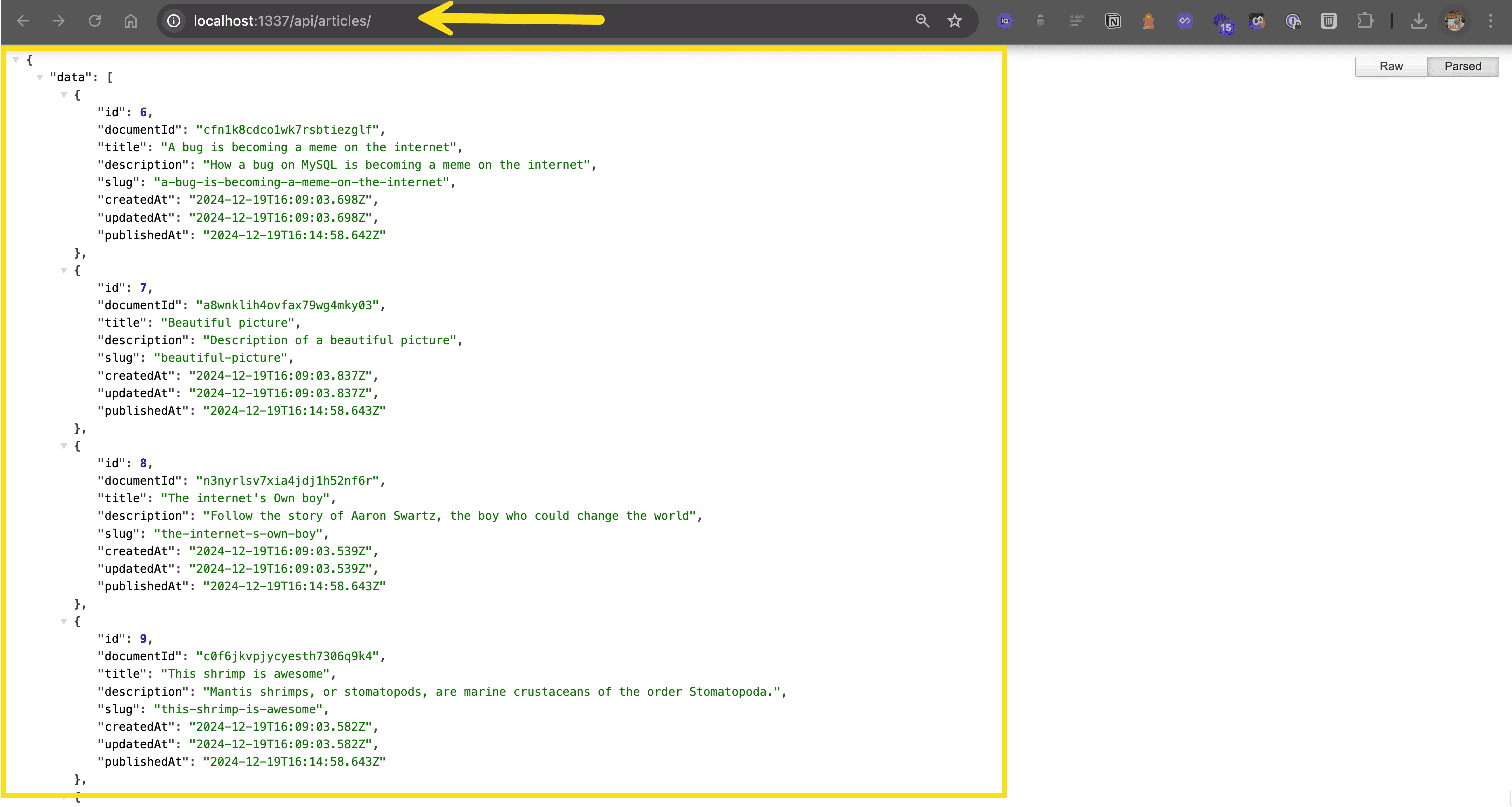
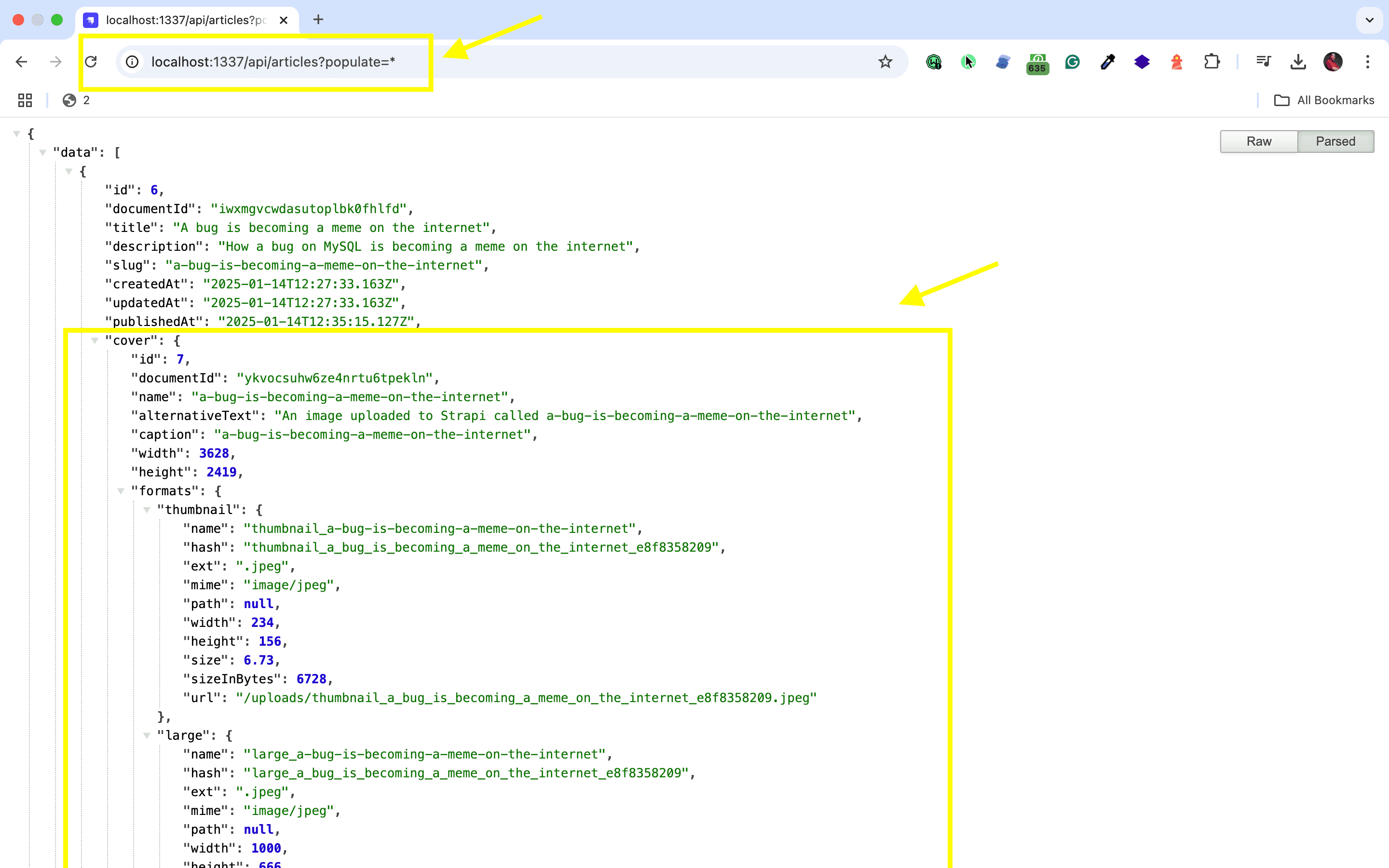
🖐️ Note: The article covers (images) are not returned. This is because the REST API by default does not populate any relations, media fields, components, or dynamic zones.. Learn more about REST API: Population & Field Selection.
So, let's get the article covers by using the populate=* parameter: http://localhost:1337/api/articles?populate=*
Getting Started with Refine
When you integrate Refine with Strapi, you're setting up for some serious content management flexibility. Strapi takes care of the back end, while Refine lets you craft a modern interface on top. By choosing a headless CMS like Strapi, you can create customized content management systems that cater to specific project needs, supporting diverse content structures and workflows. This flexibility aids in adapting to different front-end technologies and crafting unique user experiences. For more information on Strapi integration, explore its compatibility with various frameworks. Let's walk through getting them to play nice, from setting up Strapi to connecting it with your front-end code.
Configuring Strapi Environment for Integration with Refine
Installing Refine and Adjusting Settings for Integration
In your Refine project, you'll need to install some packages:
npm install @pankod/refine-core @pankod/refine-antd axiosThese pull in Refine's core, Ant Design components, and Axios for handling API requests. Strapi supports both REST and GraphQL APIs, so you might consider which one suits your project needs. For a deeper understanding, check out this comparison of REST vs GraphQL.
Then, create a .env file to set the environment variable for your Strapi API:
REACT_APP_API_URL=http://localhost:1337This setup allows your React application to access the API using process.env.REACT_APP_API_URL, assuming your Strapi server is running on http://localhost:1337.
Make sure to use the URL where your Strapi instance is running. Using TypeScript with Strapi can enhance the developer experience by adding a type system layer above JavaScript. This provides a more type-safe codebase, allows for automatic type generation, autocompletion, and helps identify errors early through compile-time checks. This results in cleaner, more reliable code, simplifies navigation through complex codebases, and improves productivity while reducing development costs.
Code Implementation for Integrating Refine with Strapi
To integrate Refine with Strapi, you'll need to create a data provider. This step is essential for enabling communication with the Strapi API, allowing you to effectively manage your content within the Refine framework. If you're curious how Strapi compares to other solutions, this headless CMS comparison may provide useful insights.
In your main file, such as App.js, configure Axios to communicate with your Strapi server using Refine and axios:
import React from 'react';
import { Refine } from '@pankod/refine';
import axios from 'axios';
import { dataProvider } from '@pankod/refine-simple-rest';

// Configure Axios
const axiosInstance = axios.create({
    baseURL: 'http://your-strapi-server-url', // Replace with your Strapi server URL
});

// Configure Refine
const App = () => {
    return (
        <Refine dataProvider={dataProvider(axiosInstance)}>
            {/* Your Refine components go here */}
        </Refine>
    );
};

export default App;
Ensure to replace 'http://your-strapi-server-url' with the actual URL of your Strapi server. This setup facilitates effective communication with the Strapi backend using Axios through Refine's data provider.
To list articles using Refine's hooks and Ant Design, you can create components as follows:
import { useList } from "@pankod/refine-core";
import { Table } from "antd";

export const ArticleList = () => {
  const { data, isLoading } = useList({ resource: "articles" });

  if (isLoading) return <p>Loading...</p>;

  return (
    <Table dataSource={data?.data} rowKey="id">
      <Table.Column dataIndex="title" title="Title" />
      <Table.Column dataIndex="author" title="Author" />
      <Table.Column dataIndex="published_at" title="Published" />
    </Table>
  );
};
You're done, good job!
Strapi Open Office Hours
If you have any questions about Strapi 5 or just would like to stop by and say hi, you can join us at Strapi's Discord Open Office Hours Monday through Friday at 12:30 pm - 1:30 pm CST: Strapi Discord Open Office Hours
For more details, visit the Strapi documentation and Refine documentation.
Frequently Asked Questions
Refine is a React-based framework for building admin panels and data-intensive applications. It provides a Strapi data provider that handles CRUD operations, authentication, and data fetching with minimal configuration.
Install @pankod/refine-strapi-v4 or configure the simple-rest data provider with Axios pointing to your Strapi URL. Wrap your Refine app with the data provider to enable automatic API communication.
Yes, Refine excels at building admin interfaces that consume Strapi's API. Create list, create, edit, and show views for your content types with built-in features like pagination, filtering, and form validation.
Use Refine's auth provider configured with Strapi's authentication endpoints. Handle login, logout, and permission checking through Strapi's Users & Permissions plugin for a complete auth flow.
Yes, Refine handles relational data through its data provider. Configure your resources to include related content, and Refine automatically manages the relationship queries and form inputs for connected content types.