Saleor
Learn how to integrate Saleor with Strapi

Why Use Saleor?
Saleor stands out as an open-source headless ecommerce platform that gives you full control over your online store. Built with Python, Django, and GraphQL, it breaks free from the constraints of traditional ecommerce platforms by separating the frontend from the backend—a key distinction in the headless vs traditional CMS debate.
What draws store owners to Saleor? It's the complete package—robust product management, streamlined order processing, and smart inventory control with multi-warehouse support. The platform's GraphQL API makes data fetching incredibly efficient, while its modular design helps your store grow with your business. Saleor handles multiple languages and currencies effortlessly. Sell across different platforms and regions with multi-channel capabilities that keep everything in sync. The cherry on top for budget-conscious entrepreneurs? Zero licensing costs, thanks to its open-source nature.
Want to know more? Saleor's comprehensive documentation gives you everything you need to build your perfect store.
Why Use Strapi?
Strapi is the leading open-source headless CMS offering features, like customizable APIs, role-based permissions, multilingual support, etc. It simplifies content management and integrates effortlessly with modern frontend frameworks.
Explore the Strapi documentation for more details.
Strapi 5 Highlights
The out-of-the-box Strapi features allow you to get up and running in no time:
- Single types: Create one-off pages that have a unique content structure.
- Draft and Publish: Reduce the risk of publishing errors and streamline collaboration.
- 100% TypeScript Support: Enjoy type safety & easy maintainability
- Customizable API: With Strapi, you can just hop in your code editor and edit the code to fit your API to your needs.
- Integrations: Strapi supports integrations with Cloudinary, SendGrid, Algolia, and others.
- Editor interface: The editor allows you to pull in dynamic blocks of content.
- Authentication: Secure and authorize access to your API with JWT or providers.
- RBAC: Help maximize operational efficiency, reduce dev team support work, and safeguard against unauthorized access or configuration modifications.
- i18n: Manage content in multiple languages. Easily query the different locales through the API.
- Plugins: Customize and extend Strapi using plugins.
Learn more about Strapi 5 feature.
Setup Strapi 5 Headless CMS
We are going to start by setting up our Strapi 5 project with the following command:
🖐️ Note: make sure that you have created a new directory for your project.
You can find the full documentation for Strapi 5 here.
Install Strapi
npx create-strapi-app@latest serverYou will be asked to choose if you would like to use Strapi Cloud we will choose to skip for now.
 Strapi   v5.6.0 🚀 Let's create your new project

To deploy your project, create a new project on the Strapi Cloud dashboard.

? Please log in or sign up.
  Login/Sign up
❯ Skip
After that, you will be asked how you would like to set up your project. We will choose the following options:
? Do you want to use the default database (sqlite) ? Yes
? Start with an example structure & data? Yes <-- make sure you say yes
? Start with Typescript? Yes
? Install dependencies with npm? Yes
? Initialize a git repository? Yes
Once everything is set up and all the dependencies are installed, you can start your Strapi server with the following command:
cd server
npm run develop
You will be greeted with the Admin Create Account screen.
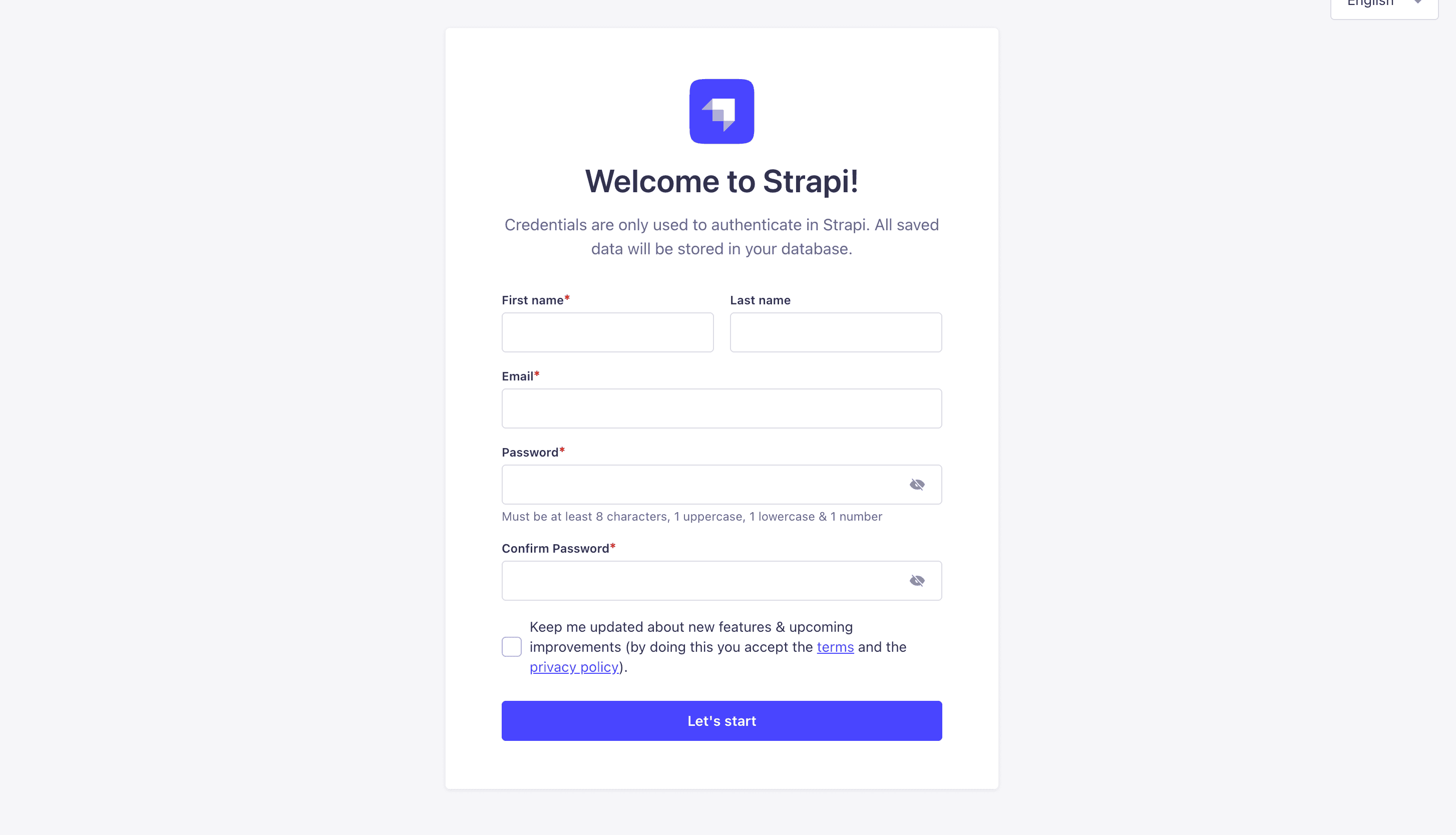
Go ahead and create your first Strapi user. All of this is local so you can use whatever you want.
Once you have created your user, you will be redirected to the Strapi Dashboard screen.
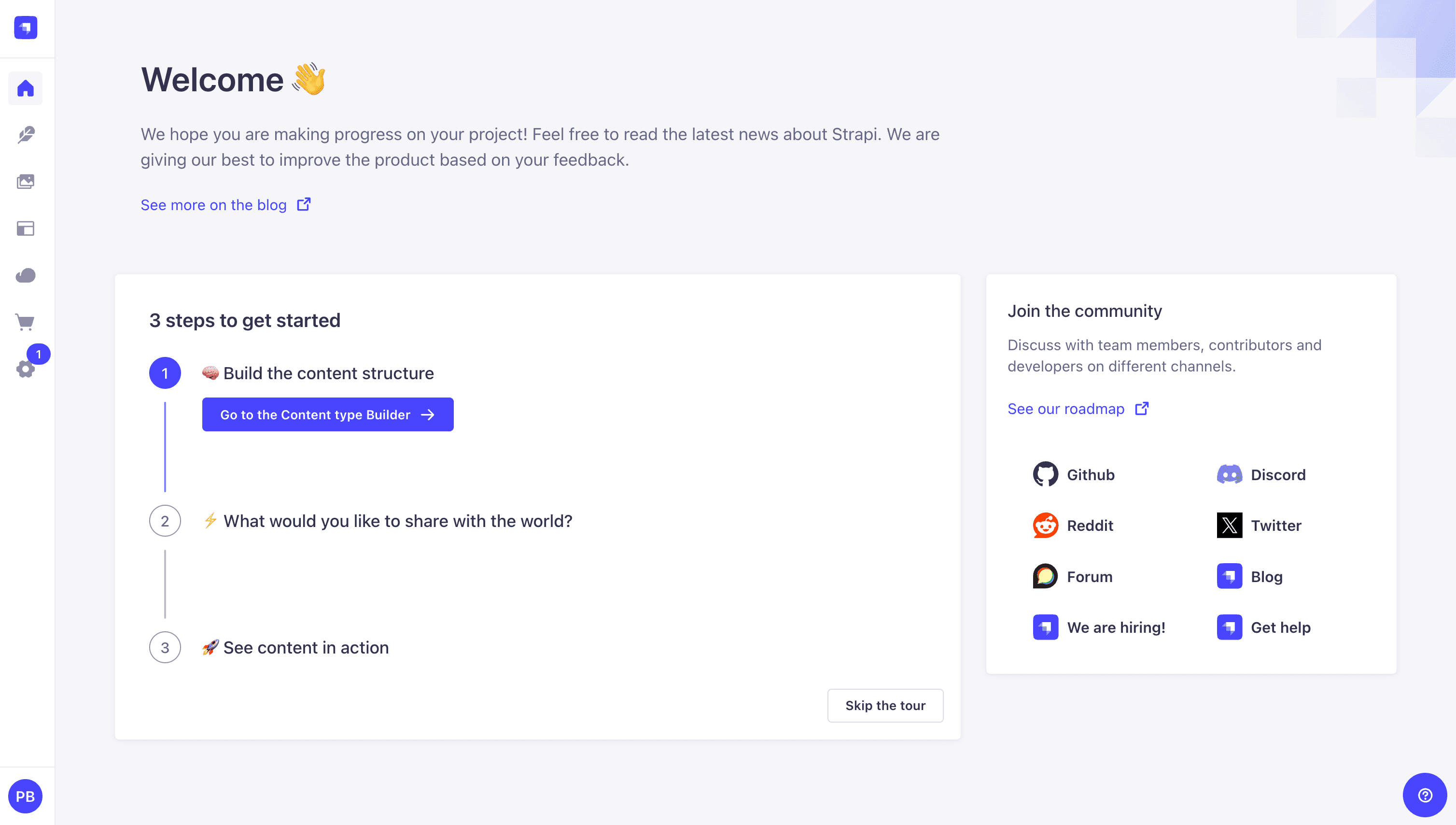
Publish Article Entries
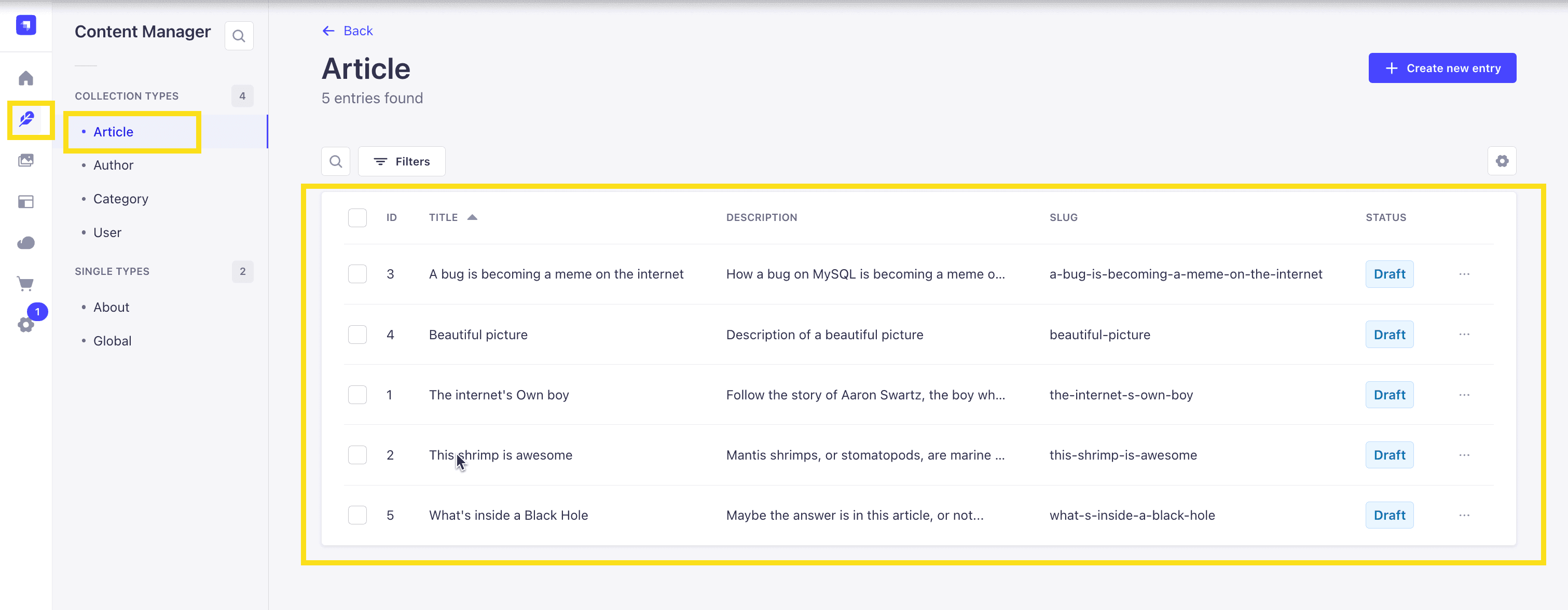
Since we created our app with the example data, you should be able to navigate to your Article collection and see the data that was created for us.
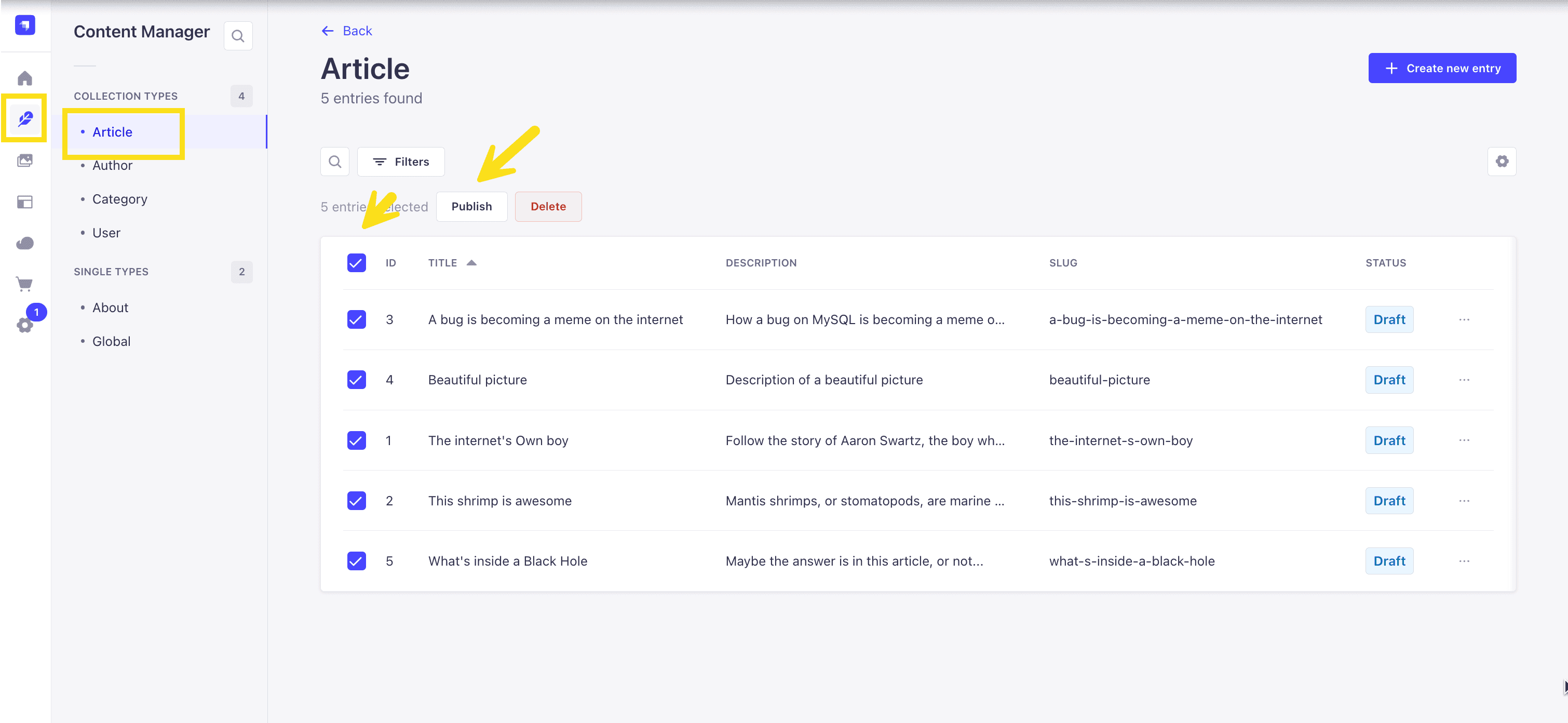
Now, let's make sure that all of the data is published. If not, you can select all items via the checkbox and then click the Publish button.
Enable API Access
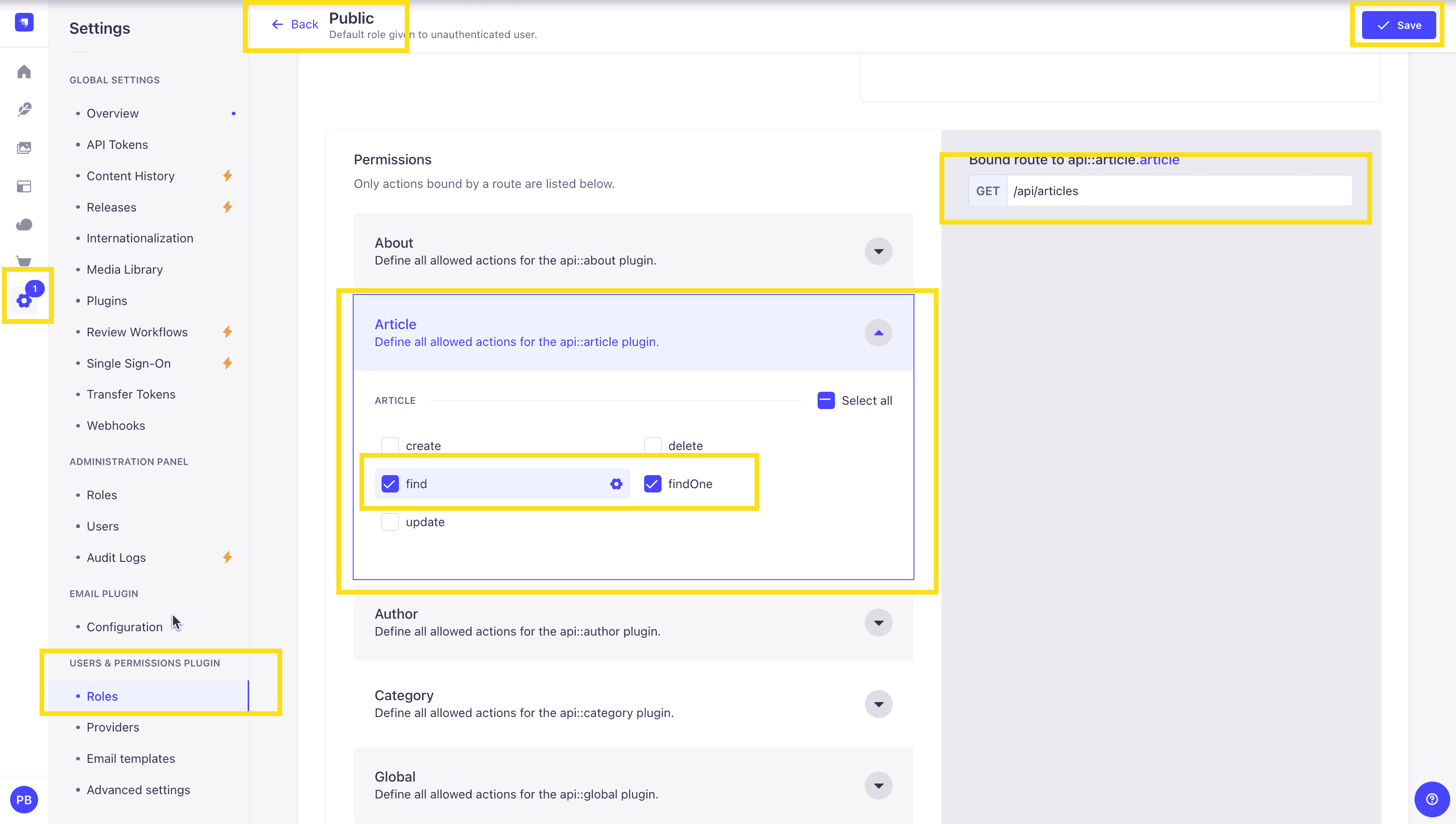
Once all your articles are published, we will expose our Strapi API for the Articles Collection. This can be done in Settings -> Users & Permissions plugin -> Roles -> Public -> Article.
You should have find and findOne selected. If not, go ahead and select them.
Test API
Now, if we make a GET request to http://localhost:1337/api/articles, we should see the following data for our articles.
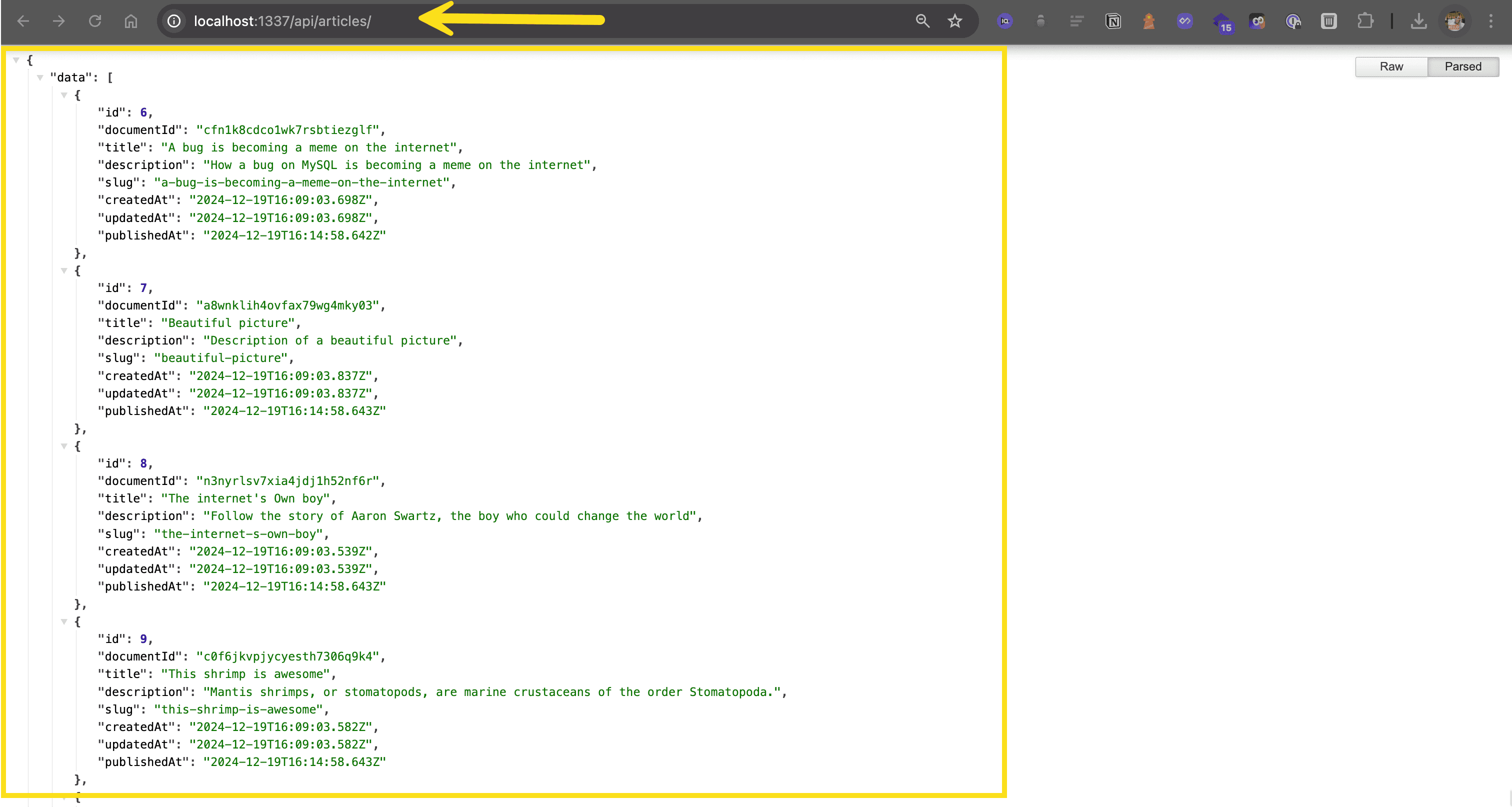
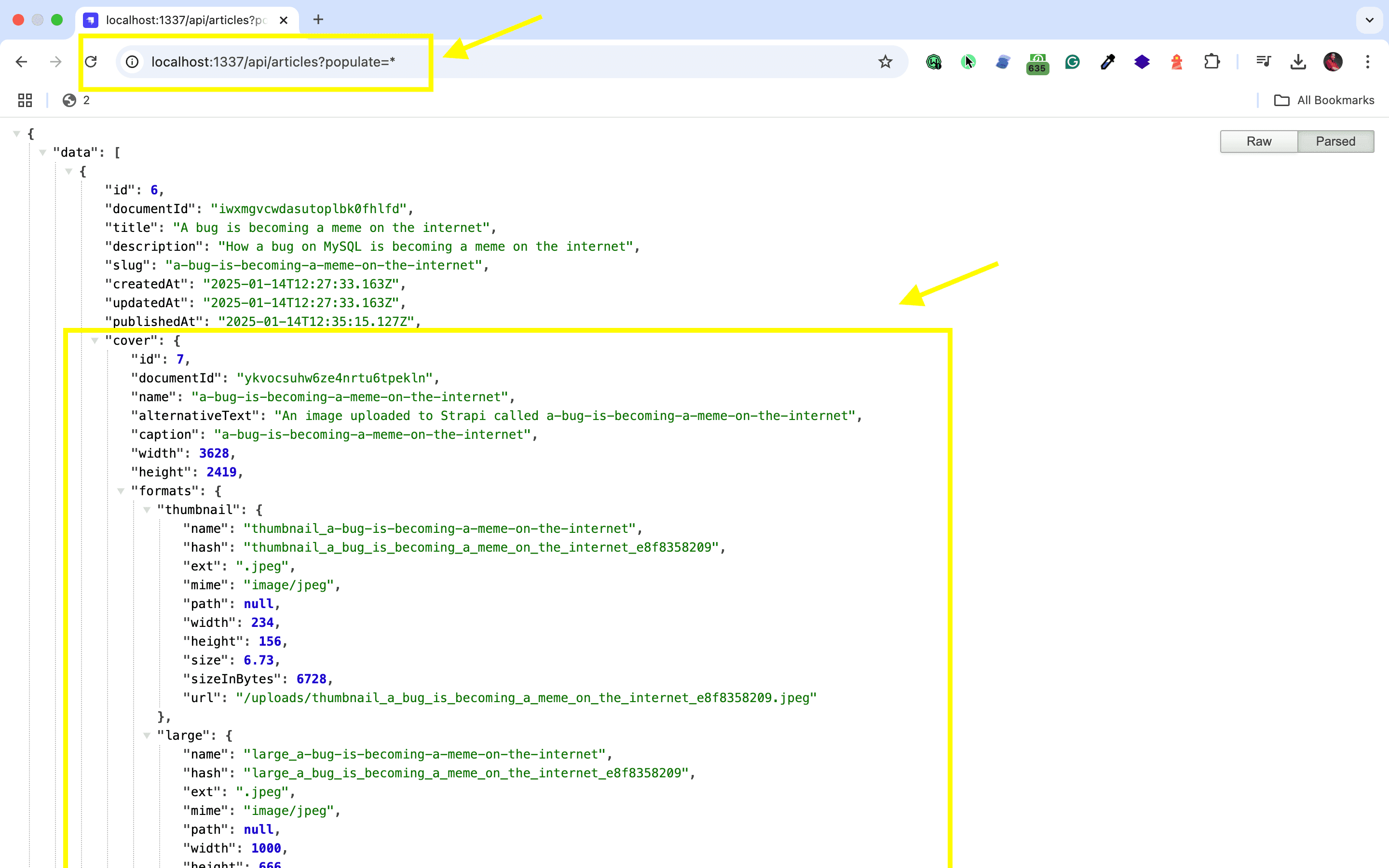
🖐️ Note: The article covers (images) are not returned. This is because the REST API by default does not populate any relations, media fields, components, or dynamic zones.. Learn more about REST API: Population & Field Selection.
So, let's get the article covers by using the populate=* parameter: http://localhost:1337/api/articles?populate=*
Getting Started with Saleor
Combining Saleor with Strapi for eCommerce creates a powerful duo—Saleor handles your ecommerce operations while Strapi manages your content. Whether you're starting from scratch or migrating to a headless CMS, here's the setup process to integrate Saleor with Strapi.
Configuring the Strapi Environment
Start by installing the latest version of Strapi, which includes version 4 or later:
npx create-strapi-app@latest my-projectTo enhance API flexibility, implementing GraphQL in Strapi is straightforward with the following command:
npm run strapi install graphqlOpen or create your config/middleware.js file and configure it as needed for your specific setup.
Using the Strapi Content Types Builder, create content types that match your Saleor products. Build a "Product" type with fields for name, description, price, and any custom attributes you need. Strapi's flexibility in creating custom content types makes it a top contender when choosing a headless CMS for managing your ecommerce content.
Installing Saleor and Adjusting Settings
Install Saleor using pip:
pip install saleor-platformTo configure Saleor to communicate with Strapi, focus on adjusting the environment variables and settings in the configuration files of both Saleor and Strapi. Ensure the URLs and API keys are set correctly to facilitate effective communication.
To integrate Saleor's app framework, follow the specific integration steps provided in the Saleor documentation or repository for setting up and configuring apps within the Saleor framework.
Code Implementation for Integration
Create a custom app in Saleor for integrating with Strapi by defining the app's name, active status, and permissions using Python code.
Developers at Pagepro utilize Saleor's metadata system to link products between platforms, as demonstrated in the following code snippet:
product.metadata['strapi_id'] = strapi_product_id
product.save(update_fields=['metadata'])
This approach creates a reliable mapping between Strapi content and Saleor products—giving each Saleor product a reference to its corresponding Strapi entry. By understanding REST and GraphQL integration, you can ensure seamless data synchronization between your CMS and ecommerce platform.
Well done!
Strapi Open Office Hours
If you have any questions about Strapi 5 or just would like to stop by and say hi, you can join us at Strapi's Discord Open Office Hours Monday through Friday at 12:30 pm - 1:30 pm CST: Strapi Discord Open Office Hours
For more details, visit the Strapi documentation and Saleor documentation.
Frequently Asked Questions
Use Saleor's GraphQL API to sync product data with Strapi content types. Create matching content types in Strapi for products, then link them using Saleor's metadata system where each product stores its corresponding strapi_id.
Saleor handles commerce operations like inventory, orders, and payments, while Strapi manages rich content like product descriptions, marketing copy, blog posts, and editorial content. This separation keeps each system focused on its strengths.
Implement webhooks that trigger when products change in either system. Use lifecycle hooks in Strapi and Saleor's app system to maintain data consistency, updating the linked records when content or product data changes.
Yes, both Saleor (GraphQL) and Strapi (REST and GraphQL) support flexible API access. You can mix approaches based on your frontend needs, using GraphQL for complex product queries and REST for simpler content fetches.
Yes, Saleor's headless architecture combined with Strapi enables content delivery across web, mobile, and other channels. Manage product information once in Saleor and rich content in Strapi, then serve both through APIs to any frontend.