
Astro Strapi Starter
FeaturedBy Sensinum
Performance that leaders trust The future of how you build is now — Astro × Strapi, agent-ready today, not a roadmap promise for next quarter.
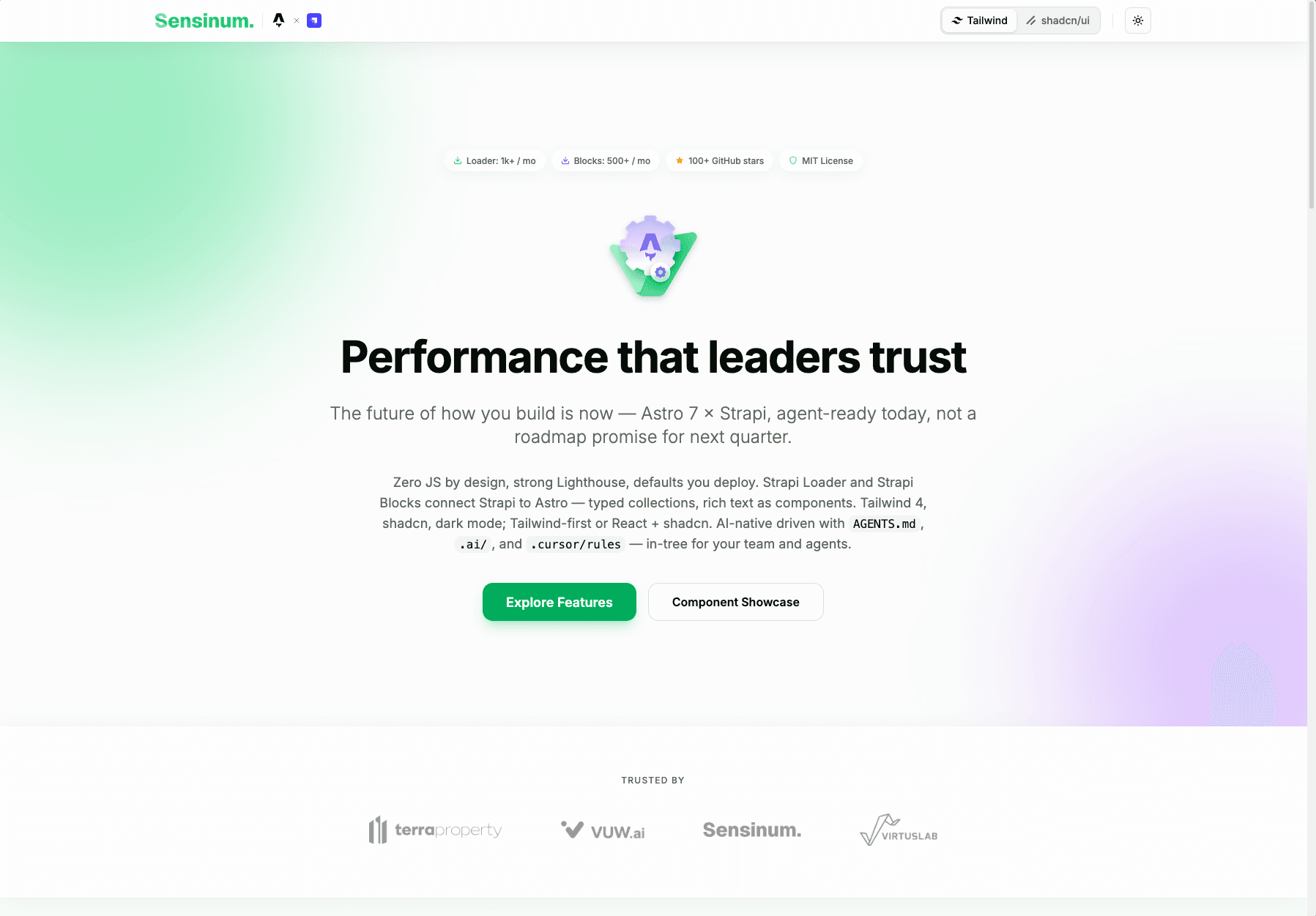

Astro x Strapi Starter
AI-native first — agent context (AGENTS.md), Agent Skills under .ai/, and Cursor rules are part of the product, not a README afterthought. You extend the stack with AI, not against it.
All-in-one starter combining Astro, Strapi CMS, TailwindCSS, and shadcn/ui with support for Strapi Astro Loader and Strapi Astro Blocks Field. Details: AI-native support.
✨ Features
- ⚡ Astro 7 - Latest version with ultra-fast static sites
- 📝 Strapi CMS - Headless CMS for content management
- 🧱 Strapi Astro Blocks Field - Modular & flexible content block system
- 🔄 Strapi Astro Loader - Automatic content loading from Strapi
- 🤖 AI-native support -
AGENTS.md, Agent Skills under.ai/, and Cursor rules tailored to Astro x Strapi for Loader & Blocks - 🎨 TailwindCSS 4 - Modern utility-first CSS styling
- 🧩 shadcn/ui - Pre-configured React component library (optional)
- 🌗 Dark / Light mode - Toggle with system preference detection
- 🔀 Tailwind / shadcn toggle - Live component showcase comparing both approaches
- 🔤 Inter font - Self-hosted variable font via
@fontsource - 📱 Responsive Design - Optimized for all devices
- 🌐 TypeScript - Full type support

📖 Table of Contents
- ✨ Features
- 🚀 Quick Start
- 🗂️ Project Structure
- 🤖 AI-native support
- 🏆 Lighthouse Score
- 🌗 Dark / Light Mode
- 🧩 UI Components: shadcn/ui vs Pure Tailwind
- 📦 Strapi Astro Packages
- 🔨 Available Commands
- 🌍 Deploy
- 📚 Useful Links
- 🔧 Development
- 🤝 Contributing
- 📄 License
🚀 Quick Start
1. Use a starter template
# NPM
npm create astro@latest -- --template VirtusLab-Open-Source/astro-strapi-starter

# Yarn
yarn create astro --template VirtusLab-Open-Source/astro-strapi-starter
2. Environment Variables Setup
Create a .env file in the root directory:
# Strapi Configuration
STRAPI_URL=http://localhost:1337
STRAPI_TOKEN=your_strapi_api_token_here
3. Run the Project
npm run devOpen http://localhost:4321 in your browser.
🗂️ Project Structure
/
├── src/
│   ├── components/
│   │   ├── blocks/                # Strapi block components (Astro + Tailwind)
│   │   │   ├── BlockRenderer.astro
│   │   │   ├── TextBlock.astro
│   │   │   ├── QuoteBlock.astro
│   │   │   ├── MediaBlock.astro
│   │   │   ├── CTABlock.astro
│   │   │   └── HeroBlock.astro
│   │   ├── tailwind/              # Pure Tailwind Astro components
│   │   │   ├── Button.astro
│   │   │   ├── Card.astro
│   │   │   ├── CardHeader.astro
│   │   │   ├── CardTitle.astro
│   │   │   ├── CardDescription.astro
│   │   │   ├── CardContent.astro
│   │   │   └── Badge.astro
│   │   ├── ui/                    # shadcn/ui React components
│   │   │   ├── button.tsx
│   │   │   ├── card.tsx
│   │   │   ├── badge.tsx
│   │   │   └── separator.tsx
│   │   ├── showcase/              # Side-by-side component demos
│   │   │   ├── TailwindShowcase.astro
│   │   │   └── ShadcnShowcase.tsx
│   │   ├── Toolbar.astro          # Sticky header with logo + toggles
│   │   ├── ThemeToggle.astro      # Dark / Light mode switch
│   │   └── UIToggle.astro         # Tailwind / shadcn switch
│   ├── lib/
│   │   └── utils.ts               # cn() utility for class merging
│   ├── pages/
│   │   └── index.astro            # Homepage
│   ├── types/
│   │   └── strapi/                # Strapi TS types (`index.ts` re-exports modules)
│   ├── content.config.ts          # Strapi Loader configuration
│   ├── styles/
│   │   └── global.css             # Theme, fonts, toggle visibility rules
│   └── utils/
│       └── media.ts               # Strapi Media utils
├── components.json                # shadcn/ui configuration
├── package.json
└── astro.config.mjs
🤖 AI-native support
This starter ships first-class agent context for any AI coding tool (Cursor, Claude Code, Copilot, and other SKILL.md–compatible clients):
AGENTS.md(root) points to the full guide:.ai/AGENTS.md- Agent Skills (YAML + markdown) under
.ai/:.ai/astro-strapi-starter/SKILL.md— end-to-end workflow for this template (the only long-form skill kept here).ai/astro-strapi-loader/SKILL.mdand.ai/astro-strapi-blocks/SKILL.md— short stubs with links to the canonical SKILL (and related) files inastro-strapi-loaderandastro-strapi-blocks(no duplicate prose in this repo)
- Cursor project rules in
.cursor/rules/—astro-strapi-loaderandastro-strapi-blocksare thin pointers to the loader and blocks upstream rules;astro-strapi-starterandtailwind-shadcnare defined in this repo
The authoritative manuals for the packages live in those upstream .ai trees. Pin a tag or commit in the raw-GitHub URLs to match your package.json version when you need strict reproducibility.
To use a skill in a tool that only loads from .cursor/skills/, copy or symlink .ai/astro-strapi-starter/ there. For loader and blocks, copy from upstream raw URLs (see the stub files) or fetch them in your tool if it supports URL-based skills.
🏆 Lighthouse Score
Nearly perfect scores out of the box — no extra optimization needed.
| Desktop | Mobile |
|---|---|
 |  |
🌗 Dark / Light Mode
The starter includes a theme toggle in the header. It:
- Detects system preference on first visit
- Saves choice to
localStorage - Renders an inline script in
<head>to prevent flash of wrong theme - Toggles the
darkclass on<html>— all semantic tokens adapt automatically
All components use semantic color tokens (text-foreground, bg-card, border-border, etc.) so dark mode works everywhere out of the box.
🧩 UI Components: shadcn/ui vs Pure Tailwind
This starter ships with two parallel component sets — switch between them live using the toggle in the header.
Pure Tailwind (Astro)
Components in src/components/tailwind/ are .astro files styled with Tailwind utility classes. Zero JavaScript, server-rendered.
---
import Button from "@/components/tailwind/Button.astro";
import Card from "@/components/tailwind/Card.astro";
import CardHeader from "@/components/tailwind/CardHeader.astro";
import CardTitle from "@/components/tailwind/CardTitle.astro";
import CardContent from "@/components/tailwind/CardContent.astro";
---

<Card>
  <CardHeader>
    <CardTitle>My Card</CardTitle>
  </CardHeader>
  <CardContent>
    <Button variant="outline">Click me</Button>
  </CardContent>
</Card>
shadcn/ui (React)
Components in src/components/ui/ are React components built on Radix UI primitives. Accessible, composable, interactive.
---
import { Button } from "@/components/ui/button";
import { Card, CardHeader, CardTitle, CardContent } from "@/components/ui/card";
---

<Card>
  <CardHeader>
    <CardTitle>My Card</CardTitle>
  </CardHeader>
  <CardContent>
    <Button client:load variant="outline">Click me</Button>
  </CardContent>
</Card>
Adding More shadcn/ui Components
npx shadcn@latest add dialog dropdown-menu tabsRemoving shadcn/ui
If you prefer pure Tailwind only:
- Delete
src/components/ui/,src/components/showcase/ShadcnShowcase.tsx, andsrc/lib/utils.ts - Delete
components.json - Remove
@astrojs/reactfromastro.config.mjs(if not using React elsewhere) - Uninstall:
npm uninstall @astrojs/react radix-ui class-variance-authority clsx tailwind-merge lucide-react tw-animate-css shadcn
📦 Strapi Astro Packages
@sensinum/astro-strapi-loader— Automatic content loading from Strapi@sensinum/astro-strapi-blocks— Modular & flexible block rendering
🔨 Available Commands
| Command | Action |
|---|---|
npm install | Installs dependencies |
npm run dev | Starts dev server at localhost:4321 |
npm run build | Build your production site to ./dist/ |
npm run preview | Preview your build locally |
npm run astro ... | Run CLI commands like astro add, astro check |
🌍 Deploy
Vercel
- Connect your repository to Vercel
- Add environment variables in project settings
- Deploy!
Netlify
- Connect your repository to Netlify
- Set build command:
npm run build - Set publish directory:
dist - Add environment variables
📚 Useful Links
- Astro Documentation
- TailwindCSS Documentation
- shadcn/ui Documentation
- Strapi Documentation
- Sensinum Astro Strapi Loader
- Sensinum Astro Strapi Blocks Field
🔧 Development
- Clone the repository
- Install dependencies:
npm install- Run development mode:
npm run dev- Check types:
npx astro check🤝 Contributing
We welcome contributions to this project! Here's how you can help:
- Fork the repository
- Create your feature branch (
git checkout -b feature/amazing-feature) - Commit your changes (
git commit -m 'Add some amazing feature') - Push to the branch (
git push origin feature/amazing-feature) - Open a Pull Request
Please make sure to:
- Follow the existing code style
- Write tests for new features
- Update documentation as needed
- Keep your PR focused and concise
📄 License
Copyright © Sensinum
This project is licensed under the MIT License - see the LICENSE.md file for details.

