Responsive Admin Panel
The Responsive Admin Panel Plugin for Strapi v5 enhances the usability of the Strapi admin panel on mobile devices. By introducing targeted CSS adjustments, this plugin ensures that the Strapi backend remains accessible and functional on devices with a screen width of less than 767px.
Latest version
released January 24, 2025
npm install strapi-5-plugin-responsive-backendStrapi Plugin: Responsive Admin Panel
Overview
The Responsive Admin Panel Plugin for Strapi v5 enhances the usability of the Strapi admin panel on mobile devices. By introducing targeted CSS adjustments, this plugin ensures that the Strapi backend remains accessible and functional on devices with a screen width of less than 767px.
It is still work in progress and works with the Content Manager, Content Type Build, Media & Marketplace yet.
Installation
Install via NPM
npm install strapi-5-plugin-responsive-backendAdd to Your Strapi Project
Ensure the plugin is enabled in your Strapi project. No additional configuration is needed.
Usage
Once installed, the plugin will automatically apply its styles when you access the admin panel on smaller screens. It’s designed to work out-of-the-box, so you don’t need to configure anything manually.
Example Adjustments
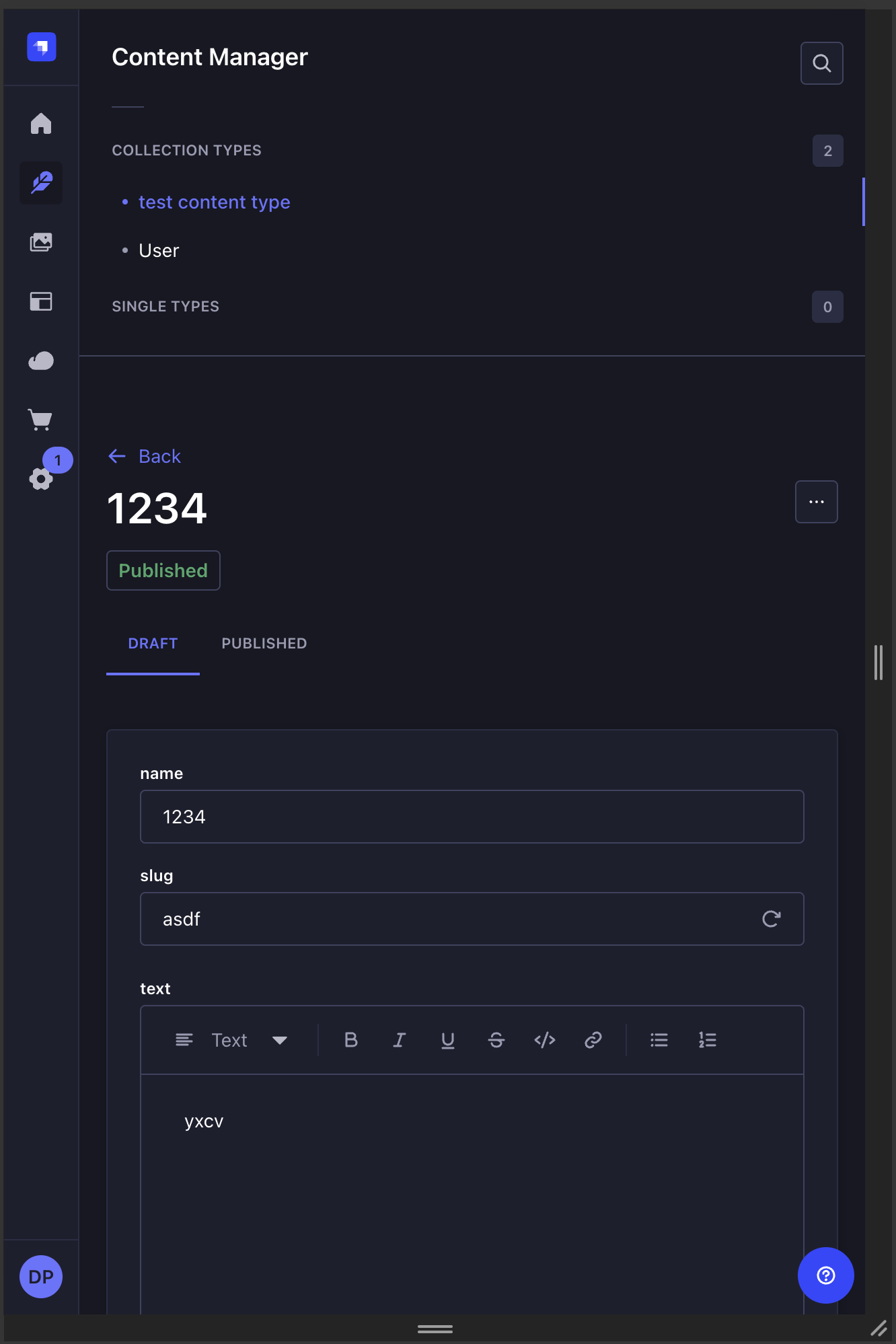
- Navigation Bar: It moved from the left to the top and shrinked in height.
- Spacing: Some paddings were adjusted to make the content manager more accessible.
Screenshots
| Content Manager - Overview | Content Manager - Editing Entry |
|---|---|
 |  |
Contributing
Contributions to improve the plugin are welcome! Please fork the repository and submit a pull request.
License
This plugin is licensed under the MIT License.
Support
📧 Feel free to contact me via my website: DigitalMoonrise, your digital agency for Websites, Online Shops and Configurator with Next.js and Strapi

