
Content Sync Pro Plugin for Strapi
By Ejaz Arain
Strapi v5 plugin to copy, migrate, and live-sync content, media, and data between multiple Strapi environments with bi-directional sync, field-level policies, scheduling, and alerts.
Latest version
released September 3, 2026
npm install strapi-content-sync-pro

Content Sync Pro for Strapi
Copy, migrate, and live-sync content, media, users, and relations
between any number of Strapi v5 environments.




Quick start · Screenshots · Full gallery · Video · Product page · Free backup tool · Contact
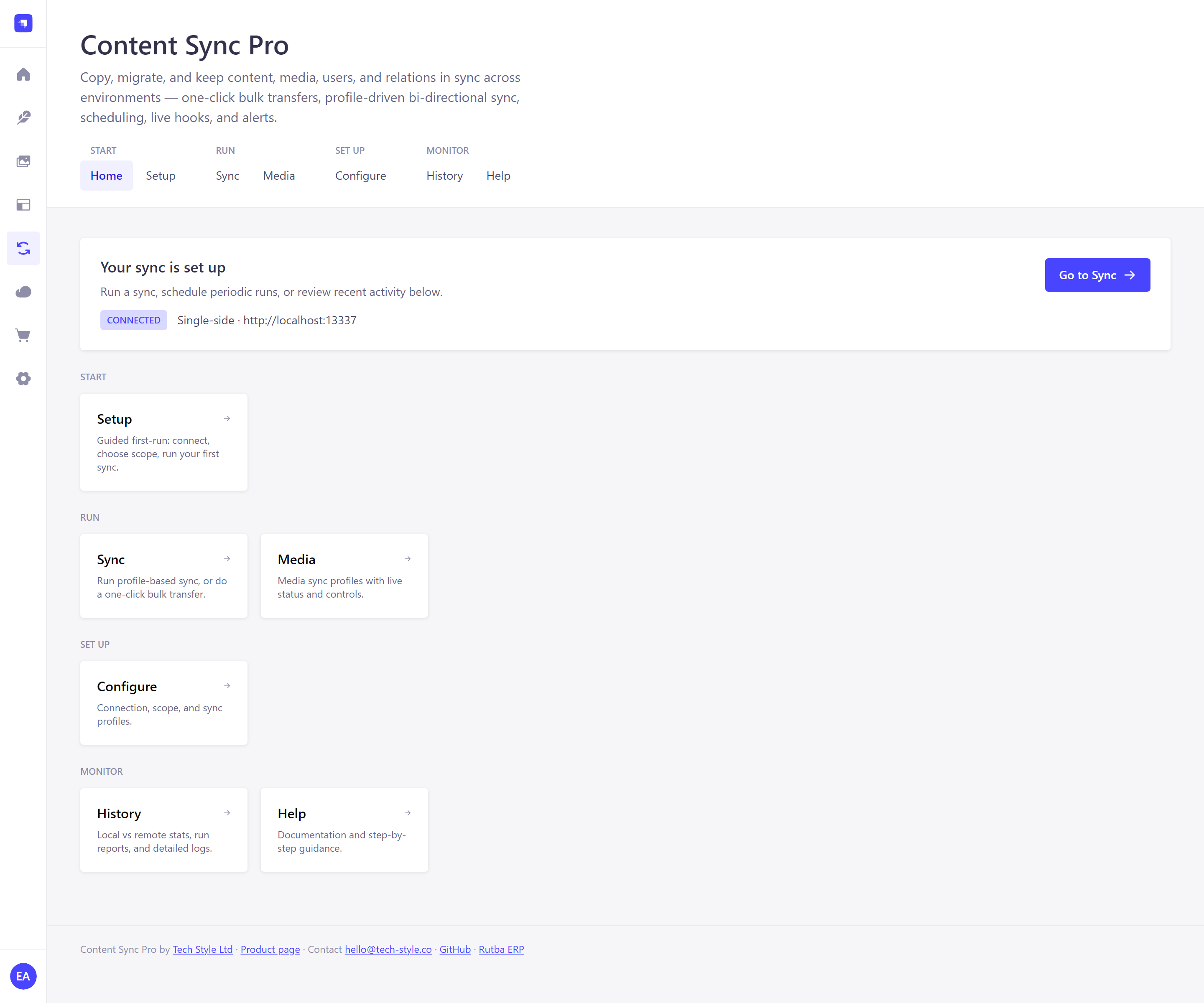
The Home hub — connection status, deployment mode, and every section one click away.
Only need backup and restore? We make a free tool for that.
Content Sync Pro moves content between Strapi environments. If all you want is to back up one Strapi instance and restore it, reach for its sibling instead:
Strapi Remote Backup Pro →
Free and open source, and it installs nothing into your Strapi project — no plugin, no rebuild, no redeploy. Point it at a Strapi URL, sign in with admin credentials, and it pulls content, media and schemas over the same admin API the admin panel itself uses, into a portable
.zip. Restore is selective: pick content types, pick records, pick how deep to follow relations.Backup and restore on Strapi v5 runs end to end, covered by a round-trip test against two live instances — content, components, dynamic zones, relations, draft/published pairs and media. It is early: today it writes to local disk, with the remaining destinations and the desktop app still in progress.
Video

Screenshots
Captured from a live 1.2.0 install — real profiles, real run history, real counts. Click any screen for its walkthrough, or open the full gallery for all fourteen.
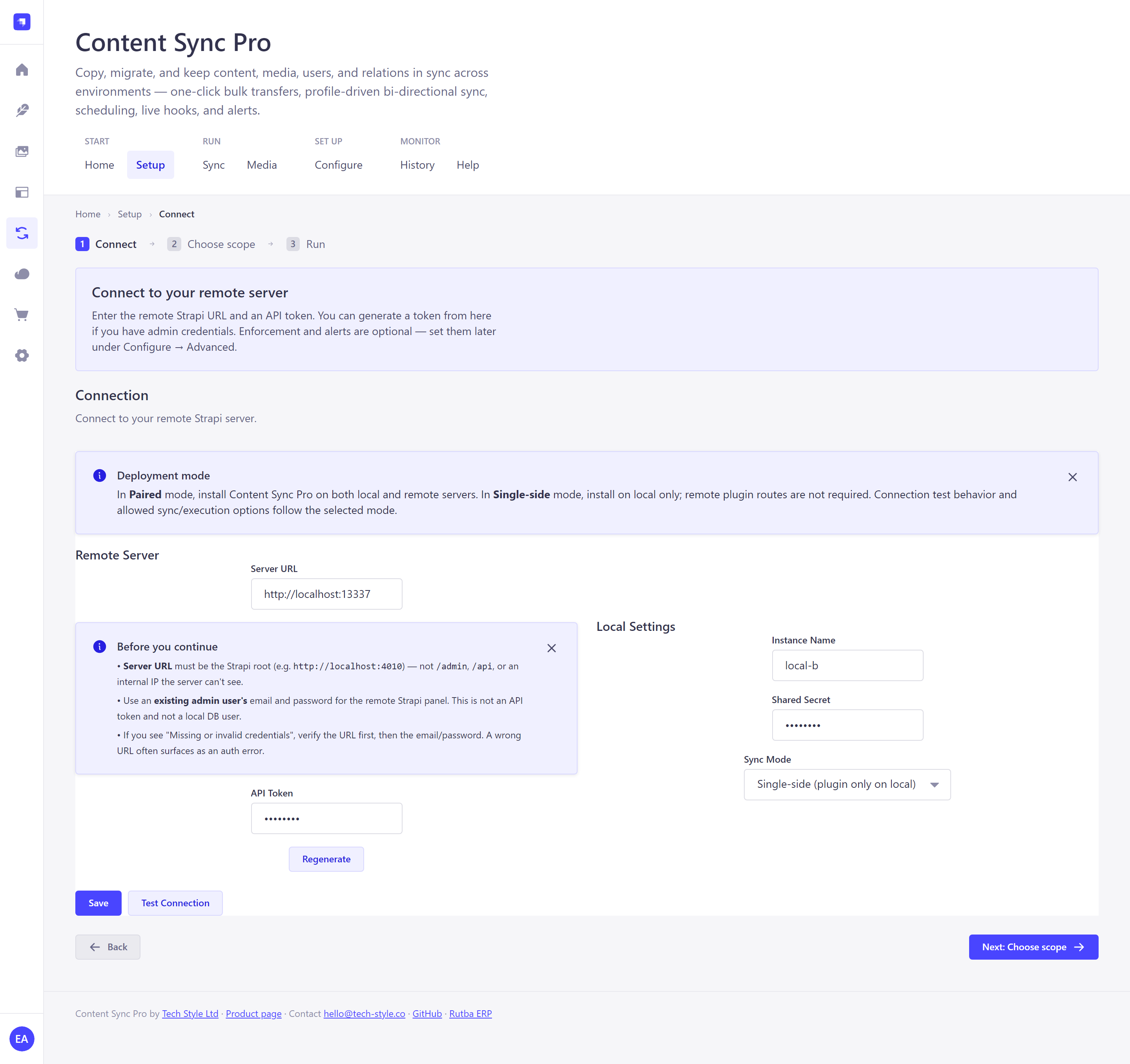 Setup 1 · Connect Remote URL, token, and deployment mode — validated before you save. | 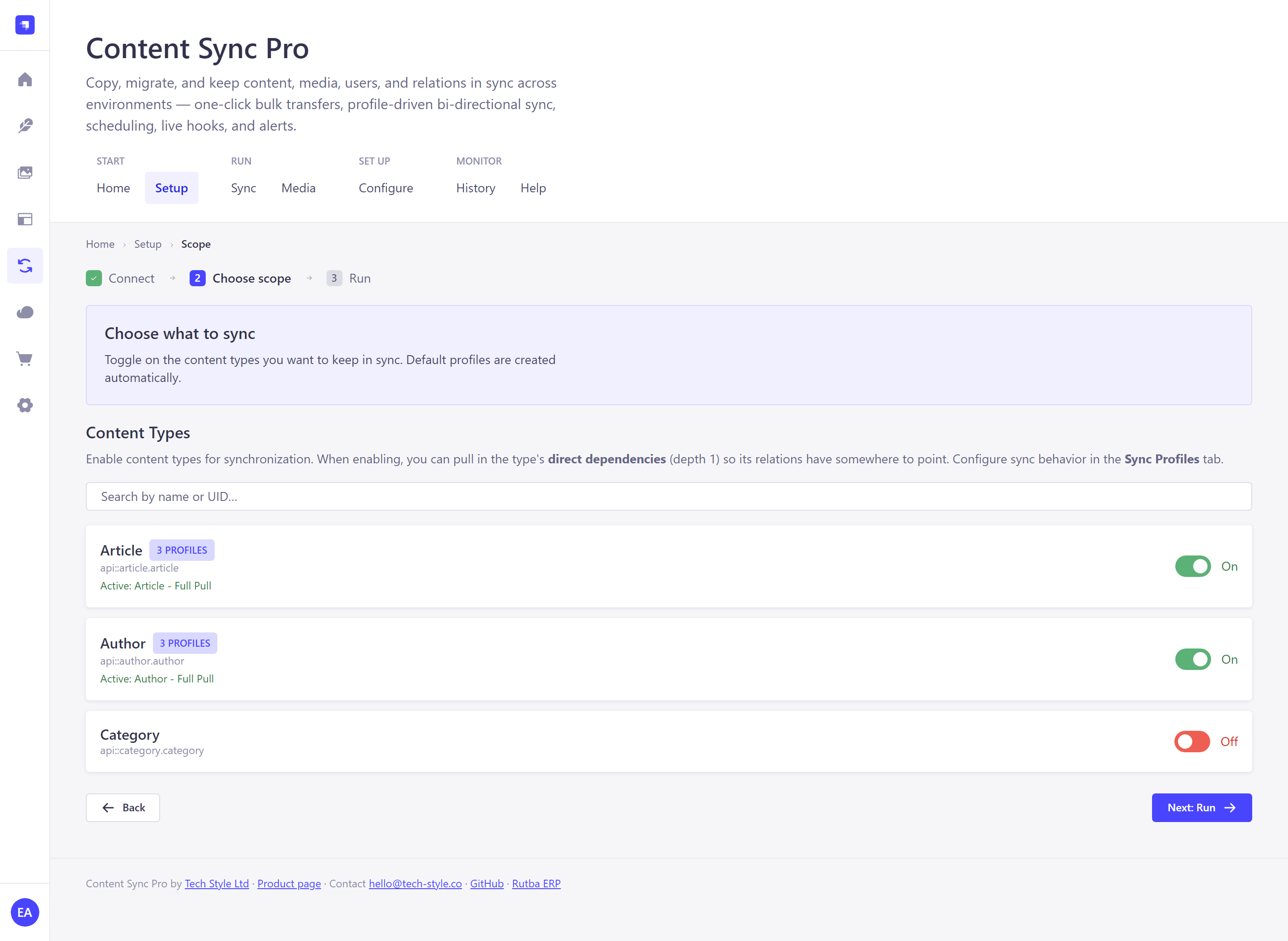 Setup 2 · Choose scope Toggle content types on; default profiles are generated for you. | 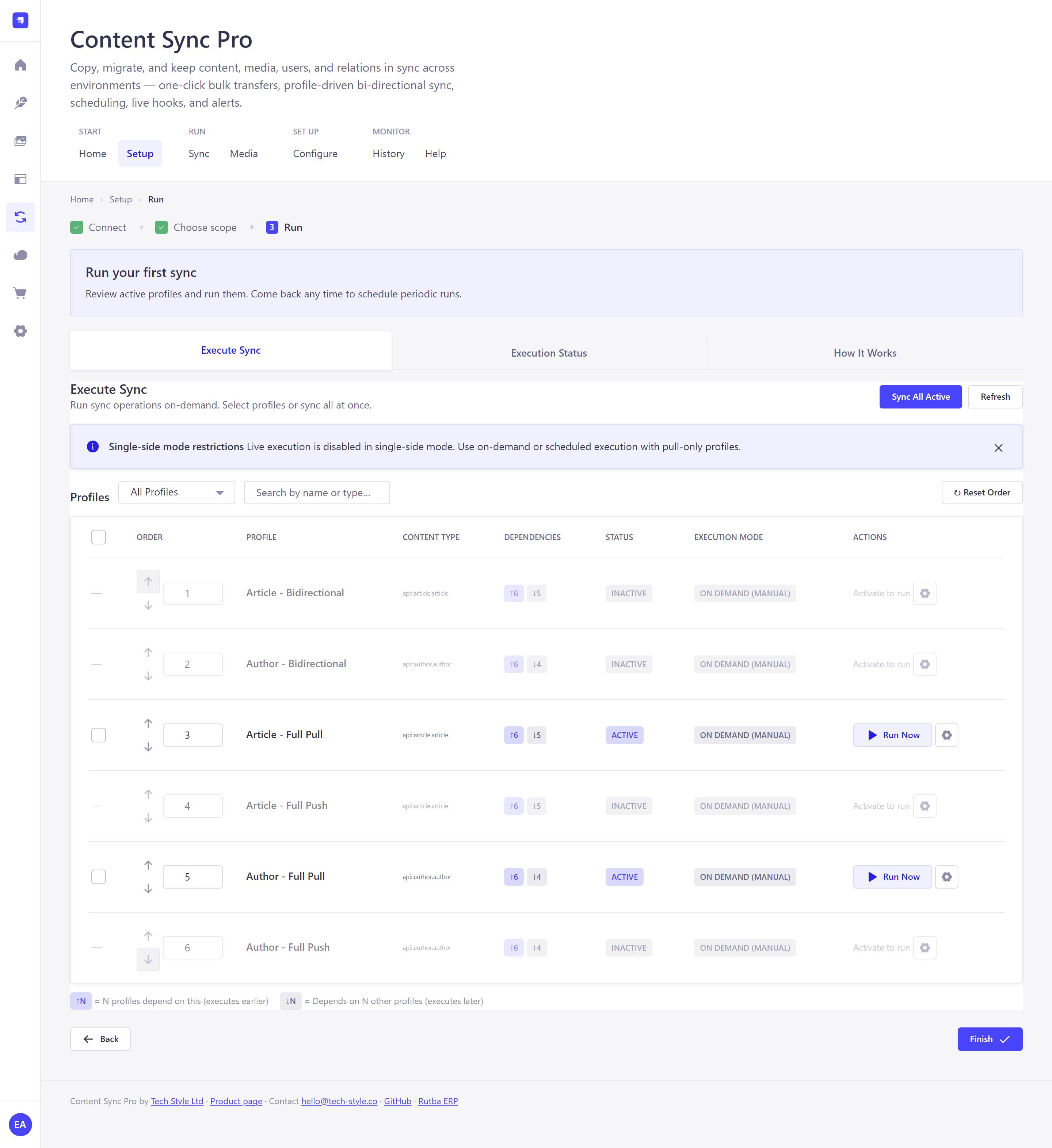 Setup 3 · Run Review the generated profiles and run your first sync. |
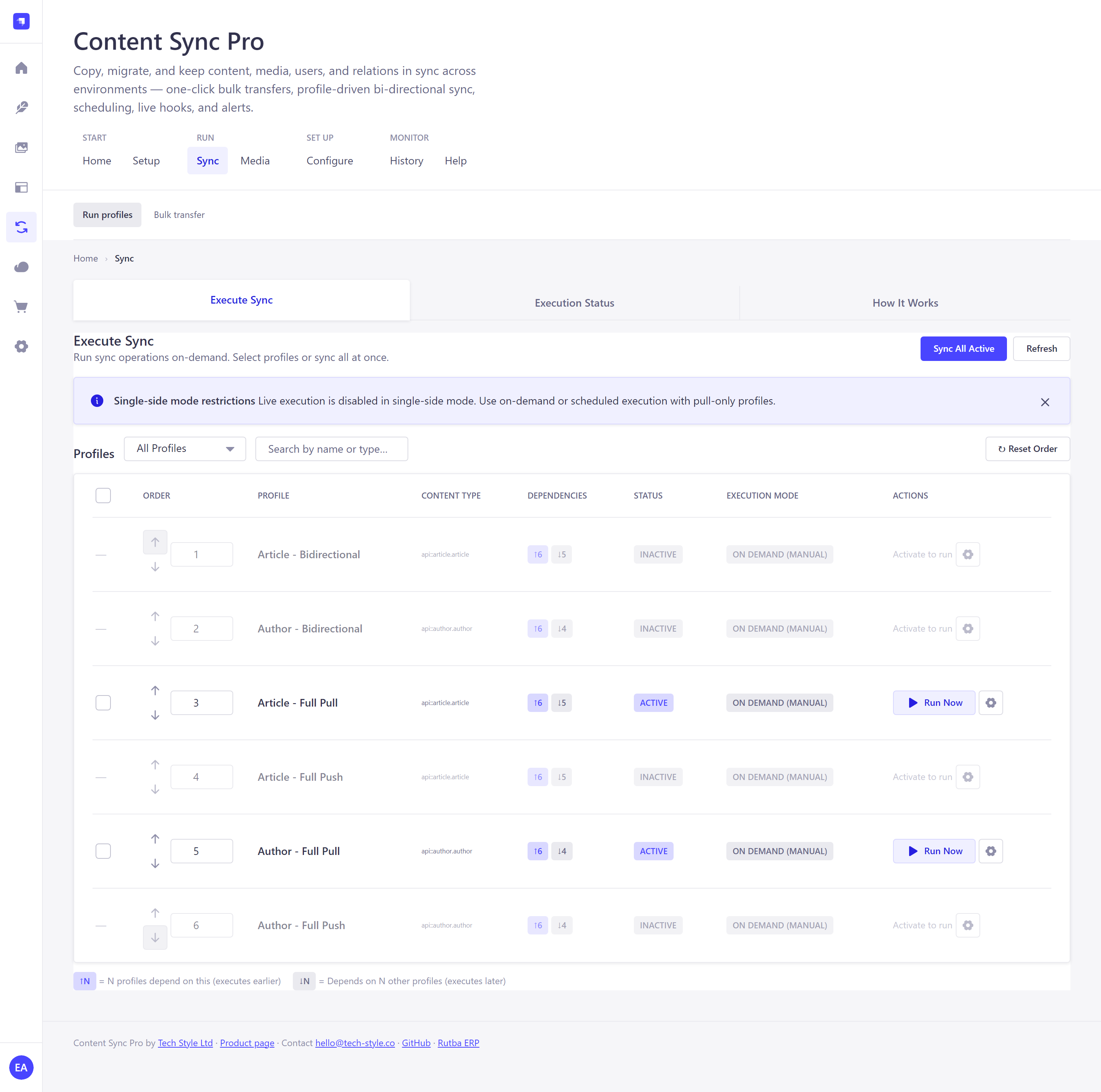 Run profiles Dependency-aware ordering, per-profile execution, run on demand. | 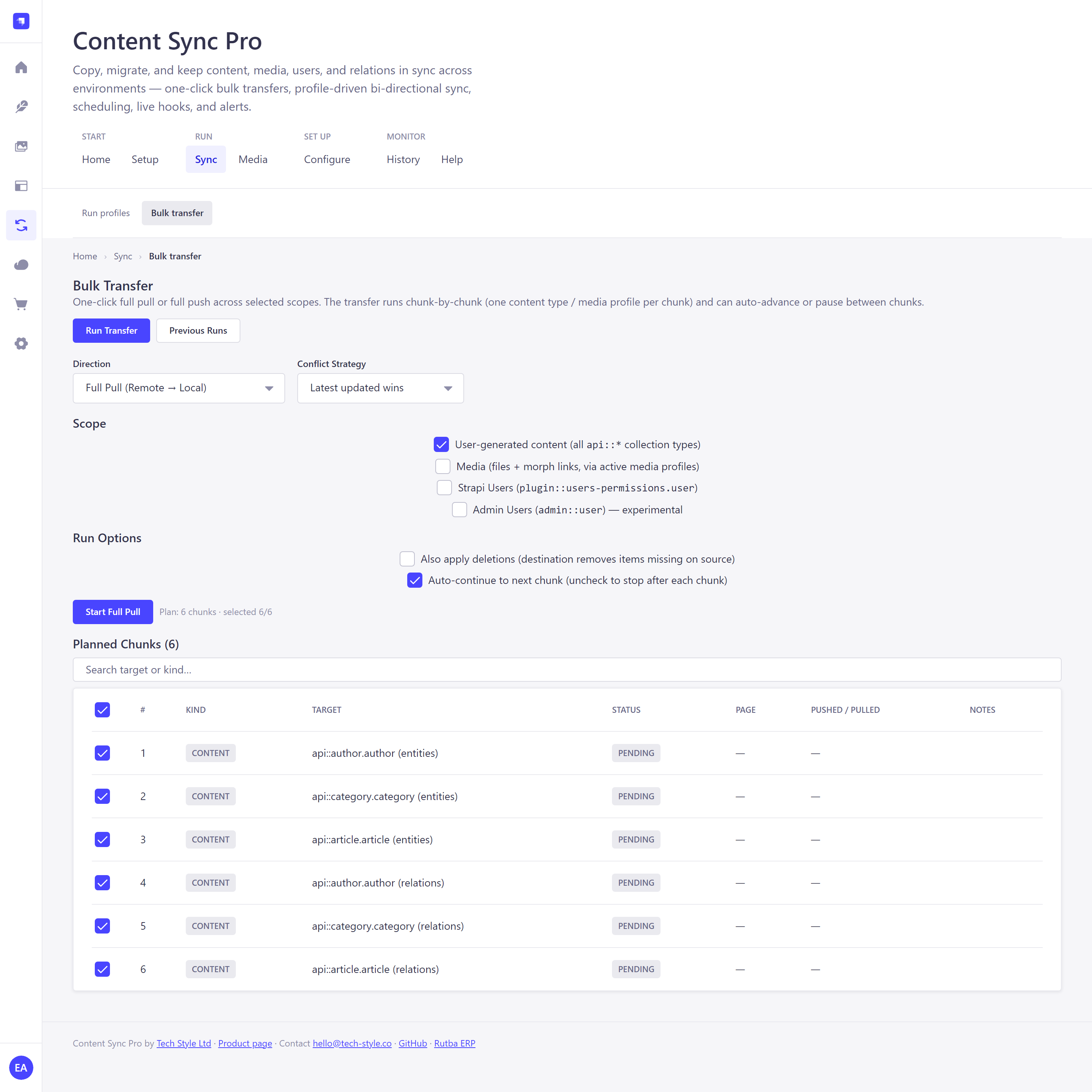 Bulk transfer One-click full pull or push, chunked, pausable, resumable. | 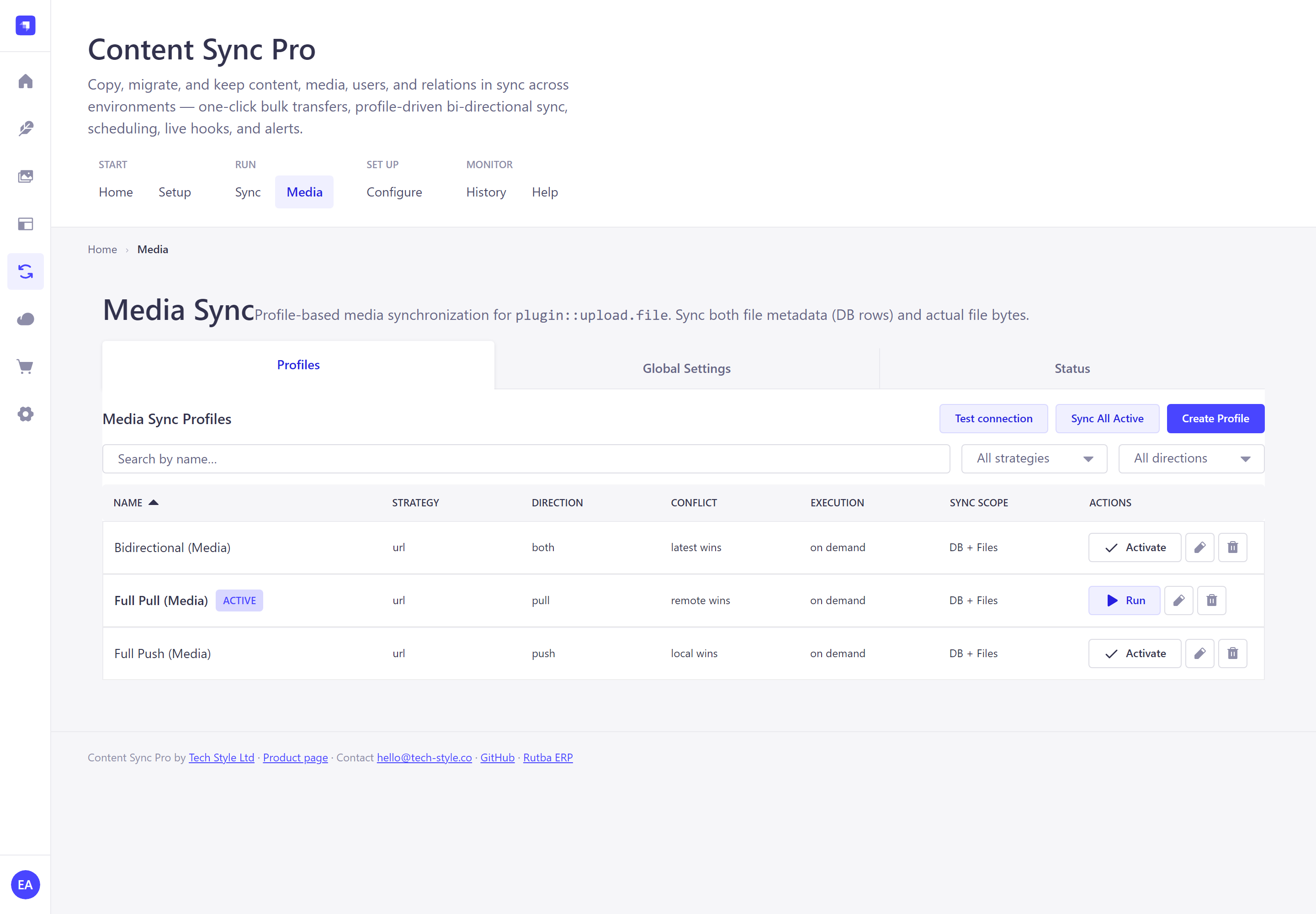 Media Files and DB rows, URL or rsync, with live status and controls. |
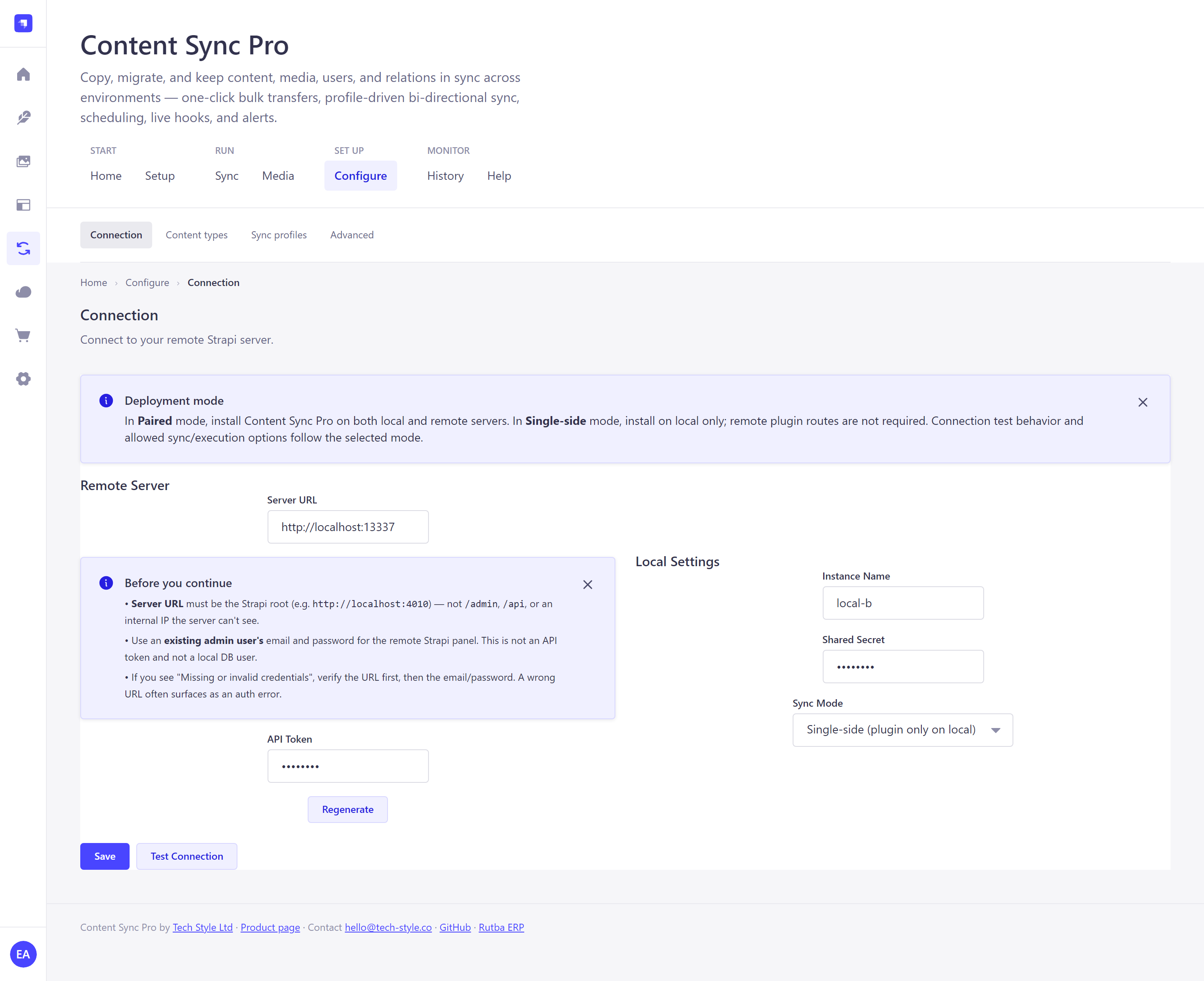 Connection Paired or single-side, with secrets masked in every response. | 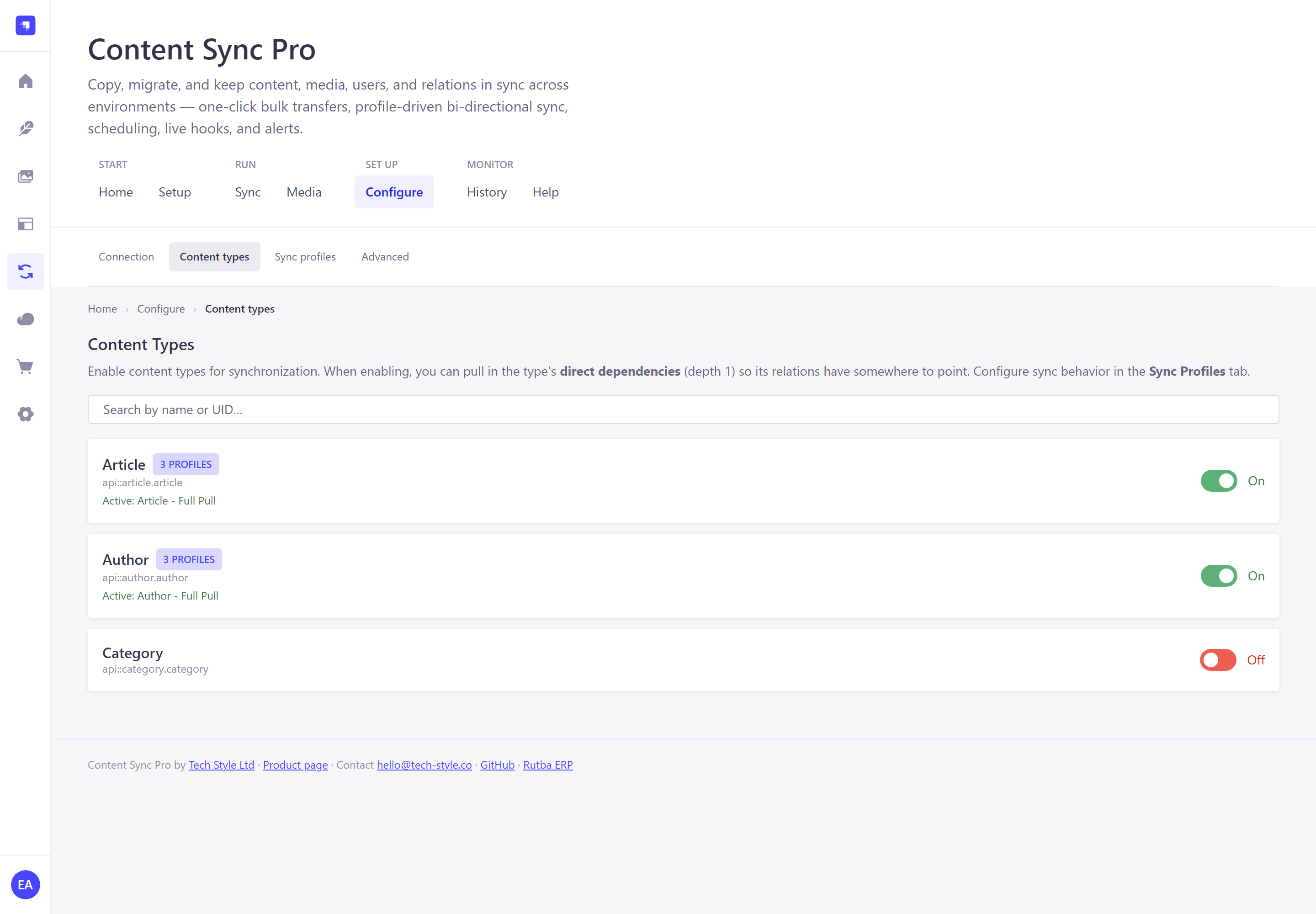 Content types Choose what is in scope, with direct dependencies pulled in. | 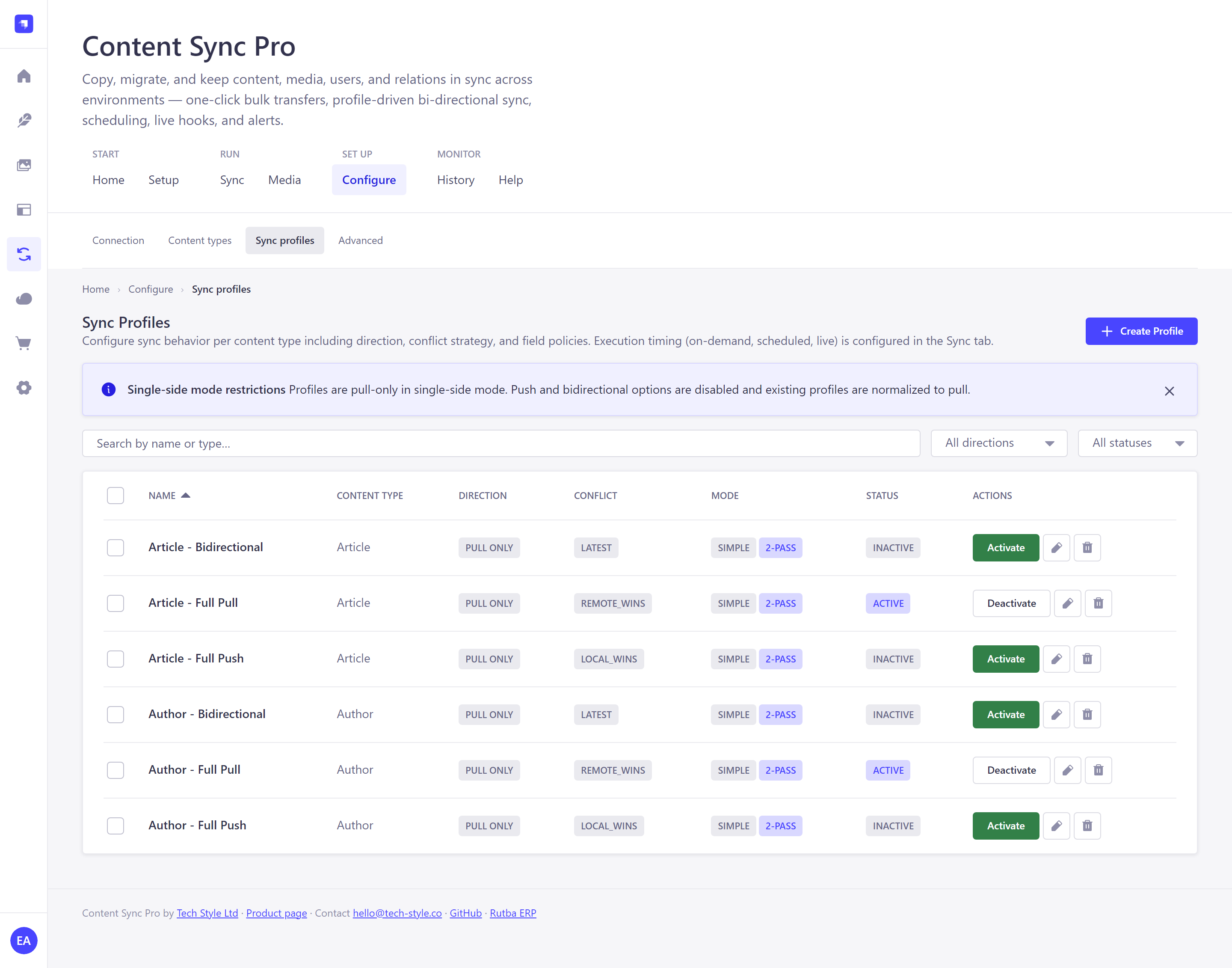 Sync profiles Direction, conflict strategy, and field-level policies. |
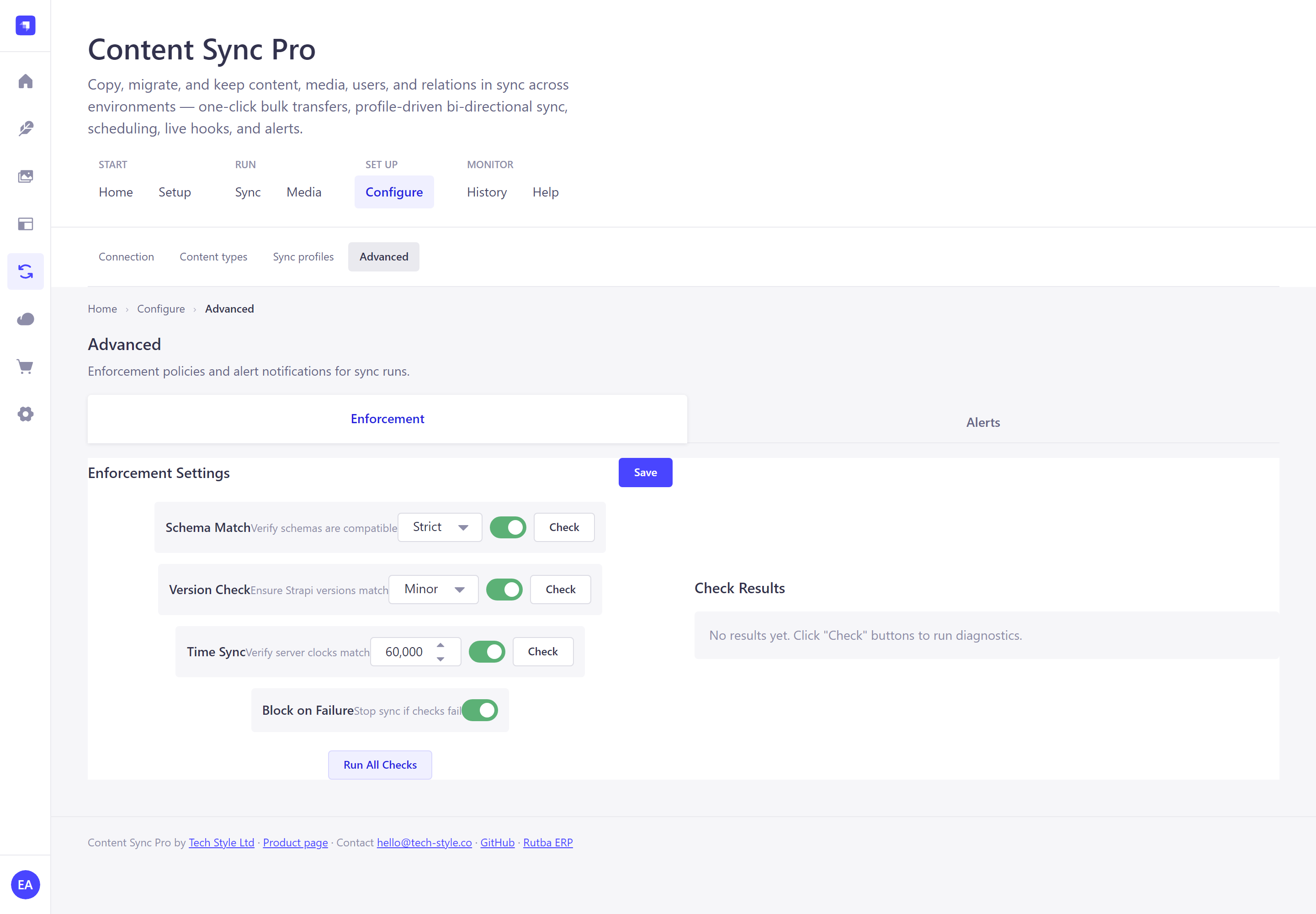 Advanced Schema, version and clock checks, plus email/webhook alerts. | 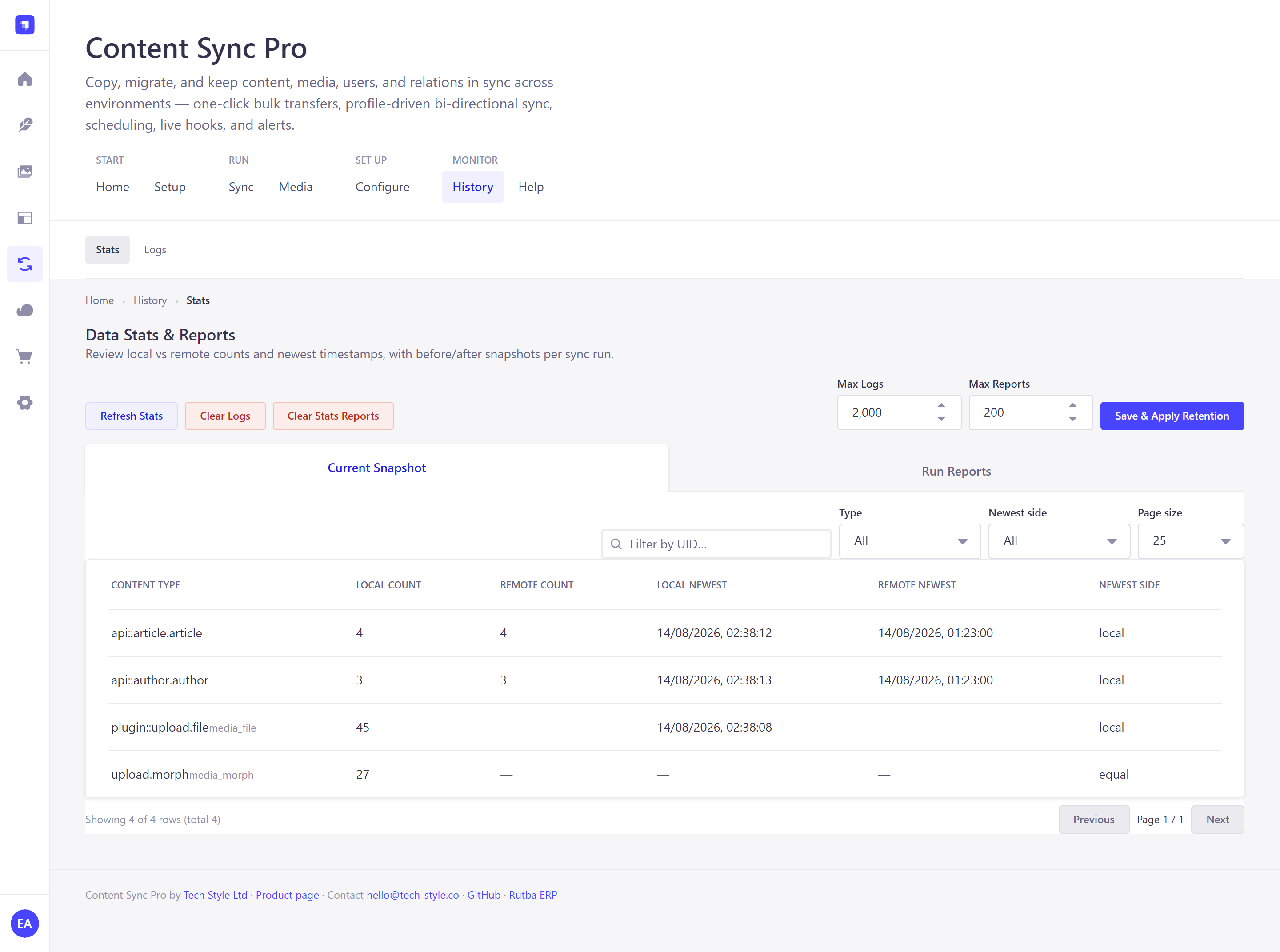 Stats Local vs remote counts, newest side, and per-run snapshots. | 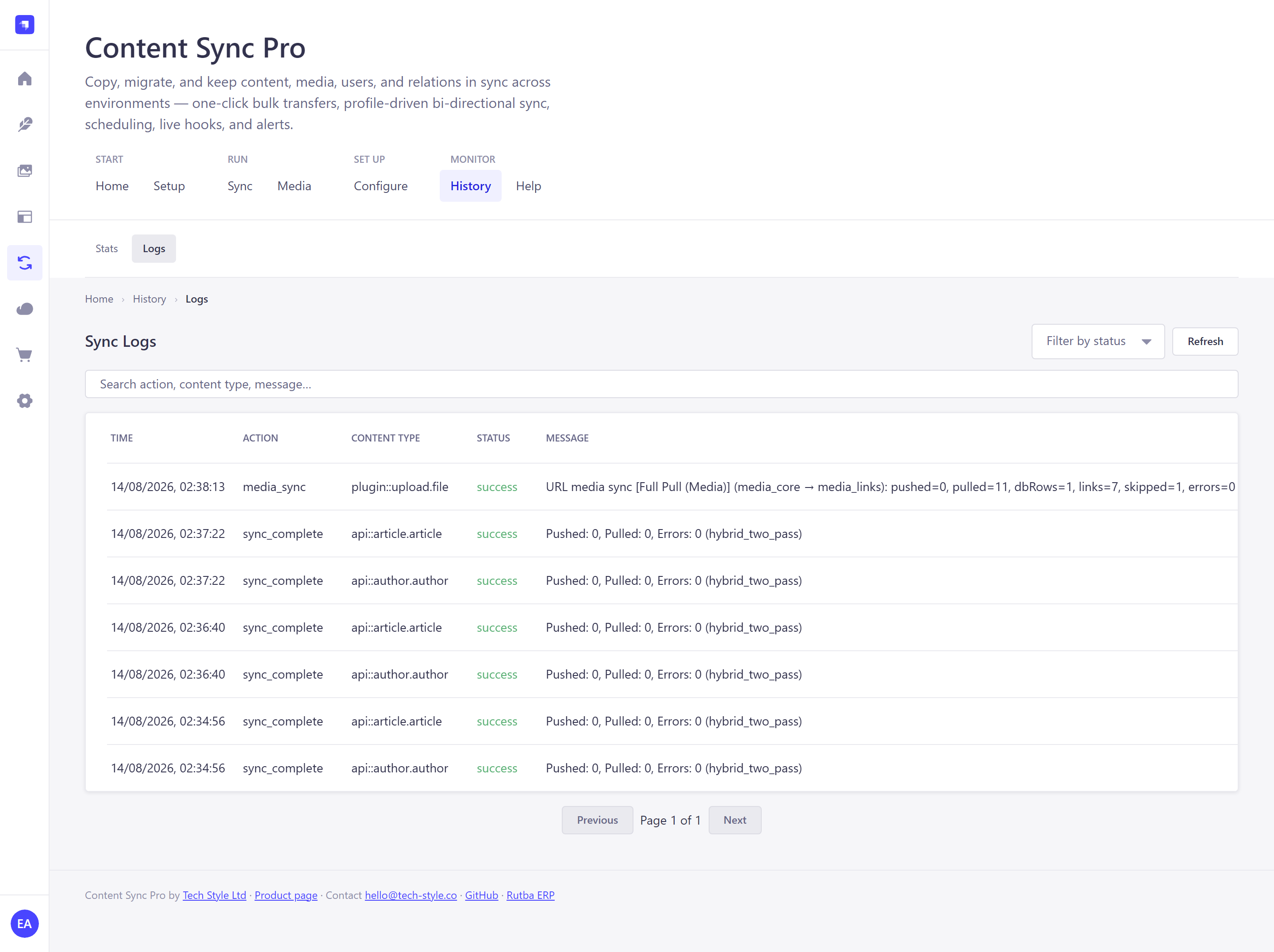 Logs Every action, with counters and messages, searchable. |
→ See all 14 screens with a written walkthrough
Admin UI Navigation
The plugin mounts at /admin/plugins/strapi-content-sync-pro. Navigation is
two-tier: a grouped primary bar, plus a secondary bar inside sections that have
one. Every screen is a real, shareable URL.
| Group | Destination | Path | What it's for |
|---|---|---|---|
| Start | Home | / | Connection status and entry points to every section |
| Start | Setup | /setup/connect, /setup/scope, /setup/run | Guided first run: connect, choose scope, run your first sync |
| Run | Sync | /sync · /sync/bulk | Run profiles · Bulk transfer |
| Run | Media | /media | Media sync profiles, live status and controls |
| Set up | Configure | /configure/connection · /configure/content-types · /configure/profiles · /configure/advanced | Connection · Content types · Sync profiles · Enforcement and alerts |
| Monitor | History | /history/stats · /history/logs | Stats and run reports · Detailed logs |
| Monitor | Help | /help | Step-by-step guidance inside the admin panel |
Old flat paths (/config, /content-types, /sync-profiles, /bulk-transfer,
/stats, /logs) still resolve — they redirect to their new homes.
Features
- Deployment Modes - Paired mode (plugin on both servers) or Single-side mode (plugin only on local server).
- Bi-directional Content Sync - Push, pull, or sync both ways (Local wins, Remote wins, or Latest wins) in paired mode.
- Media Sync - Full media synchronization via HTTP (URL-based) or host-level file copy (
rsync). Includes MIME type filtering and concurrency controls. - Sync Profiles - Define WHAT to sync with field-level control (Advanced mode) or preset modes.
- Execution Modes - On-demand, Scheduled (interval, timeout, cron, or external scheduler), Live (real-time), with per-profile execution controls.
- Pagination & Large Dataset Support - Built-in pagination ensures stable memory usage even when syncing thousands of records.
- Dependency Analytics - Automatically detects and syncs related entities and components in the correct order.
- Enforcement Checks - Pre-sync schema compatibility validation, version checks, and server time drift checks.
- Alerts & Logging - Detailed sync logs. Receive success/failure alerts via Email (using Strapi's email provider) or Webhooks.
- Stats & Run Reports - Local/remote counts and newest timestamps per content type, with before/after snapshots for each sync run.
- Bulk Transfer - One-click full pull or full push across selectable scopes (content, media, Strapi users, admin users), under Sync → Bulk transfer. Expands into per-content-type and per-media-profile chunks with page-level progress, selectable chunks, optional deletion sync, and auto-continue or manual chunk-by-chunk stepping.
- Pause / Resume / Cancel & Persisted History - Bulk Transfer jobs can be paused after the current page (cursor, page number, and counters preserved), cancelled without losing progress, and resumed later from the exact saved state. Every run is stored in a persistent history so you can inspect per-chunk results and restart or resume any previous run — even after a Strapi restart.
- Retention Controls - Manual clear and automatic retention limits for logs and run reports.
- Secure Communication - API token authentication combined with HMAC-SHA256 request signing using a shared secret.
- Guided Setup & In-App Help - A three-step first-run wizard (connect → scope → run) and a Help section documenting every screen, both reachable from the Home hub.
Prerequisites
- Strapi v5.0.0 or higher
- Node.js 20.0.0 or higher
Installation
npm install strapi-content-sync-proOr with yarn:
yarn add strapi-content-sync-proConfiguration
1. Enable the plugin
Add to your config/plugins.js (or config/plugins.ts):
module.exports = {
  'strapi-content-sync-pro': {
    enabled: true,
  },
};
2. Rebuild Strapi
npm run build
npm run develop
3. Configure via Admin UI
- Navigate to Content Sync Pro in the admin sidebar
- Go to Configure → Connection
- Enter your remote server details:
- Server URL: The remote Strapi instance root (e.g.,
https://api.example.com) — not/adminor/api - API Token: Generate from the remote Strapi's Settings → API Tokens
- Instance Name: Unique identifier for this instance
- Shared Secret: Same secret on both instances for HMAC signing
- Sync Mode: Paired or Single-side (see Deployment Modes)
- Server URL: The remote Strapi instance root (e.g.,
Quick Start
New installs can follow the guided Setup wizard, which walks the same three steps below as deep-linkable URLs and hands off to the full screens afterwards.
Step 1: Choose Deployment Mode and Configure Connection
In Configure → Connection (or Setup → Connect), choose one mode:
- Paired: install and enable plugin on both local and remote servers.
- Single-side: install plugin only on local server (remote plugin routes not required).
Then configure Server URL, API Token, Instance Name, and Shared Secret, and press Test Connection before saving.
Step 2: Enable Content Types
In Configure → Content types (or Setup → Choose scope), toggle on the content types you want to sync. Default profiles (Full Push, Full Pull, Bidirectional) are auto-generated per type.
Step 3: Align Sync Settings on Both Servers
In Configure → Content types, enable matching content types on both servers. In Configure → Sync profiles, set compatible direction/conflict strategy and activate the profile you want to run. Then in Sync → Run profiles, configure execution mode and global page size.
Step 4: Run Sync
In Sync → Run profiles (or Setup → Run), click Sync All Active or run individual profiles with Run Now. Profiles execute in the listed order, and the dependency badges show how many types each one depends on.
Bulk Transfer
Sync → Bulk transfer is a one-click full pull or full push across selected scopes, for first-time seeding and large migrations where per-profile runs are too granular.
Pick a Direction and Conflict Strategy, tick the Scope (user-generated content, media, Strapi users, admin users), then review the generated plan before starting. The transfer expands into chunks — one content type or media profile per chunk, split into entity and relation passes — which you can select individually, step through manually, or let auto-continue. Runs can be paused after the current page, cancelled, and resumed later from the exact saved cursor; Previous Runs keeps a persistent history you can inspect, restart, or resume even after a Strapi restart.
Sync Profiles
Sync Profiles define what to sync and how conflicts are resolved.
Simple Mode (Presets)
- Full Push - Push all data to remote, local wins
- Full Pull - Pull all data from remote, remote wins
- Bidirectional - Two-way sync, latest wins
Advanced Mode
Configure individual field policies:
- Both - Field syncs both directions
- Push - Field only pushes to remote
- Pull - Field only pulls from remote
- Exclude - Field is never synced
Deployment Modes
Paired mode
- Plugin installed on both local and remote servers.
- Supports push, pull, and bidirectional profiles.
- Supports on-demand, scheduled, and live execution modes.
- Connection test validates remote plugin endpoints.
Single-side mode
- Plugin installed on local server only.
- Pull-only profiles are enforced.
- Live execution is disabled (use on-demand or scheduled).
- Connection test validates remote reachability and API token access without requiring remote plugin routes.
- Media links (entity → file) are derived from the remote's standard content REST
API, so the API token needs
findon every content type that owns media fields, not just on Upload.
Execution Modes
Configure when sync runs in Sync → Run profiles, per profile via the gear icon:
| Mode | Description |
|---|---|
| On Demand | Manual trigger only |
| Scheduled | Interval, Timeout, Cron expression, or External scheduler |
| Live | Real-time sync on content changes via lifecycle hooks |
Scheduled Sync Types
| Type | Description |
|---|---|
Interval (setInterval) | Fires every N minutes. Simple but can overlap. |
Timeout (chained setTimeout) | Waits for the previous run to finish. No overlap. |
| Cron (wall-clock) | Standard cron expression via strapi.cron. Recommended for production. |
| External | No in-process timer. Use system cron, Kubernetes CronJob, GitHub Actions, etc. |
Media Sync
Full media synchronization between Strapi instances, managed from the Media tab:
- URL Strategy (HTTP) — Works with any upload provider (local, S3, Cloudinary). Downloads and re-uploads via the Upload API.
- rsync Strategy — Host-level file copy using the
rsyncbinary. Fastest for local-provider setups with SSH access. - Profile-based — Create media sync profiles with direction, conflict strategy, MIME filters, filename patterns, and execution settings.
- DB + File Sync — Syncs both the
plugin::upload.filedatabase rows and the actual file bytes. - Entity → File Links — Media links are written from the owning content type's media fields, in one direction, with set semantics: removing an image at the source removes it at the target. Files are matched by
documentId, falling back to name + extension + size, because a URL-synced file is re-uploaded on the target and gets a freshdocumentId. A field whose source list is non-empty but resolves to no local file is left untouched rather than cleared — that means the files have not been pulled yet, not that the link was removed.- In paired mode the links come from the peer's
media-sync/entity-media-linksendpoint (ormedia-sync/morph-linksif the peer runs an older version). - In single-side mode the peer serves neither, so links are derived from its standard content REST API (
/api/<plural>?populate=<media fields>). This requires the API token to havefindon every content type that owns media fields.
- In paired mode the links come from the peer's
- Live Status + Pause/Resume/Stop — The Media tab polls status every 2 s while a profile is running or paused and shows live phase and counters (
pushed,pulled,skipped,errors). Long runs can be paused, resumed, or stopped cooperatively from the UI or viaPOST /api/strapi-content-sync-pro/media-sync/profiles/:id/pause|resume|cancel(URL strategy; rsync runs cannot be paused mid-process).
Enforcement
Pre-sync validation (Configure → Advanced → Enforcement):
- Schema Match - Verify content type schemas match (strict/compatible/none)
- Version Check - Verify Strapi versions (exact/minor/major/none)
- DateTime Sync - Verify server clocks are synchronized
Alerts
Get notified of sync events (Configure → Advanced → Alerts):
- Strapi Logs - Logs to sync log and server console
- Email - Requires Strapi email plugin configured
- Webhook - POST to any HTTP endpoint
API Endpoints
Admin Routes (authenticated)
| Method | Path | Description |
|---|---|---|
GET | /strapi-content-sync-pro/config | Get connection config |
POST | /strapi-content-sync-pro/config | Update connection config |
POST | /strapi-content-sync-pro/sync-now | Trigger manual sync |
GET | /strapi-content-sync-pro/sync-profiles | List sync profiles |
GET | /strapi-content-sync-pro/logs | View sync logs |
Public Routes (HMAC signed)
| Method | Path | Description |
|---|---|---|
POST | /strapi-content-sync-pro/receive | Receive data from remote |
Security
- API Tokens: Use Strapi's built-in API token system
- HMAC-SHA256: All inter-instance requests are signed
- Masked Secrets: Sensitive data is masked in API responses
Example: E-commerce Sync
Sync products from a central catalog to multiple storefronts:
-
Central Catalog (source):
- Create "Full Push" profile for
api::product.product - Set execution mode to "Live"
- Create "Full Push" profile for
-
Storefront (target):
- Create "Full Pull" profile for
api::product.product - Set execution mode to "Scheduled" (every 5 minutes)
- Create "Full Pull" profile for
Stats & Data Management
History → Stats is split into two sub-tabs:
Current Snapshot — live local vs remote state per content type:
- Local vs remote record count
- Media files and media morph stats (local, plus remote where available)
- Newest record timestamp on each side and which side is newest (local, remote, equal)
- Search by UID, filter by type (content / media / media morph) or newest side, and paginate large result sets
Run Reports — before/after snapshots captured for each sync run:
- Filter by status (all / success / failed) and paginate server-side
- Expand any report to see the before and after row tables
A top action row (shared by both sub-tabs) provides:
- Refresh Stats, Clear Logs, Clear Stats Reports
- Max Logs / Max Reports retention limits with Save & Apply Retention (also enforced automatically after each sync run)
Troubleshooting
Common Issues
| Error | Solution |
|---|---|
| "Remote server not configured" | Add Server URL and API Token in Configure → Connection |
| "401 Unauthorized / 403 Forbidden" | Regenerate API token and verify required permissions for synced content types (and Upload permissions for media) |
| "HMAC verification failed" | Ensure shared secret matches on both instances in paired mode |
| "Content type endpoint not found" | In paired mode, ensure matching content-type definitions and enabled API routes on both instances |
| "Live mode not available" | Switch to paired mode, or use on-demand/scheduled in single-side mode |
| "Schema mismatch" | Sync content type schemas or set enforcement to "compatible" |
Files pull but stay unlinked (mediaLinksApplied: 0) | Grant the API token find on every content type that owns media fields — in single-side mode links are read from the remote's content REST API, not from a plugin route. Before 1.1.1 this failed unconditionally in single-side mode; upgrade. |
| "Remote morph-links fetch failed (404)" | The remote does not run this plugin. Fixed in 1.1.1, which falls back to the remote's content REST API. On older versions, install the plugin on both instances (paired mode). |
Viewing Logs
Check History → Logs for detailed sync history including:
- Timestamp and duration
- Content type and record ID
- Direction (push/pull)
- Status and error messages
Search by action, content type or message, and filter by status to isolate a failing run.
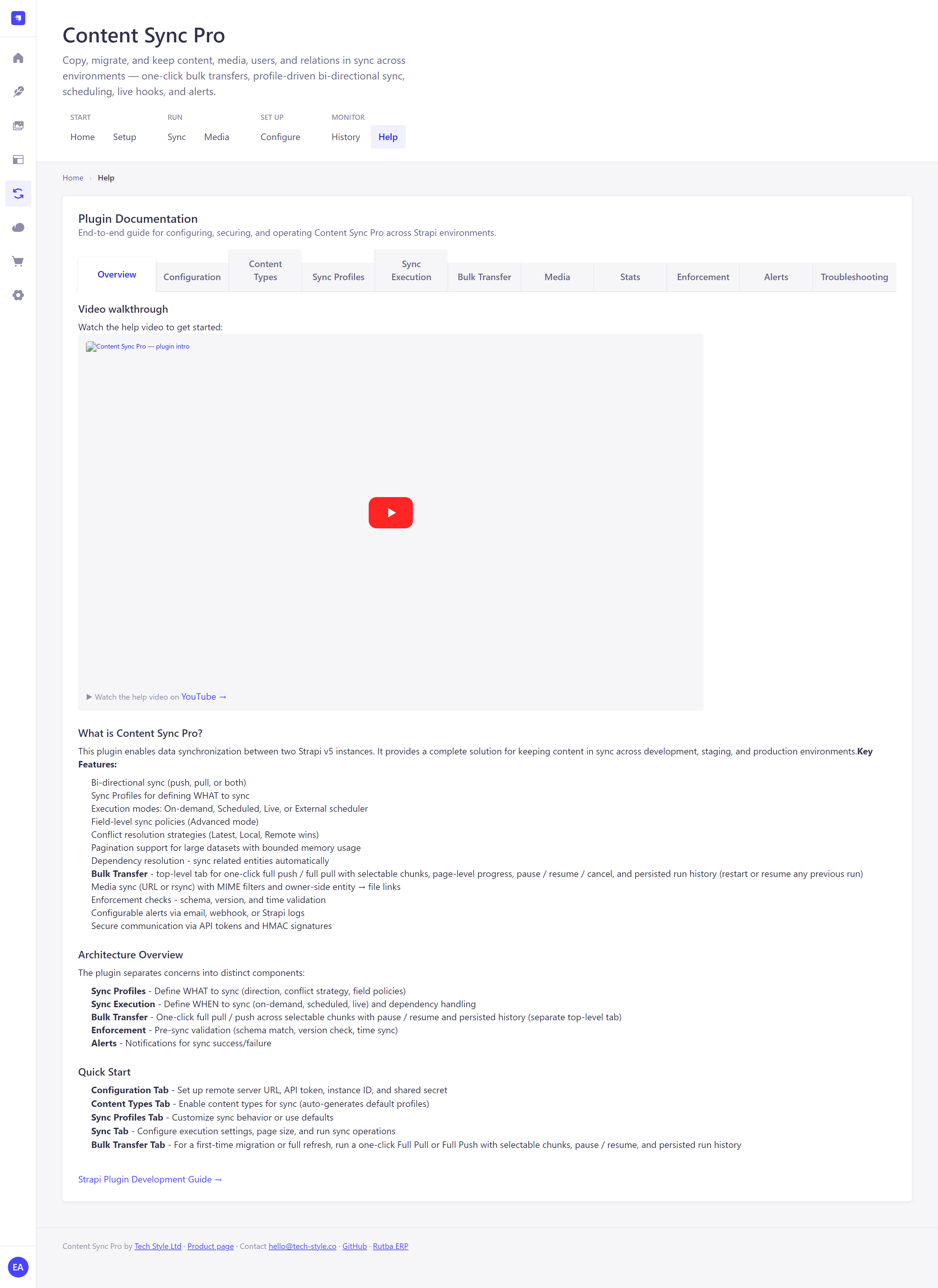
In-app documentation for every screen is available under Help.
Security & Privacy
- No usage tracking. This plugin does not collect, transmit, or store any analytics or telemetry data.
- Credential handling. The optional "Generate Token" feature lets you authenticate to your own remote Strapi server to create an API token. Credentials are sent directly from your browser to your server via the plugin's backend proxy, used once, and never stored on disk, in the database, or in memory after the request completes.
- API Tokens are encrypted at rest using Strapi's built-in store.
- HMAC-SHA256 signatures protect all inter-instance requests from tampering.
- Masked secrets — API tokens and shared secrets are masked (
••••••••) in all API responses.
Contributing
Contributions are welcome! Please open an issue or submit a pull request.
Support
- Product page: tech-style.co/products.html#content-sync
- Just need backups, not sync? Strapi Remote Backup Pro is our free remote backup and restore tool for Strapi — it installs nothing into your project, no plugin required (source)
- Email: hello@tech-style.co
- Contact form: tech-style.co/contact.html
- Bugs & feature requests: GitHub Issues
License
Dual-licensed under the GNU AGPL v3.0 (see LICENSE) and a separate commercial license — see COMMERCIAL-LICENSE.md. Copyright (C) 2026 Tech Style Ltd — https://tech-style.co
Author
Ejaz Husain Arain — Tech Style Ltd
- Website: tech-style.co
- Email: hello@tech-style.co
- GitHub: @eharain
- LinkedIn: Ejaz Husain Arain
Tech Style Ltd · Registered in England & Wales · Company No. 11101491

