Image Converter
By Shaun Mills
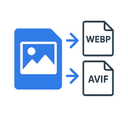
Converts media uploads to webp or avif
Latest version
released February 5, 2026
npm install strapi-plugin-img-convertstrapi-plugin-img-convert
A Strapi plugin that enhances the built-in upload functionality by automatically converting uploaded images into formats like WebP and AVIF.
New in version 2.1
You can now pass sharp options for each image format. Check here for available options - https://sharp.pixelplumbing.com/api-output/
New in version 2.2
The optimizeSettings are also applied to the generation of responsive images.
Be warned that, if you have booth “optimize images” and “generate responsive images” active in the media library settings the “optimized image“ and not the original will be used to generate the responsive images.
Requirements
- Strapi V5.x.x
- Node.js 18.x or higher
- Access to edit config/plugins.js|ts
NOTE: Strapi 4.x.x is not supported!
Installation
npm install strapi-plugin-img-convertor
yarn add strapi-plugin-img-convertUsage
- Install the plugin using npm or yarn
- Configure the plugin by adding the following to your
config/plugins.jsfile:
Javascript
module.exports = {
  upload: {
    config: {
      breakpoints: {
        xlarge: { breakpoint: 1566, formats: ['webp', 'jpeg', 'png'] },
        large: { breakpoint: 1280, formats: ['webp', 'jpeg', 'png'] },
        medium: { breakpoint: 768, formats: ['webp', 'jpeg', 'png'] },
        small: { breakpoint: 640, formats: ['webp', 'jpeg', 'png'] },
      },
      optimizeSettings: {
        jpeg: { quality: 100 },
        png: { compressionLevel: 9, effort: 6 },
        webp: { quality: 100, lossless: true, nearLossless: true, effort: 6, smartSubsample: true },
        avif: { quality: 50 },
      },
    },
  },
};
Or Typescript
export default () => ({
  upload: {
    config: {
      breakpoints: {
        xlarge: { breakpoint: 1566, formats: ['webp', 'jpeg', 'png'] },
        large: { breakpoint: 1280, formats: ['webp', 'jpeg', 'png'] },
        medium: { breakpoint: 768, formats: ['webp', 'jpeg', 'png'] },
        small: { breakpoint: 640, formats: ['webp', 'jpeg', 'png'] },
      },
      optimizeSettings: {
        jpeg: { quality: 100 },
        png: { compressionLevel: 9, effort: 6 },
        webp: { quality: 100, lossless: true, nearLossless: true, effort: 6, smartSubsample: true },
        avif: { quality: 50 },
      },
    },
  },
});
Note: Legacy configuration formats are still supported for backward compatibility.
Support
For issues and feature requests, please create an issue on our GitHub repository.
License
MIT

