
Watermark
Production-ready Strapi 5 plugin that automatically applies image watermarks to uploads in the Media Library.
Latest version
released July 11, 2026
npm install @andrey.tsirkun/strapi-plugin-watermark@andrey.tsirkun/strapi-plugin-watermark

Production-ready Strapi 5 plugin that automatically applies image watermarks to uploads in the Media Library.
Works transparently for editors: upload an image as usual, the plugin intercepts the upload pipeline, composites a watermark in memory with Sharp, and sends the result to your configured upload provider.
Features
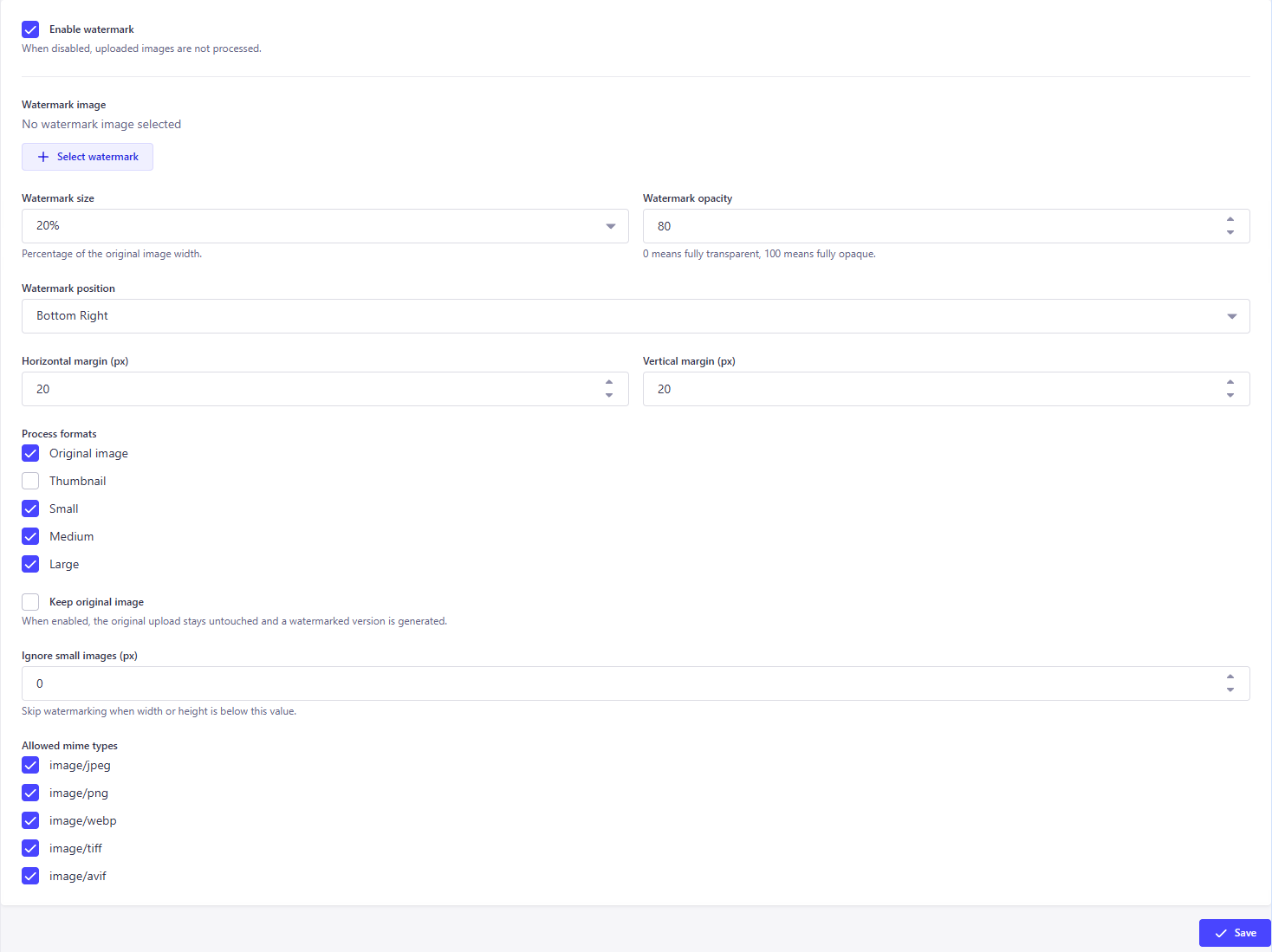
- Settings UI under Settings → Watermark
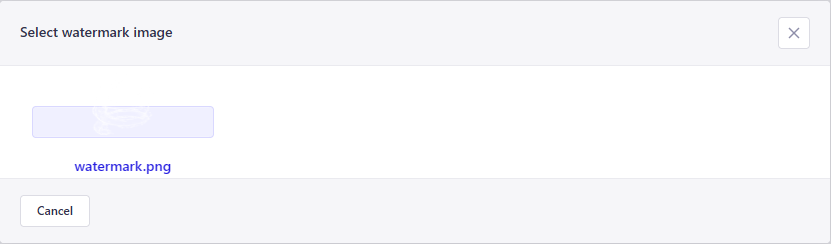
- Watermark image stored as a Media Library relation (not a hard-coded path)
- Configurable size, opacity, position, and margins
- Per-format processing: original, thumbnail, small, medium, large
- Optional
keepOriginalmode with an extraformats.watermarkedvariant - MIME type and minimum-size filters
- Provider-agnostic (local, S3, Spaces, GCS, MinIO, custom providers)
- Graceful degradation: watermark failures never break uploads
Requirements
- Strapi 5.x
- Node.js 20.x – 22.x
Installation
Install from npm:
npm install @andrey.tsirkun/strapi-plugin-watermark sharpOr with yarn:
yarn add @andrey.tsirkun/strapi-plugin-watermark sharpEnable the plugin in config/plugins.ts:
export default {
  watermark: {
    enabled: true,
    config: {
      enabledByDefault: false,
      defaultOpacity: 80,
      defaultMargins: { x: 20, y: 20 },
      defaultSize: 20,
    },
  },
};
Rebuild the admin panel and restart Strapi:
npm run build
npm run develop
Monorepo / local development
If you develop from source, link the package into your Strapi app and enable it the same way:
watermark: {
  enabled: true,
  resolve: './packages/plugin-watermark',
},
Configuration
Plugin config (config/plugins.ts)
These values seed the singleton settings document on first boot:
| Option | Type | Default | Description |
|---|---|---|---|
enabledByDefault | boolean | false | Initial value for the Enabled setting |
defaultOpacity | number | 80 | Initial opacity (0–100) |
defaultMargins | { x, y } | { x: 20, y: 20 } | Initial margin in pixels |
defaultSize | number | 20 | Initial watermark width as % of image width |
Example:
watermark: {
  enabled: true,
  config: {
    enabledByDefault: true,
    defaultOpacity: 70,
    defaultMargins: { x: 16, y: 16 },
    defaultSize: 25,
  },
},
Admin settings (Settings → Watermark)
| Setting | Description |
|---|---|
| Enabled | Master switch for watermark processing |
| Watermark image | PNG/JPEG from Media Library used as the watermark |
| Size | Watermark width as % of the target image width |
| Opacity | 0–100%, applied to the watermark alpha channel |
| Position | One of 9 positions (top/center/bottom × left/center/right) |
| Margins | Horizontal and vertical offset in pixels |
| Process formats | Choose which generated formats receive a watermark |
| Keep original | Keep the untouched original and add formats.watermarked |
| Minimum image size | Skip when both width and height are below the threshold |
| Allowed MIME types | Restrict processing to selected image types |
Screenshots
| Settings page | Watermark picker |
|---|---|
 |  |
Plugin architecture
Admin UI (Settings → Watermark)
        │
        ▼
Admin API  GET/PUT /watermark/settings
        │
        ▼
SettingsService  ──►  plugin::watermark.settings (singleType)
        │
Media Library upload
        │
        ▼
UploadInterceptorService  (wraps upload provider upload/replace)
        │
        ▼
WatermarkService
   ├── ValidationService
   ├── ImageService
   ├── SharpService
   └── CoordinateService
        │
        ▼
Upload provider (local / S3 / …)
Server services
| Service | Responsibility |
|---|---|
SettingsService | Singleton settings CRUD |
ValidationService | MIME, size, format, and enabled checks |
CoordinateService | Watermark x/y placement with margins |
SharpService | Resize, opacity, composite |
ImageService | Load watermark file from any provider |
WatermarkService | Orchestrates the processing pipeline |
UploadInterceptorService | Hooks the Strapi upload lifecycle |
How upload interception works
Strapi Upload optimizes images and calls the upload provider (upload / replace) for each format (original, thumbnail, responsive sizes). Document middleware runs too late to modify buffers before storage.
This plugin registers in bootstrap and wraps plugin::upload provider methods:
- Read the upload stream into a buffer
- Run
WatermarkService.applyWatermark()when validation passes - Write the processed buffer back onto the same upload file object
- Call the original provider method
Because interception happens at the provider layer, it works with any Strapi upload provider without provider-specific code.
keepOriginal behavior
keepOriginal | processOriginal | Result |
|---|---|---|
false | true | Original file is replaced with the watermarked version |
true | true | Original stays untouched; extra formats.watermarked is uploaded |
| any | false | Original format is not watermarked |
Supported providers
Any provider compatible with Strapi 5 Upload is supported, including:
- Local upload provider (default)
- AWS S3 (
@strapi/provider-upload-aws-s3) - Cloudinary
- DigitalOcean Spaces
- Google Cloud Storage
- MinIO
- Custom providers implementing
upload/uploadStreamand optionalgetStream
The plugin reads watermark source files via the provider getStream API when available, with local filesystem and HTTP fallbacks.
API
Admin routes (require authenticated admin with plugin permissions):
GET /watermark/settings
Returns current watermark settings.
Response
{
  "data": {
    "enabled": true,
    "watermarkImage": 1,
    "sizePercent": 20,
    "opacity": 80,
    "position": "bottom-right",
    "marginX": 20,
    "marginY": 20,
    "processOriginal": true,
    "processThumbnail": false,
    "processSmall": true,
    "processMedium": true,
    "processLarge": true,
    "keepOriginal": false,
    "minimumImageSize": 0,
    "allowedMimeTypes": ["image/jpeg", "image/png", "image/webp"]
  }
}
PUT /watermark/settings
Updates settings. Accepts { "data": { ... } } or a flat body.
Permissions
plugin::watermark.settings.readplugin::watermark.settings.update
Super Admin receives these permissions on plugin registration.
Development
From the monorepo root:
# Install dependencies
npm install

# Build the plugin
npm run build:plugin

# Run Strapi test app with plugin watch
npm run dev:all
Open the admin panel, go to Settings → Watermark, configure the watermark image and options, then upload images via Media Library.
Project structure
packages/plugin-watermark/
├── admin/           Admin panel (Settings page, hooks, components)
├── server/          Plugin server (services, routes, content-types)
├── dist/            Build output (published to npm)
└── package.json
Testing
# Full CI-style check (from monorepo root)
npm run verify:all

# Individual steps
npm run test:unit --workspace=@andrey.tsirkun/strapi-plugin-watermark
npm run build:plugin
npm run test:integration --workspace=@andrey.tsirkun/strapi-plugin-watermark
npm run test:ts --workspace=@andrey.tsirkun/strapi-plugin-watermark
npm run verify --workspace=@andrey.tsirkun/strapi-plugin-watermark
Publishing
-
Update version in
package.json -
Build the plugin:
npm run build --workspace=@andrey.tsirkun/strapi-plugin-watermark -
Verify:
npm run verify --workspace=@andrey.tsirkun/strapi-plugin-watermark -
Publish from the plugin directory:
cd packages/plugin-watermark
npm publish --access public
Published tarball includes dist/, README.md, and LICENSE.
Limitations
- Images only — non-image uploads are passed through unchanged
- Sharp-supported formats — JPEG, PNG, WebP, TIFF, AVIF (configurable via allowed MIME types)
- SVG / GIF — not composited as watermark targets by default
- Watermark source upload — the configured watermark file is skipped when its hash/name matches the upload
- In-memory processing — very large images increase memory use during upload
- Animated images — treated as static frames through Sharp
Roadmap
- E2E admin tests (Playwright)
- Batch re-watermark existing media
- Text watermark mode (without image asset)
- Per-folder watermark rules
- Watermark preview in Settings UI

